Everything ready in the cluster
before the first chart.
Four checks: the cluster and tools, volumes, publishing the web interfaces, and registry access with the license. Each one covers: what must exist, how to check it, and what to do when something is missing.
Before the first helm upgrade --install, the cluster needs a certified orchestrator, a StorageClass for volumes, an HTTP entry point if web interfaces will be published, and access to the Tecnisys OCI registry. You need kubectl and Helm configured for the cluster, and TDP license files issued for it.
Your environment
If you fill in your environment details here, examples and commands on the page use what you entered. The namespace, release name and values file are your choices, not the chart's. The platform base (CRDs, license, and operators) uses the fixed tdp-system namespace.
What to check
Check 3
Expose on the network
Ingress Controller, Gateway API, or the OpenShift router for reaching web interfaces.
Check 4
Registry and license
Registry login, the pull Secret in each namespace, and this cluster license.
Scenarios
- 1 · Getting started
- 2 · Storage
- 3 · Expose on the network
- 4 · Registry and license
Check the orchestrator, node architecture, and workstation tools.
You are installing TDP on a cluster for the first time and want to check whether it meets the requirements. The cluster must run a certified orchestrator on supported node architectures, and your workstation needs kubectl and Helm configured for it. Three platform charts go in the dedicated tdp-system namespace, created during installation. The other scenarios cover what the cluster provides to components: volumes, an HTTP entry point, and registry access.
Kubernetes, Red Hat OpenShift, or Rancher Manager at the minimum versions listed below.
amd64 ou arm64. x86 nodes running Trino need an x86-64-v3 CPU or the alternative Trino image.
kubectl configured for the target cluster and helm at the minimum version. The GitOps kit, which also installs the license when using Helm, additionally uses git e envsubst (pacote gettext).
| Item | Minimum version |
|---|---|
| Kubernetes | 1.32+ |
| Red Hat OpenShift | 4.19+ |
| Rancher Manager | 2.10.x+ |
| Helm | 3.2.0+ |
Everything that must exist before the first chart
- Workstation. Where you install from: kubectl configured for the target cluster and Helm at the minimum version. The GitOps kit, which also installs the license when using Helm, additionally uses git and envsubst. Default:
Helm 3.2.0+. - Tecnisys registry. registry.tecnisys.com.br distributes charts and images. The community project is public. The tdp project requires credentials: helm registry login for charts and the tdp-registry Secret for images. Scenario 4. (
helm registry login registry.tecnisys.com.br) - Platform CRDs. Resource types used by the operators and license, registered at cluster scope. Install this chart first. (
--namespace tdp-system) - TDP license. The platform requires a valid TDP license, verified with kubectl get platformlicenses -A. Request the license files from Tecnisys before installation: scenario 4. (
./deploy.sh --license -v variables.env.local) - Kafka and ClickHouse operators. One instance per cluster, installed before any Kafka or ClickHouse release. (
--namespace tdp-system) - Image pull Secret. The registry credential the cluster uses to pull images from the tdp project. It is namespace-scoped: create it in every namespace where you install a TDP chart, before helm install. Scenario 4. (
imagePullSecrets: tdp-registry) - Volumes. Stateful components request volumes through PersistentVolumeClaims during installation. Scenario 2. Default:
cluster default StorageClass, ReadWriteOnce mode. - Components. Each component is a Helm release in the namespace you choose. (
helm upgrade --install <RELEASE_NAME> … -n <NAMESPACE>) - Cluster HTTP entry point. To publish web interfaces at a hostname: an Ingress Controller with its IngressClass, a Gateway API controller with a GatewayClass, or the cluster router on OpenShift. Scenario 3. Default:
components without external exposure. - StorageClass. Tells the cluster which provisioner creates each volume. Volumes use the default class unless the values file specifies another. Scenario 2.
Check the cluster version
The server responds and runs a certified version.
kubectl version
Success when
Server Version line shows a version equal to or higher than the minimum listed above.If the command cannot reach the server
kubectl is not configured for the target cluster. Check the active context with kubectl config current-context before continuing.
Check node architecture
amd64 or arm64 on every node.
kubectl get nodes -L kubernetes.io/arch
Success when
ARCH column shows amd64 or arm64 for every node.Trino workers using the default image (Trino 478) require nodes with the x86-64-v3 instruction set (AVX2, BMI1, BMI2, and FMA: Intel Haswell or later, or AMD Zen 2 or later). On older hardware, use the alternative image, Trino 476, by setting tdp-trino.image.tag during installation: Trino Configuration.
Check workstation tools
Helm at the minimum version. Git and envsubst for the GitOps kit.
helm version
git --version
envsubst --version
Success when
The platform namespace
Three charts are installed once per cluster in the tdp-system namespace, before any components:
| Chart | Purpose |
|---|---|
tdp-crds | The platform CRDs registered at cluster scope |
tdp-license | The TDP license required by the platform |
tdp-operator | The shared Kafka (Strimzi) and ClickHouse (Altinity) operators, one instance per cluster |
The CRD and operator installation commands create the namespace (--create-namespace). See Helm Installation. Components go into the namespaces you choose.
The StorageClass used for component volumes and when ReadWriteMany is required.
Stateful components such as databases, queues, and object storage request volumes from the cluster through PersistentVolumeClaims during installation. a StorageClass handles the request: the resource that tells the cluster which provisioner creates the volume. If the values file does not specify a class, the volume uses the cluster default StorageClass. Without a default or specified class, the PVC has no volume and the pod remains Pending.
Volumes use the cluster default StorageClass unless the values file specifies another in the component persistence parameter (storageClass ou storageClassName, depending on the chart).
The default ClickHouse, Ozone, NiFi, Airflow, and CloudBeaver volumes require ReadWriteOnce. ReadWriteMany only when a volume is shared by pods that can run on different nodes.
Each chart defines default volume sizes, adjustable in the values file. In Kafka, the volume size of each broker is set in nodePool.storage.volumes[0].size.
Where each volume comes from
Who uses the volume
- Component pod. As with the default ClickHouse, Ozone, and Airflow volumes, each is mounted for read and write by one node at a time. Default:
ReadWriteOnce. - PVC ReadWriteOnce. The component volume request, using the chart default size. Mounted for read and write by one node at a time. Default:
ReadWriteOnce, chart default size. (component persistence parameter (size, storageClass)) - StorageClass. If the values file does not specify a class, the volume uses the cluster default. Without a default or specified class, the PVC has no volume and the pod remains Pending. Default:
the cluster default class. (storageClass / storageClassName, per component) - Provisioner. The cluster storage service invoked by the StorageClass to create the volume. It determines whether ReadWriteMany is available.
Who uses the volume: One pod at a time (default)
- Component pod. As with the default ClickHouse, Ozone, and Airflow volumes, each is mounted for read and write by one node at a time. Default:
ReadWriteOnce. - PVC ReadWriteOnce. The component volume request, using the chart default size. Mounted for read and write by one node at a time. Default:
ReadWriteOnce, chart default size. (component persistence parameter (size, storageClass)) - StorageClass. If the values file does not specify a class, the volume uses the cluster default. Without a default or specified class, the PVC has no volume and the pod remains Pending. Default:
the cluster default class. (storageClass / storageClassName, per component) - Provisioner. The cluster storage service invoked by the StorageClass to create the volume. It determines whether ReadWriteMany is available.
Who uses the volume: Pods on different nodes
- Pods sharing the volume. Example: Spark event logs stored in a PVC instead of S3. The History Server, master, and workers mount the same volume and can run on different nodes. (
spark.historyServer.eventLog.persistence.enabled: true) - PVC ReadWriteMany. Mounted for read and write by multiple nodes at once. With a ReadWriteOnce class, all pods using it run on a single node. (
spark.historyServer.eventLog.persistence.accessModes) - StorageClass. If the values file does not specify a class, the volume uses the cluster default. Without a default or specified class, the PVC has no volume and the pod remains Pending. Default:
the cluster default class. (storageClass / storageClassName, per component) - Provisioner. The cluster storage service invoked by the StorageClass to create the volume. It determines whether ReadWriteMany is available.
ReadWriteOnce. The volume is mounted for read and write by one node at a time. This is required by the default ClickHouse, Ozone, NiFi, and Airflow volumes and the CloudBeaver workspace.
ReadWriteMany. The volume is mounted for read and write by multiple nodes at once. The StorageClass provisioner provides this mode. For example, Spark event logs can be stored in a PVC instead of S3. The History Server, master, and workers mount the same volume. With a ReadWriteOnce class, all pods using it run on one node. See Spark Configuration.
List StorageClasses
At least one class, preferably marked as the default.
kubectl get storageclass
Success when
(default) beside its name.If no class is the default
Set an existing class as the cluster default or specify it in each component values file. To set the default:
kubectl patch storageclass <STORAGE_CLASS> \
-p '{"metadata":{"annotations":{"storageclass.kubernetes.io/is-default-class":"true"}}}'
In the GitOps kit, set the class in TDP_STORAGE_CLASS, written to each component values-gitops.yaml. If it is empty, the chart default and cluster default class apply.
Allocate disk for volumes
Enough cluster storage capacity for the volumes of the components you plan to install.
Default volume sizes are listed in each component configuration parameter table. Adjust the size and class in the values file: Database, S3, and Storage.
Success when
Bound:kubectl get pvc -n <NAMESPACE>
Ingress Controller, Gateway API, or the OpenShift router for reaching web interfaces.
Component web interfaces such as Airflow, Superset, NiFi, JupyterHub, and Argo CD are available only inside the cluster by default. To reach them through a hostname, the cluster needs an HTTP entry point. Charts use one of two options, never both for the same component: an Ingress, handled by an Ingress Controller, or the Gateway API, with an HTTPRoute attached to a Gateway. The controller and class belong to the cluster. Charts create only the Ingress or HTTPRoute and sometimes the Gateway itself.
No exposure: TDP-Settings.gateway.ingress.enabled and TDP-Settings.gateway.gatewayApi.enabled disabled. Enable only one of the two.
An Ingress Controller and its IngressClass, or a cluster default class. On OpenShift, use the cluster router with class openshift-default.
A Gateway API controller with a GatewayClass. The GitOps kit also needs an existing Gateway for routes to attach to.
Without TLS the Ingress responds with the controller default certificate. Configure TLS on every Ingress.
With Ingress, the cluster needs an Ingress Controller and its IngressClass. Step 1 checks the class with kubectl get ingressclass.
With Ingress, the OpenShift router (class openshift-default) publishes each Ingress as a Route at a hostname in the cluster apps domain, such as airflow-<NAMESPACE>.apps.<CLUSTER_DOMAIN>. After installation, kubectl -n <NAMESPACE> get route shows the address.
The path of a request to the component
How to publish the interfaces
- Client. Access the component through a hostname that your network DNS resolves to the cluster entry point, such as airflow.tdp.local.
- Ingress Controller. The controller that handles Ingress resources for an IngressClass such as nginx. It must already be installed in the cluster. Charts do not install it. (
kubectl get ingressclass) - Ingress. Created by the chart when Ingress is enabled; publishes its Service at the hostname. Default:
disabled. (TDP-Settings.gateway.ingress.enabled: true) - Service. The component internal address, reachable only from inside the cluster.
How to publish the interfaces: Ingress
- Client. Access the component through a hostname that your network DNS resolves to the cluster entry point, such as airflow.tdp.local.
- Ingress Controller. The controller that handles Ingress resources for an IngressClass such as nginx. It must already be installed in the cluster. Charts do not install it. (
kubectl get ingressclass) - Ingress. Created by the chart when Ingress is enabled; publishes its Service at the hostname. Default:
disabled. (TDP-Settings.gateway.ingress.enabled: true) - Service. The component internal address, reachable only from inside the cluster.
How to publish the interfaces: Gateway API
- Client. Access the component through a hostname that your network DNS resolves to the cluster entry point, such as airflow.tdp.local.
- Gateway. Receives traffic and forwards it to attached HTTPRoutes. It can be a shared Gateway already in the cluster or one created by the component chart. Both require a GatewayClass provided by the Gateway API controller installed in the cluster. (
kubectl get gatewayclass) - HTTPRoute. Created by the chart when Gateway API is enabled; routes the component hostname to its Service. Default:
disabled. (TDP-Settings.gateway.gatewayApi.enabled: true) - Service. The component internal address, reachable only from inside the cluster.
Check the cluster entry point class
The class used by the components exists in the cluster.
kubectl get ingressclass
Success when
nginx. Set it in ingressClassName in the component values file.Success when
openshift-default, the OpenShift router class, appears. The router uses it to publish the component Ingress as a Route.kubectl get gatewayclass
kubectl get gateway -A
Success when
traefik or nginx. If routes attach to a shared Gateway, it appears in the second list in its namespace.Reserve hostnames
Each published component needs a hostname that resolves to the cluster entry point.
On Kubernetes, use one hostname per component, such as airflow.tdp.local, in a domain that your network DNS resolves to the cluster entry point.
On OpenShift, use a hostname in the cluster apps domain, such as airflow-<NAMESPACE>.apps.<CLUSTER_DOMAIN>. After installation, kubectl -n <NAMESPACE> get route shows the published hostname.
In the GitOps kit, hostnames follow <componente>.${TDP_DOMAIN} in both exposure modes.
Component configuration examples for Ingress, Gateway API, and TLS: External Exposure: Ingress and Gateway API.
Registry login, the pull Secret in each namespace, and this cluster license.
TDP charts and images come only from the Tecnisys registry, registry.tecnisys.com.br. The community project is public, but tdp requires credentials: Helm must be authenticated to download charts, and before helm install, each namespace where you install a TDP chart needs the image pull Secret tdp-registry so the cluster can pull images. Before installation, request a license for this cluster from Tecnisys and install it with the GitOps kit. The platform requires a valid TDP license.
A registry user or robot account provided by Tecnisys. Prefer a read-only robot account.
tdp-registry, referenced in imagePullSecrets by charts, one per namespace. deploy.sh --license creates it only in the license namespace. Create it in other namespaces before helm install (the GitOps kit deploy.sh also creates it in TDP_NAMESPACE).
Two files sent by Tecnisys by email, keys.json and lease.json, issued for one cluster and installed with the GitOps kit at your release tag.
The credentials and the license in the cluster
- Helm login. Authenticates Helm to the registry with the username and CLI secret. Without it, Helm cannot download charts from the tdp project. (
helm registry login registry.tecnisys.com.br) - registry.tecnisys.com.br. Charts and images come only from this registry. The community project is public. The tdp project requires credentials.
- Base image pull Secret. deploy.sh --license creates the tdp-registry Secret only in the license namespace, with the registry credentials.
- License. Installed and renewed by the GitOps kit deploy.sh --license script using the two received files. The platform requires a valid TDP license. (
kubectl get platformlicenses -A) - Components. Charts reference the tdp-registry Secret in imagePullSecrets to pull images from the tdp project.
- Component image pull Secret. One in each namespace where you install a TDP chart, created before helm install. In the GitOps kit, deploy.sh creates it in TDP_NAMESPACE. (
imagePullSecrets: tdp-registry) - License files. The public keys (keys.json) and license (lease.json), issued for a single cluster. (
TDP_LICENSE_PUBLIC_KEYS_FILE · TDP_LICENSE_FILE) - Cluster ID. The identifier you send to Tecnisys when requesting or renewing the license. (
kubectl get namespace kube-system -o jsonpath='{.metadata.uid}')
Registry authentication
Get the command-line credential
Username and CLI secret from the registry portal.
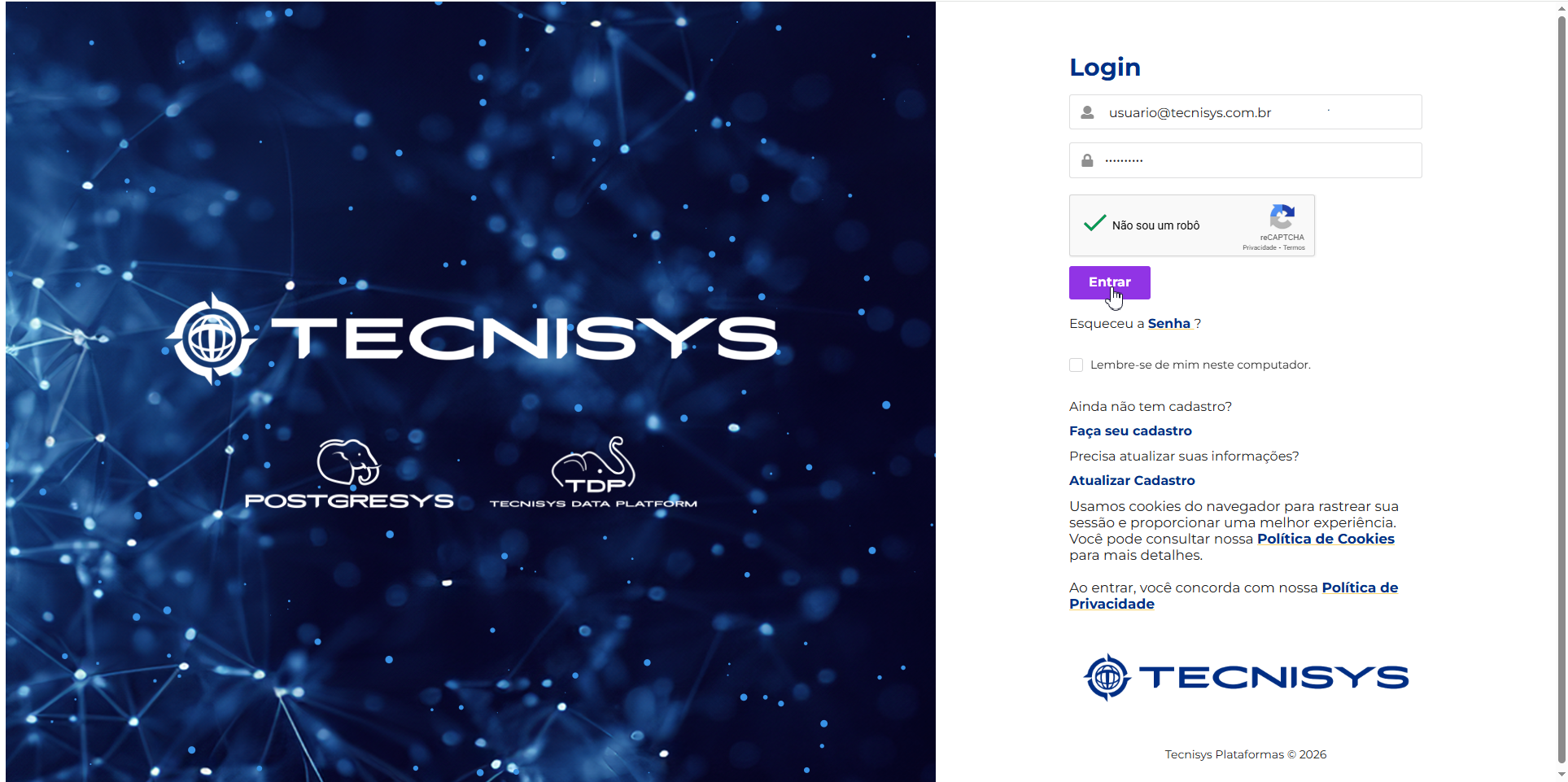
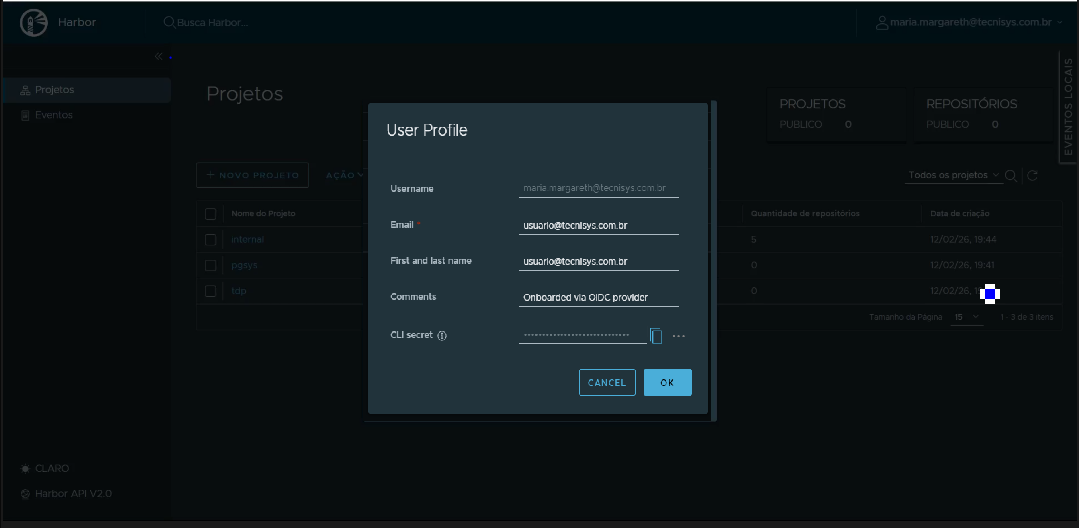
Sign in to the registry portal using the access provided by Tecnisys and copy the CLI secret from the user profile. Use it for helm registry login and the image pull Secret.
Authenticate Helm to the registry
Helm can now download charts from the tdp project.
helm registry login registry.tecnisys.com.br -u <REGISTRY_USERNAME>
The command prompts for a password (Password:): enter the CLI secret. Robot account names contain $, such as robot$tdp+pull. Enclose the username in single quotes.
Success when
Password:
Login Succeededhelm show chart oci://registry.tecnisys.com.br/tdp/charts/tdp-crds
For an Argo CD installation, register the same credential in Argo CD so it can download charts: Argo CD Installation.
Create the pull Secret in each TDP namespace
The cluster can pull images from the tdp project.
kubectl -n <NAMESPACE> create secret docker-registry tdp-registry \
--docker-server=registry.tecnisys.com.br \
--docker-username=<REGISTRY_USERNAME> --docker-password=<REGISTRY_CLI_SECRET>
The Secret is namespace-scoped: create it before helm install in each namespace where you install a TDP chart. Without it, pods using tdp images enter ImagePullBackOff. deploy.sh --license creates the Secret only in the license namespace. The GitOps kit deploy.sh also creates it in TDP_NAMESPACE and preserves an existing tdp-registry unless run with --force. Airflow, Delta Lake, Hive Metastore, Iceberg, Jupyter, Kafka, NiFi, Ranger (UserSync), Spark and Superset use private images. The other components use public images but also reference the Secret. Therefore, create it in all namespaces.
Success when
$ kubectl get secret tdp-registry -n tdp
NAME           TYPE                             DATA   AGE
tdp-registry kubernetes.io/dockerconfigjson 1 126dkubectl get secret tdp-registry -n <NAMESPACE>
License
The platform requires a valid TDP license, installed immediately after the CRDs and before any other chart with the GitOps kit deploy.sh script, even when the rest of the platform is installed with Helm. See Licensing Configuration. For the platform base sequence, see Helm Installation.
Success when
STATE column shows VALID:kubectl get platformlicenses -A
Values files
Each component is adapted to the environment through a values file: a YAML file containing only changes from chart defaults. How you create it depends on the installation method.
| Method | Values file |
|---|---|
| Helm CLI | Create one file per component using the blocks on its configuration page, and pass it with -f. |
| Argo CD (kit GitOps) | deploy.sh renders files under current/<componente>/. They are applied in this order, with later files taking precedence: values.yaml (chart defaults), values-gitops.yaml (GitOps defaults and your changes), values-integration.yaml (integrations with other components), and values-ozone-security.yaml (only when Ozone security is enabled). |
helm upgrade --install <RELEASE_NAME> \
oci://registry.tecnisys.com.br/tdp/charts/<CHART_NAME> \
--version <CHART_VERSION> \
-n <NAMESPACE> \
-f <VALUES_FILE>
Without --version, Helm installs the latest published chart version. Each chart version is listed in Helm Installation.
Maps are merged key by key, so the file includes only changed keys. Lists and multiline text are replaced in full. In the kit, make changes in values-gitops.yaml (or a new file) so values.yaml can be replaced with defaults from a new release using --force. See General Configuration.
Files rendered by the kit store component passwords in plain text and are committed to the repository: keep it private. Keep variables.env.local, rendered Secrets, and license files outside Git.
When something goes wrong
Troubleshooting
Paste the error message or choose a symptom. The response includes the cause, what to do, and the command.
- license check failed. Cause: The TDP license is missing or invalid in the cluster. What to do: Check the license status and install or renew it in Licensing Configuration. Install components only when the license is VALID.
- License installation refused: CRDs are missing. Cause: The license chart checks whether the CRD chart is already installed and refuses without it. What to do: Install the CRDs first (Helm Installation, scenario 1). deploy.sh --license installs the CRDs if they are missing.
- Pod Pending: unbound PersistentVolumeClaims. Cause: The PVC does not specify a StorageClass, and the cluster has no default class. What to do: Set a StorageClass as default or specify one in the component values file. In the GitOps kit, set TDP_STORAGE_CLASS, render with --force, push, and delete the pending StatefulSet and PVCs so Argo CD recreates them.
- ImagePullBackOff for an image from the tdp project. Cause: There is no tdp-registry Secret in the pod namespace. What to do: Create the Secret in the namespace (scenario 4). In the GitOps kit, run ./deploy.sh -c -v variables.env.local.
- Registry authentication error. Cause: The credentials are incorrect, or a $ in the robot account name is unquoted. What to do: Check the CLI secret in the registry portal and enclose the username in single quotes. In the GitOps kit, correct variables.env.local and run ./deploy.sh -c -v variables.env.local.
Checklist
- Orchestrator at minimum version: Kubernetes 1.32+, Red Hat OpenShift 4.19+ ou Rancher Manager 2.10.x+
-
kubectlconfigured for the cluster andhelm3.2.0+ -
gitandenvsubstfor the GitOps kit -
amd64orarm64nodes; x86 nodes running Trino with x86-64-v3, or use the planned alternative image - Default StorageClass, or the class specified for each component
-
ReadWriteMany, if a volume is shared across nodes - IngressClass, GatewayClass, or the OpenShift router if interfaces are published
- Registry login completed with the CLI secret
- Secret
tdp-registryin each namespace where you install a TDP chart, beforehelm install - ``keys.json
andlease.jsonreceived for this cluster ID, with the license inVALID`
Next steps
Installation
Installation via Helm
The platform base and components, one command per chart, in the right order.