Prerequisites
This section describes the prerequisites required for installing TDP Kubernetes. Ensure that all items are met before starting the component installation process.
Infrastructure Requirements
Orchestrator
TDP Kubernetes is certified on the following orchestrators:
| Orchestrator | Minimum Version |
|---|---|
| Kubernetes | 1.32+ |
| Red Hat OpenShift | 4.19+ |
| Rancher Manager | 2.10.x+ |
- Operational cluster with at least 3 worker nodes (recommended for high availability)
- Administrative access to the cluster via
kubectl
Command-Line Tools
| Tool | Minimum Version | Description |
|---|---|---|
kubectl | 1.27 and compatible with the cluster | Kubernetes CLI, configured for the target cluster; version must be compatible with cluster version |
helm | 3.2.0+ | Kubernetes package manager for chart installation |
Verify installed versions:
kubectl version --client
helm version
Storage Classes
TDP Kubernetes requires Storage Classes configured in the cluster for dynamic provisioning of persistent volumes.
A StorageClass defines how the cluster provisions persistent volumes on demand: it points to a provisioner — such as cloud CSI, NFS, Ceph, Longhorn or equivalent — and determines disk type, retention policy, and other operational parameters.
When a TDP chart requests storage via PersistentVolumeClaim (PVC), Kubernetes uses the indicated StorageClass — or the cluster default — to create the corresponding PersistentVolume in the backend.
| Access Mode | Usage | Required |
|---|---|---|
| ReadWriteOnce (RWO) | Used by most components (PostgreSQL, Kafka, ClickHouse, etc.) | Yes |
ReadWriteMany (RWX) | Required when a component or installation mode requires persistent volume shared among multiple Pods | Conditional |
The ReadWriteMany (RWX) mode is required when multiple Pods need to access the same persistent volume for read and write. Apache Airflow is a common example when DAGs or logs are shared via PVC, but the RWX requirement depends on component architecture and installation mode. Solutions such as NFS, CephFS, Azure Files or equivalents can provide RWX support, depending on the environment.
Verify available Storage Classes in the cluster:
kubectl get storageclass
HTTP/HTTPS Exposure of Components
A solution for HTTP/HTTPS traffic ingress is required to expose the web interfaces of some TDP Kubernetes components, such as Airflow, Superset, Argo CD, NiFi, and JupyterHub.
Ingress Controller
The environment can use an Ingress controller to publish web services in the cluster.
Common examples:
- NGINX Ingress Controller
- Traefik
- HAProxy
- AWS Load Balancer Controller
Verify whether an Ingress controller is installed in the cluster. Example with NGINX Ingress Controller:
kubectl get ingressclass
Gateway API
The environment can also use Gateway API, provided the cluster has the compatible resources and controller already installed.
Example verification:
kubectl get gatewayclass
The Ingress API in Kubernetes is frozen and receives no new features. Additionally, the Ingress NGINX project was retired in March 2026. The use of Ingress Controller or Gateway API should follow the strategy adopted for the environment and the implementations supported in the cluster.
Network Configuration
DNS
- Kubernetes cluster nodes must have functional DNS resolution
- It is recommended to configure DNS records for services exposed via Ingress (e.g.
airflow.tdp.example.com.br,superset.tdp.example.com.br)
Network Policies
-
Ensure that the cluster's Network Policies allow communication between pods in the namespace.
-
TDP components must communicate freely within the same namespace
-
If using restrictive Network Policies, configure rules that allow ingress and egress traffic between TDP pods
In environments with restrictive connectivity policies, these rules may need to be applied before component installation or during GitOps environment bootstrap. Refer to Cluster Policies for NetworkPolicy examples and review criteria.
If the environment also requires authentication to pull images from a private registry and the strategy is to centralize
imagePullSecretswith Kyverno, refer to Kyverno and Private Registry. This step is conditional and only applies when adopted by cluster policy.
TLS/SSL Certificates (Optional)
To enable HTTPS on services exposed via Ingress:
- Provision TLS/SSL certificates for configured domains
- Use cert-manager for certificate automation with Let's Encrypt or internal CA
- Configure certificates in the Ingress resources of each component
Authentication to OCI Registry
To install TDP Kubernetes, you must have access credentials to the Tecnisys OCI registry, available at oci://registry.tecnisys.com.br/tdp/. This registry stores and distributes the platform's Helm charts1.
Credentials are used differently depending on the installation method:
| Method | How the credential is used |
|---|---|
| Helm CLI | The operator authenticates Helm locally with helm registry login. |
| Argo CD | The registry is registered as a repository directly in Argo CD. |
The helm registry login described below is required only for installations made directly via Helm CLI. In installations via Argo CD, use the same credential to register the registry in Argo CD — refer to Installation via Argo CD.
- Commands
- Videos
-
Web Portal — Access the Tecnisys registry portal with the credentials provided by Tecnisys. After login, generate or copy the command-line credential, presented in the portal as CLI Secret or access token.
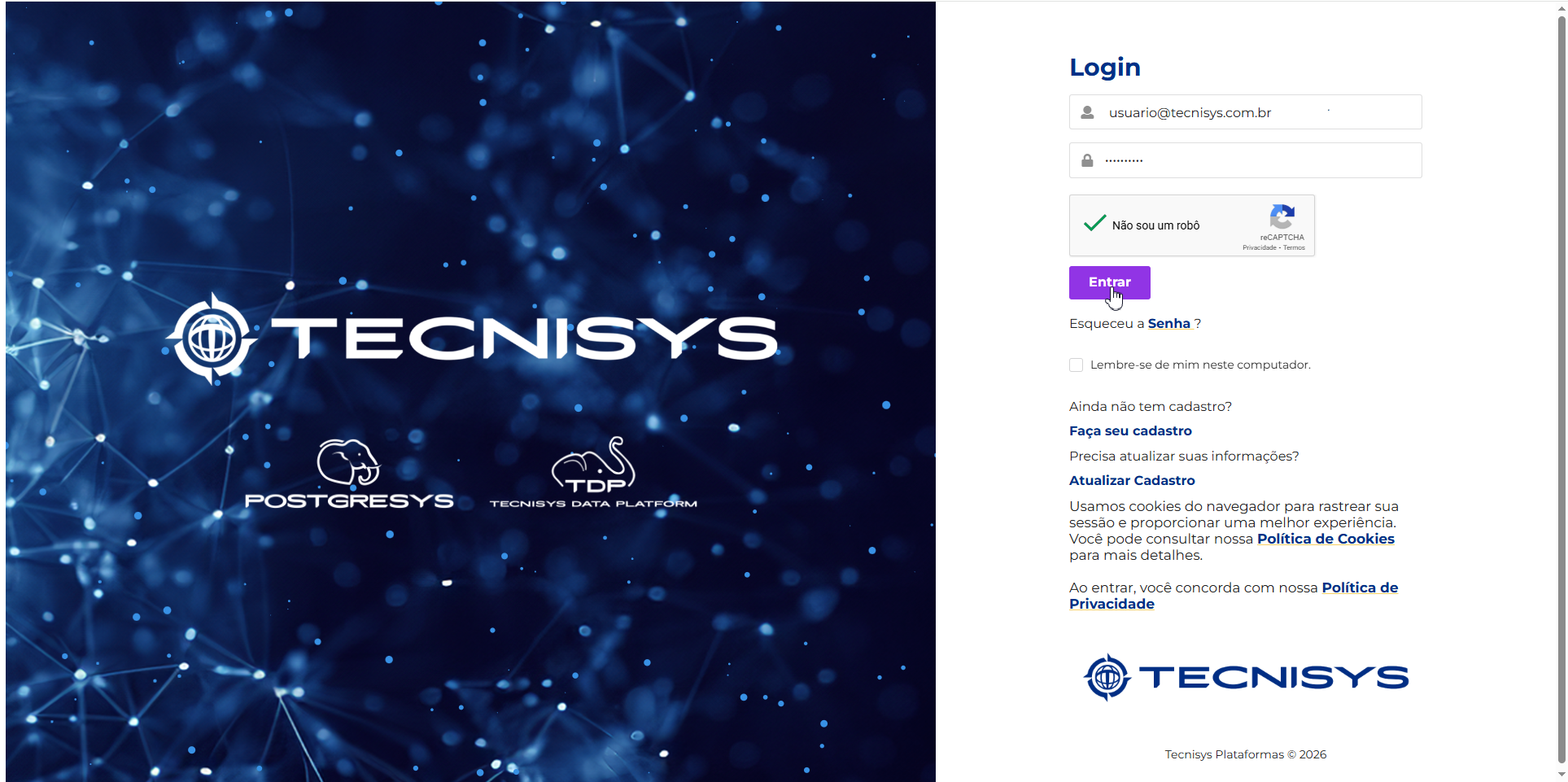 Figure 1 - Registry Web Login
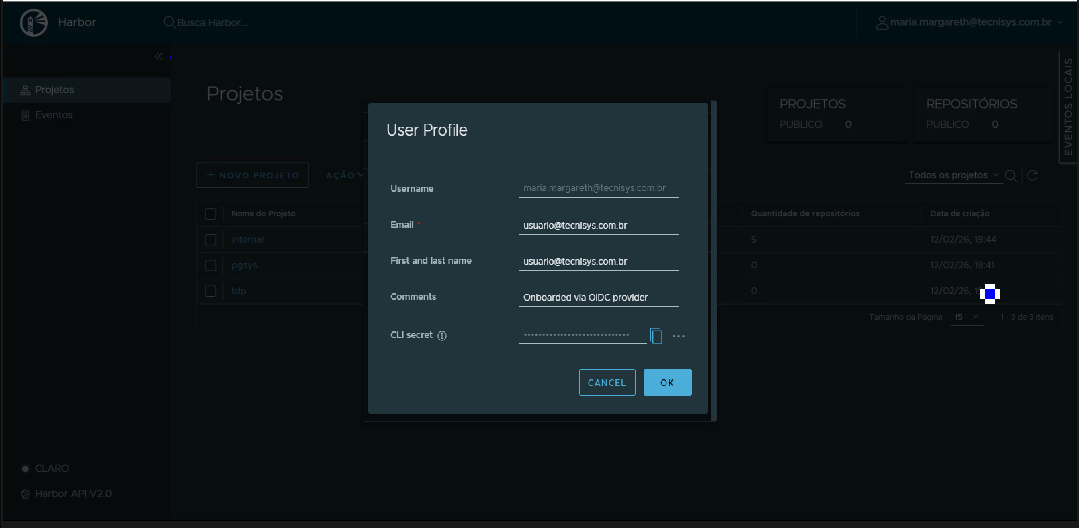 Figure 2 - CLI Secret Capture
Obtaining the CLI Secret/token is common to both installation methods. In installations via Argo CD, this credential will be provided when registering the registry within Argo CD. In installations via Helm CLI, it will be used in the helm registry login.
-
Helm CLI — If installation is to be done directly via Helm CLI, authenticate Helm to the OCI registry to access the platform charts.
Terminal inputhelm registry login registry.tecnisys.com.br -u <usuario@tecnisys...>When running the command, the terminal will request the password:
Password:Enter the CLI Secret / token obtained in step 1.
If authentication completes successfully, Helm will display a login confirmation, and from then on you will be able to query and install charts available in the registry.
NoteRegistry access credentials must be obtained from Tecnisys. If you do not yet have access, contact the responsible team to request your authorized user and CLI credential.
 Figure 3 - Registry Login via Helm
 -
Validation via Helm CLI — After authentication, verify access by listing an example chart:
Terminal inputhelm show chart oci://registry.tecnisys.com.br/tdp/charts/tdp-spark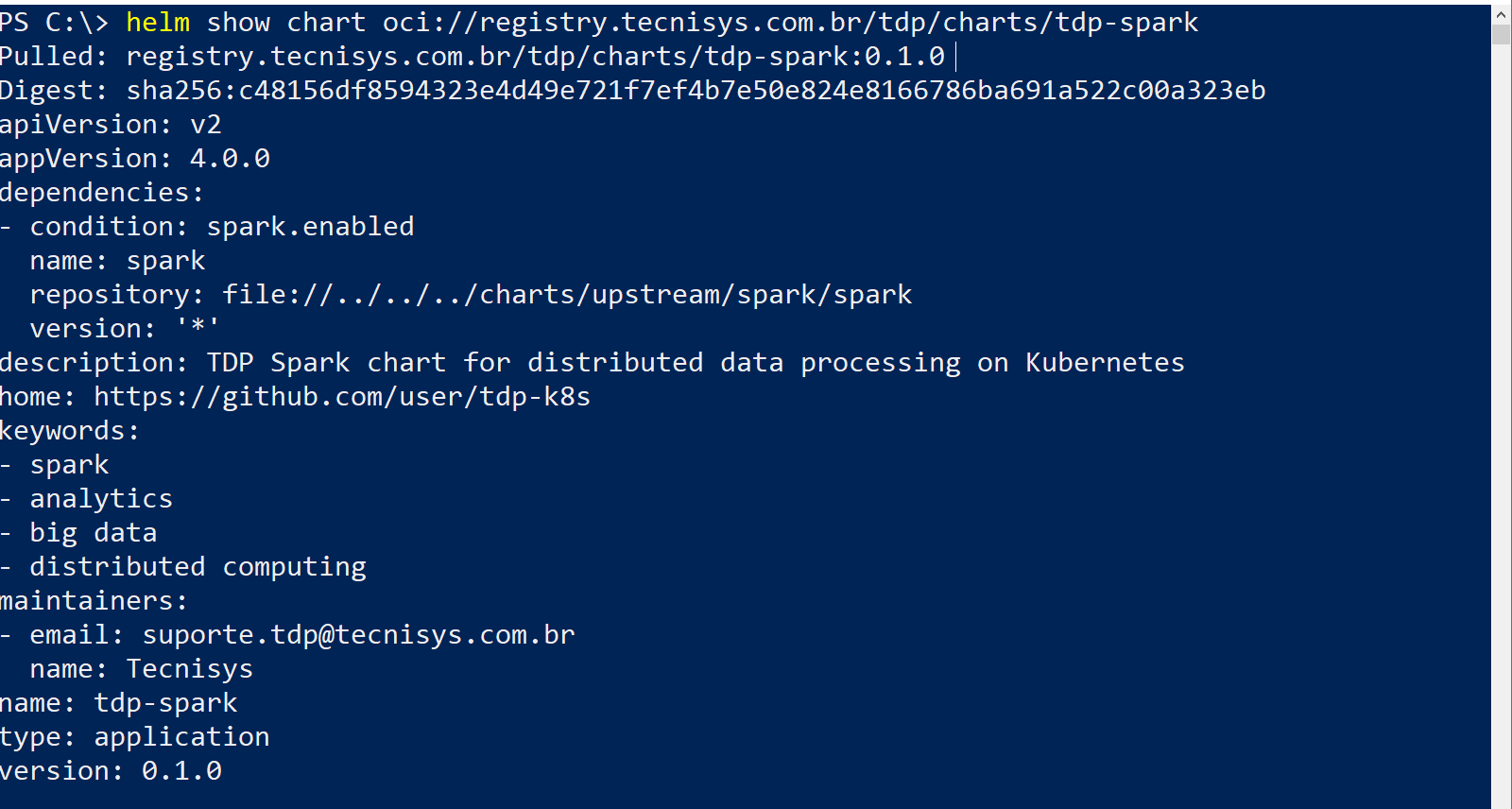 Figure 4 - Show chart - example
- Registry Web Login
- Web Portal (CLI Secret)
- CLI Secret Retrieval
Verification Checklist
Before proceeding to installation, confirm all items below:
- Kubernetes cluster 1.32+ (or Red Hat OpenShift 4.19+, or Rancher Manager 2.10.x+) operational
-
kubectlconfigured and connected to the cluster -
helm3.2.0+ installed - Storage Class with ReadWriteOnce support available
- Storage Class with
ReadWriteMany(RWX) support, when a component or installation mode requires persistent volume shared among multiple Pods - HTTP/HTTPS ingress solution (Ingress Controller or Gateway API) installed and operational
- Sufficient computational resources on cluster nodes
- DNS resolution configured for nodes
- Cluster policies and/or Kyverno evaluated and applied, when required by the environment
- Credentials to access Tecnisys OCI registry obtained
- Authentication via
helm registry login registry.tecnisys.com.brcompleted successfully, if installation is via Helm CLI - TLS/SSL certificates provisioned (optional)
Footnotes
-
Helm chart: a package that gathers Kubernetes manifest templates and default values; Helm applies this package to the cluster to create or update component resources, adjustable via value files or flags. ↩