tdpctl Installation
tdpctl is a Command Line Interface (CLI), developed by Tecnisys, for task automation and extension installation on TDP.
- Enterprise Linux operating system, such as Rocky Linux, AlmaLinux, and Red Hat, version 8 or higher.
- Superuser (root) privilege on the machine for installation.
The following RPMs must be available for installation via the package manager (dnf): python3-devel, krb5-server, krb5-libs, krb5-workstation, krb5-devel, and gcc.
Download
tdpctl is provided in tarball format for Enterprise Linux operating systems, version 8 or higher.
To download the latest version of tdpctl, download the tdpctl-[version]-linux-x64.tar.gz file from the /yum/tdp/tdpctl directory of the Tecnisys Public Package Repository.
To access the repository, you will need to provide your access credentials, defined when you registered for free on the Tecnisys website.
Installation
To install tdpctl, follow the steps below:
- Instructions
- Video
-
Extract the tdpctl-version-linux-x64.tar.gz file to the
/usr/localdirectoryTerminal inputsudo tar -C /usr/local -xzf tdpctl-0.1-alpha-linux-x64.tar.gz -
Run the 'setup.sh' script:
Terminal inputcd /usr/local/tdpctl && sudo ./setup.shnoteAfter installation, the
tdpctlcommand will be available from any directory.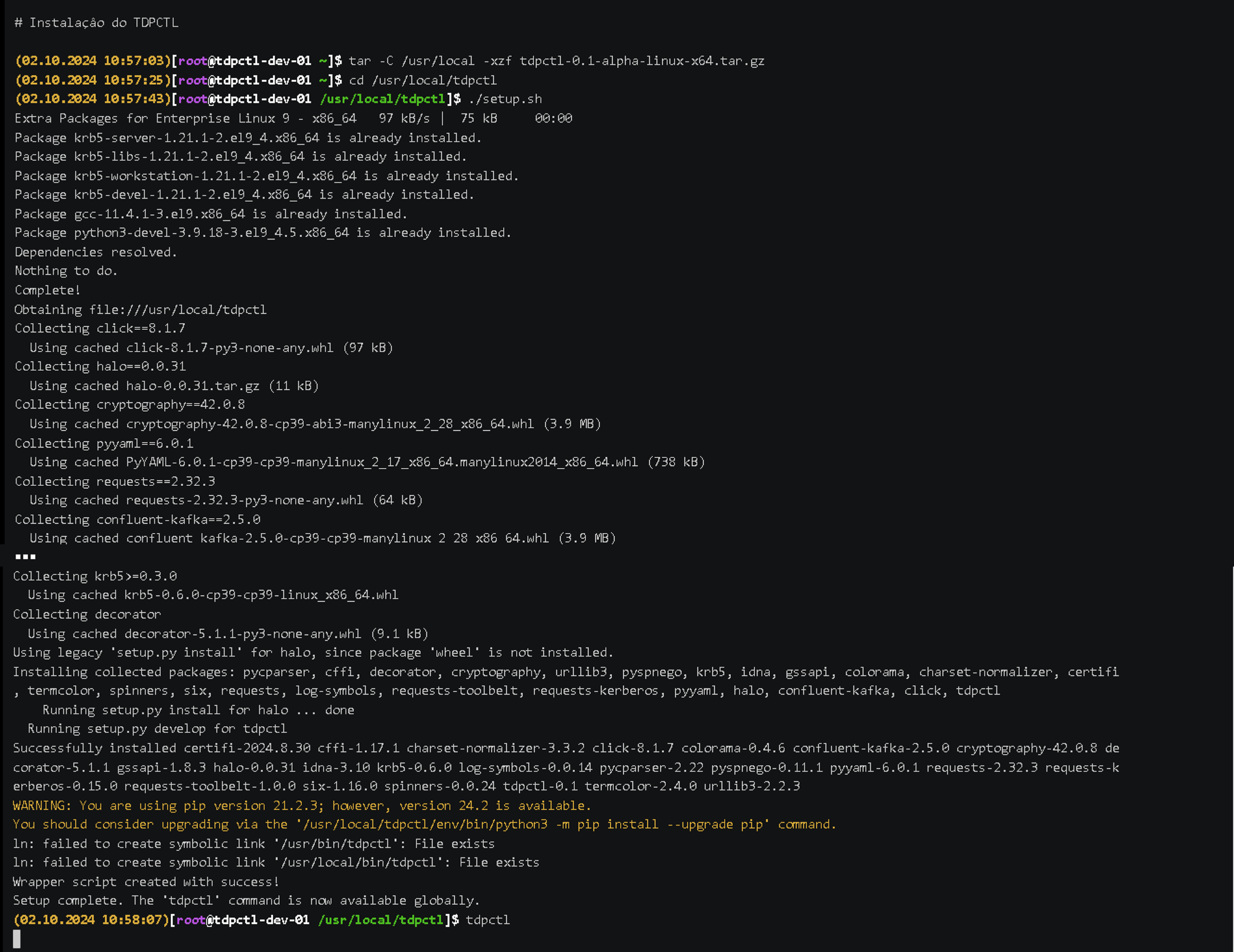 Figure 1 - TDPCTL Setup
TDPCTL Usage
- Instructions
- Video
Command Syntax
tdpctl [OPTIONS] COMMAND [ARGS]...
OPTIONS:
--version=> Shows the version and exits.--help=> Shows the help for command execution.
COMMAND:
addon-install=> Installs a TDP extension.install=> Installs Apache Ambari for TDP.
Examples:
-
Extension installation:
Terminal inputtdpctl addon-install -f extension-file-name.taf -
Command details:
Terminal inputtdpctl -
For help:
Terminal inputtdpctl --help -
Check the version:
Terminal inputtdpctl --version -
Help on a specific command:
Terminal inputtdpctl addon-install --helpnoteThe
extension.taffile is encrypted and can only be opened by TDPCTL. The.tafextension is specific to Tecnisys files.noteWhenever necessary, consult the tdpctl help (option --help) to obtain detailed information about the available commands and options.
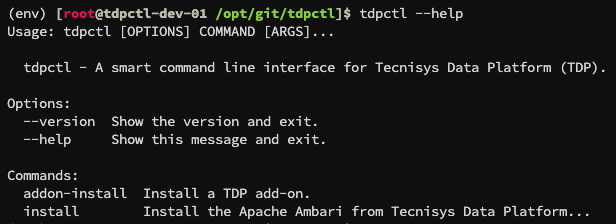 Figure 2 - TDPCTL Usage