Installation Packages
All TDP installation packages, including direct dependencies, are available at the Tecnisys Public Package Repository. To access them, use the access credentials defined when you registered for free on the Tecnisys website.
In a deployment with limited or restricted Internet access, it is possible to download the necessary files and create a local package repository. To do so, follow the steps below. Otherwise, proceed to Installation Script Download.
Package Download
- Instructions
- Video
To download the installation packages, follow the steps below:
- Register for free on the Tecnisys website;
- Access the Tecnisys Public Package Repository;
- Click the Sign out button, located in the upper right corner of the page;
- Enter your access credentials (the same as the Tecnisys website);
- Click the Browse option, located in the left sidebar menu; and
- In the central navigation area, access the desired directory to download the files.
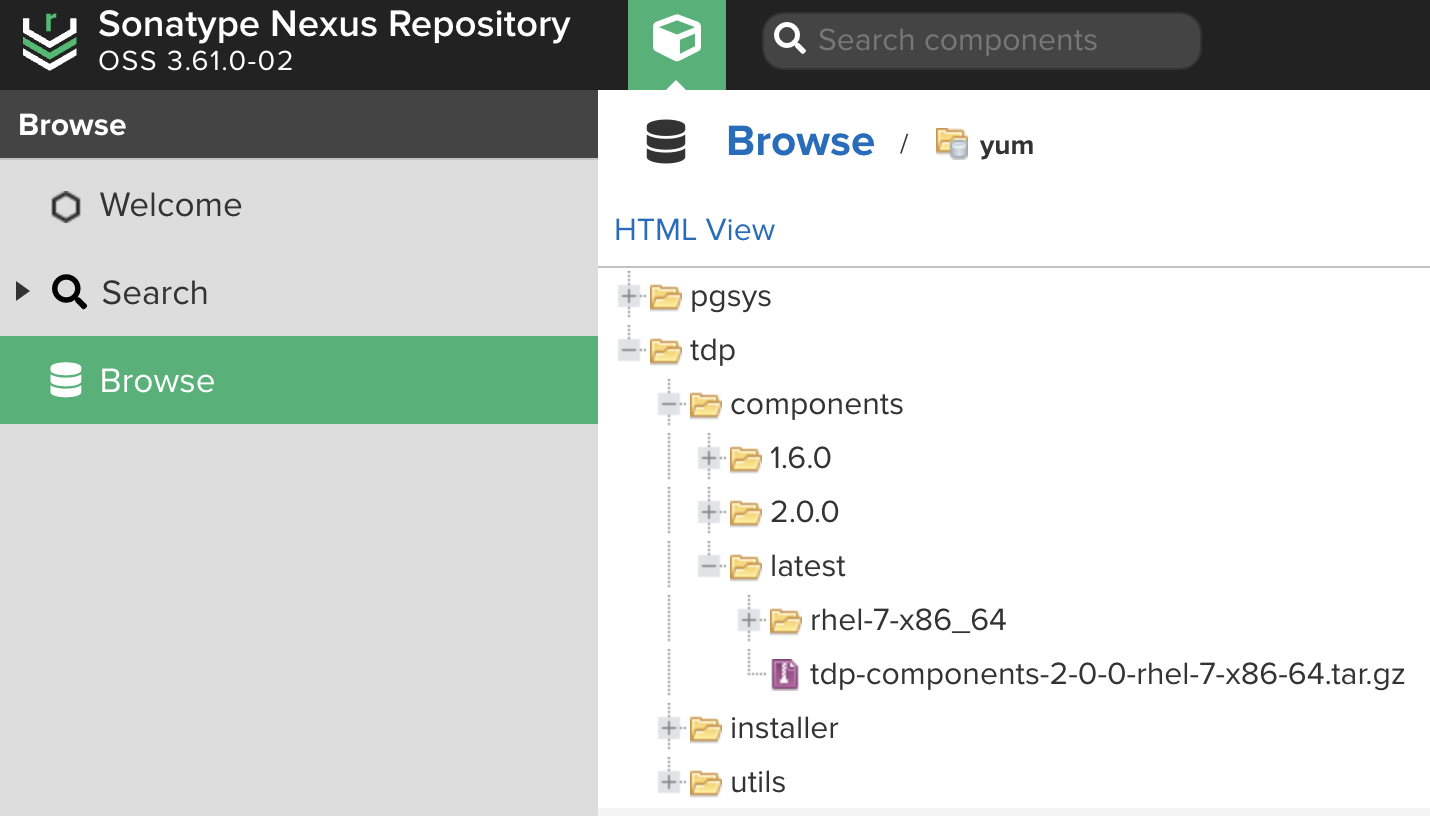
It is also possible to download the packages directly from the terminal, provided that the access credentials are included in the request:
-
Example via curl
Terminal inputcurl -S --user USUARIO:SENHA https://repo.tecnisys.com.br/yum/tdp/ambari/3.0/tdp-ambari-3-0-0-el-9-x86-64.tar.gz -o tdp-ambari-3-0-0-el-9-x86-64.tar.gzTerminal inputcurl -S --user USUARIO:SENHA https://repo.tecnisys.com.br/yum/tdp/components/3.0/tdp-components-3-0-0-el-9-x86-64.tar.gz -o tdp-components-3-0-0-el-9-x86-64.tar.gzTerminal inputcurl -S --user USUARIO:SENHA https://repo.tecnisys.com.br/yum/tdp/utils/3.0/tdp-utils-3-0-0-el-9-x86-64.tar.gz -o tdp-utils-3-0-0-el-9-x86-64.tar.gz -
Example via wget
Terminal inputwget --user USUARIO --password SENHA https://repo.tecnisys.com.br/yum/tdp/ambari/3.0/tdp-ambari-3-0-0-el-9-x86-64.tar.gzTerminal inputwget --user USUARIO --password SENHA https://repo.tecnisys.com.br/yum/tdp/components/3.0/tdp-components-3-0-0-el-9-x86-64.tar.gzTerminal inputwget --user USUARIO --password SENHA https://repo.tecnisys.com.br/yum/tdp/utils/3.0/tdp-utils-3-0-0-el-9-x86-64.tar.gz
Remember to replace USERNAME and PASSWORD with, respectively, your username and password registered on the Tecnisys website.
All component and utility installation packages can be downloaded at once through compressed files (tar.gz). For example:
/yum/tdp/ambari/3.0/tdp-ambari-3-0-0-el-9-x86-64.tar.gz
/yum/tdp/components/3.0/tdp-components-3-0-0-el-9-x86-64.tar.gz
/yum/tdp/utils/3.0/tdp-utils-3-0-0-el-9-x86-64.tar.gz
It is possible to verify the file integrity by checking the Checksum attributes (sha512, sha256, sha1, and md5), displayed when clicking on it.
For a local installation, do not forget to download and import the GPG public key of the repositories (RPM-GPG-KEY-TDP) available at:
/yum/tdp/ambari/3.0/el-9-x86_64/RPM-GPG-KEY
/yum/tdp/components/3.0/el-9-x86_64/RPM-GPG-KEY
/yum/tdp/utils/3.0/el-9-x86_64/RPM-GPG-KEY
The compressed files (tar.gz) of the component and utility installation packages already include the GPG public key.
Local Package Repository Creation
- Instructions
- Video
In a deployment without access, or with restricted access, to the Internet, download the installation packages beforehand through a machine with Internet access, and transfer those files to your Big Data environment.
If a local package repository does not yet exist, it can be created as follows:
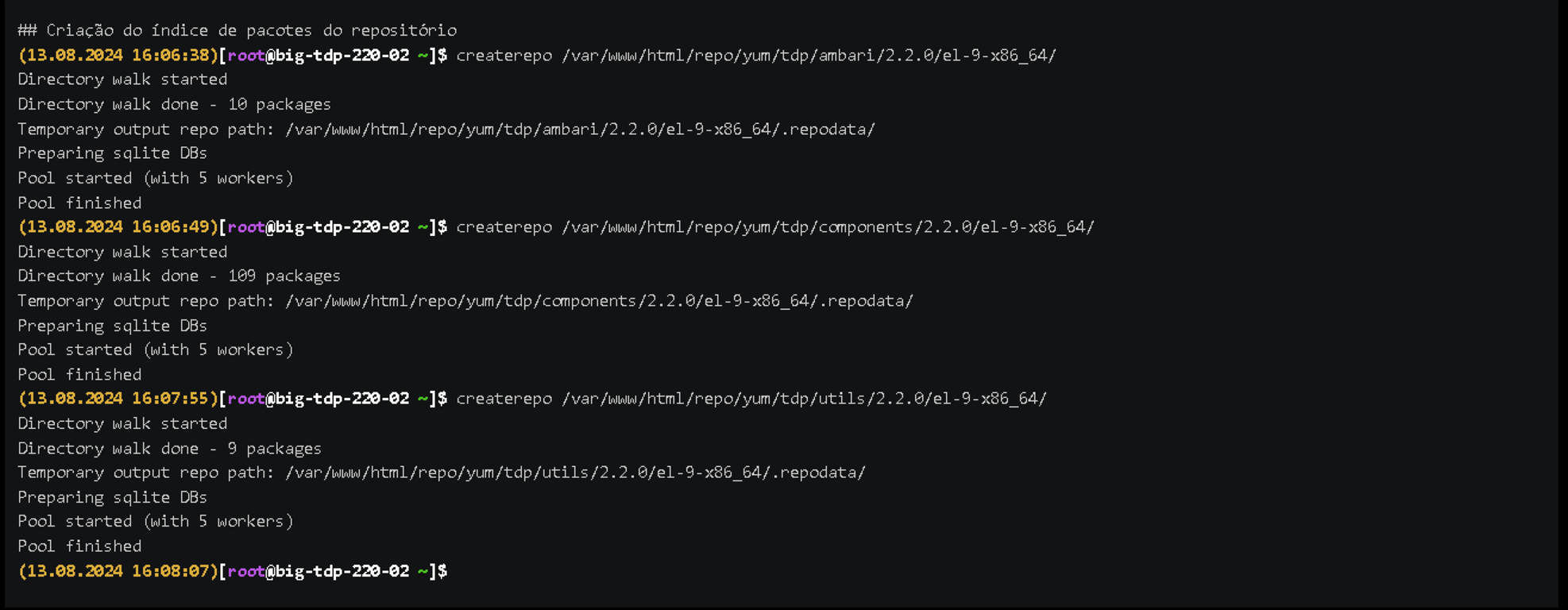
- Install the HTTPD and createrepo tools:
yum install httpd createrepo
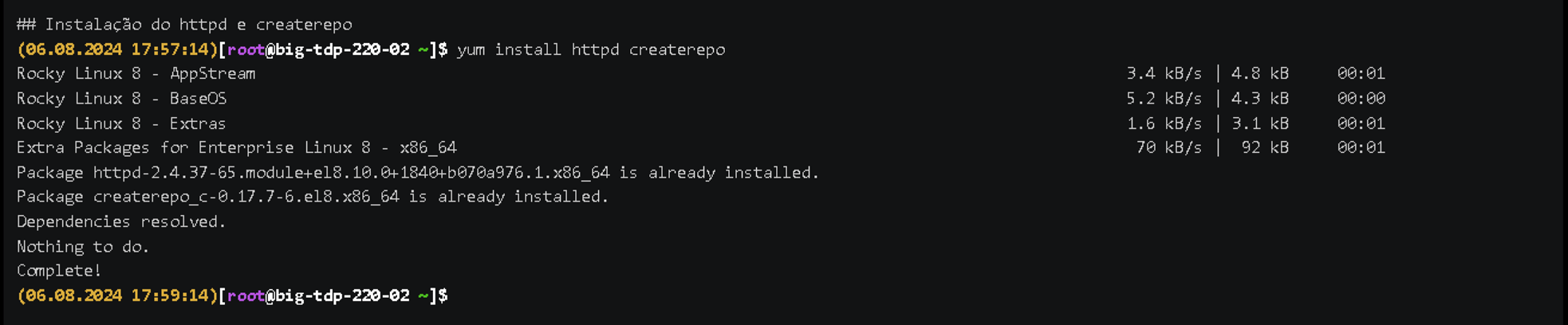
- Create the package repository directory (ambari, components, and utils). For example:
mv /tmp/tdp-ambari-3-0-0-el-9-x86-64.tar.gz /var/www/html
tar -xvzf /var/www/html/tdp-ambari-3-0-0-el-9-x86-64.tar.gz -C /var/www/html
mv /tmp/tdp-components-3-0-0-el-9-x86-64.tar.gz /var/www/html
tar -xvzf /var/www/html/tdp-components-3-0-0-el-9-x86-64.tar.gz -C /var/www/html
mv /tmp/tdp-utils-undefined-el-9-x86-64.tar.gz /var/www/html
tar -xvzf /var/www/html/tdp-utils-3-0-0-el-9-x86-64.tar.gz -C /var/www/html
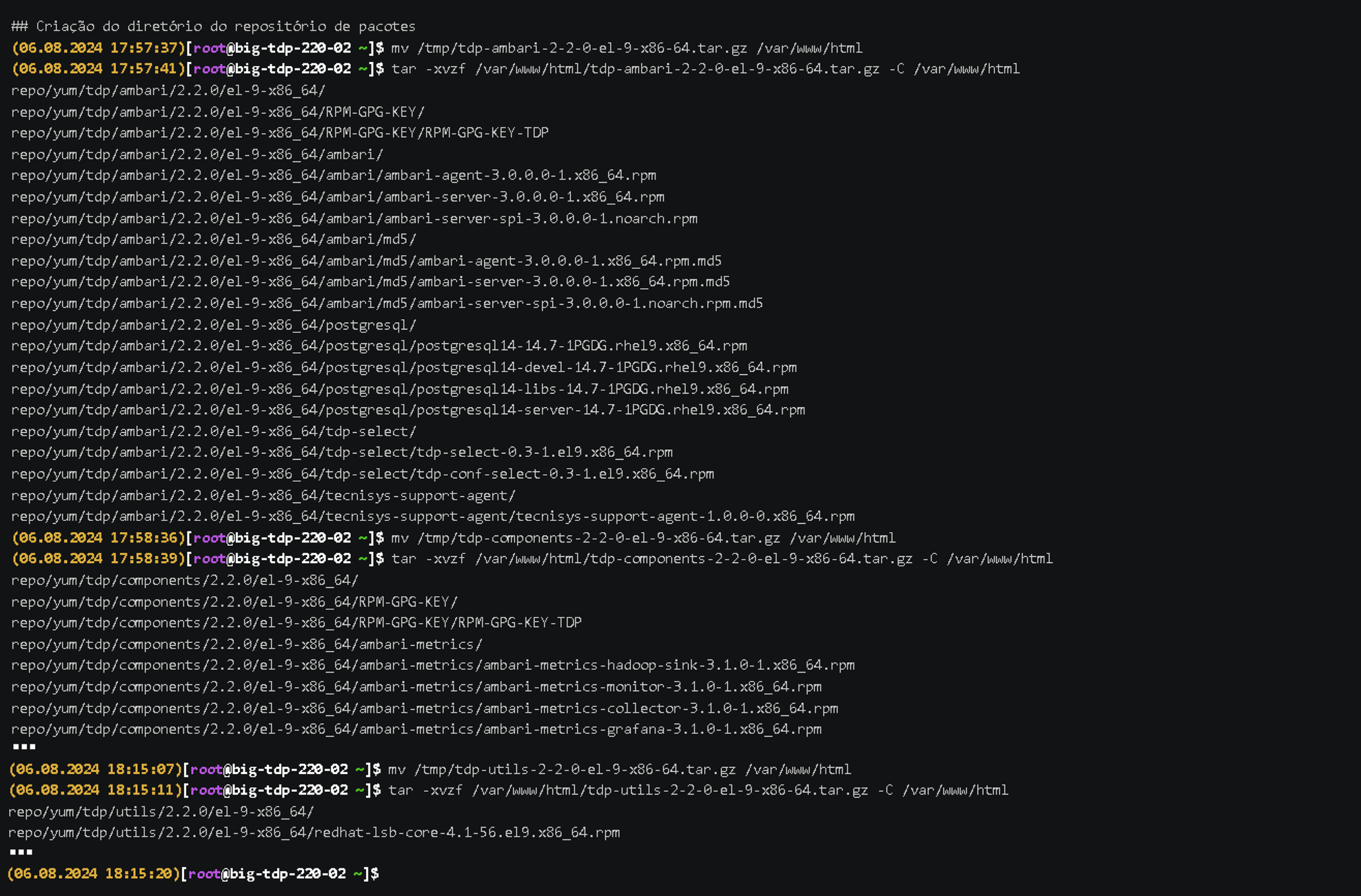
- Create the package repository index:
createrepo /var/www/html/repo/yum/tdp/ambari/3.0/el-9-x86_64/
createrepo /var/www/html/repo/yum/tdp/components/3.0/el-9-x86_64/
createrepo /var/www/html/repo/yum/tdp/utils/3.0/el-9-x86_64/
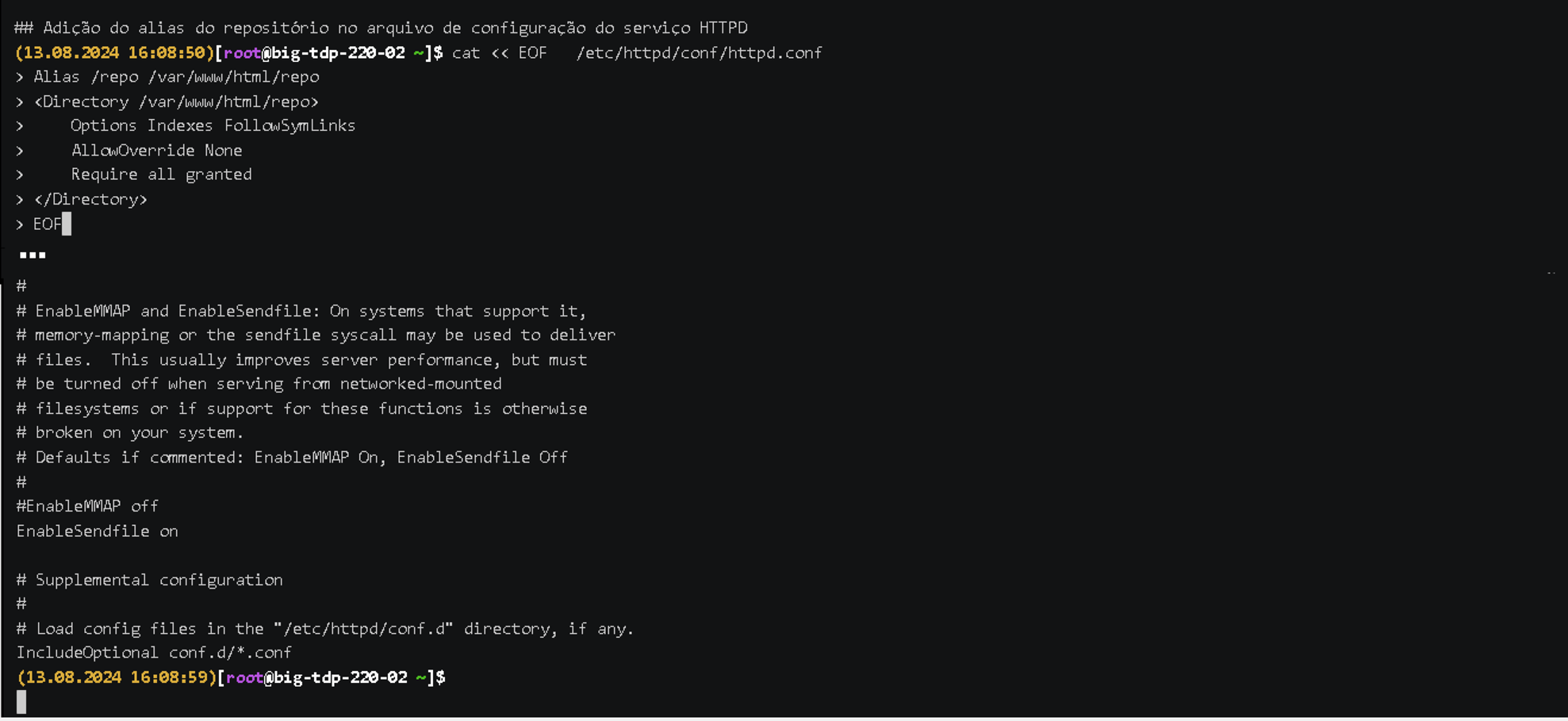
- Add the repository alias to the HTTPD service configuration file:
  cat << EOF   /etc/httpd/conf/httpd.conf
      Alias /repo /var/www/html/repo
      <Directory /var/www/html/repo>
          Options Indexes FollowSymLinks
          AllowOverride None
          Require all granted
      </Directory>
      EOF
- Restart the HTTPD service:
systemctl restart httpd

Confirm the availability and organization of the installation packages by accessing the address http://localhost/repo. Replace localhost with the IP or hostname of the package repository machine if you are accessing from another machine.
Installation Script Download
- Instructions
- Video
We have developed a parameterizable shell script to assist you in the first stage of the Big Data Cluster deployment process, the Apache Ambari component installation.
We recommend that the Apache Ambari installation (Ambari Server and Ambari Web) be performed on a Utility or Edge type machine.
This script is available in the /yum/tdp/installer directory of the Tecnisys Public Package Repository.
Initially, the script should be downloaded to the machine where the Ambari Server will be installed. However, if the registration of the machines that will compose the Big Data Cluster will be manual (without SSH key exchange), as described in Host Registration, it is recommended that the script be downloaded to all Cluster machines for Ambari Agent installation.
It is possible to download the installation script directly from the terminal, provided that the access credentials are included in the request:
-
Example via curl
Terminal inputcurl -S --user USUARIO:SENHA https://repo.tecnisys.com.br/yum/tdp/installer/3.0/el-9-x86_64/ambari-tdp-installer-el-9.sh -o ambari-tdp-installer-el-9.sh -
Example via wget
Terminal inputwget --user USUARIO --password SENHA https://repo.tecnisys.com.br/yum/tdp/installer/3.0/el-9-x86_64/ambari-tdp-installer-el-9.sh
Remember to replace USERNAME and PASSWORD with, respectively, your username and password registered on the Tecnisys website.