Installation via Argo CD (GitOps)
This section describes how to install TDP Kubernetes components using Argo CD as a GitOps tool.
Before starting installation via Argo CD, ensure prerequisites are met and Argo CD is already installed on the cluster.
If Argo CD is not installed yet, follow steps 1 and 2 of Helm installation.
Overview
Argo CD is a continuous delivery (CD) tool based on the GitOps model.
In this model, you describe the infrastructure you want — which components, which version, which settings — in YAML files called manifests, and store them in a Git repository.
Argo CD watches that repository and keeps the Kubernetes cluster aligned with what is declared in those files.
Differences between installing with Argo CD and Helm
| Criterion | Helm CLI | Argo CD (GitOps) |
|---|---|---|
| Traceability | Manual commands, no automatic history | Every change is recorded in Git |
| Automation | Manual execution per chart | Continuous automatic sync |
| Rollback | Re-running commands | One click or one command |
| Visibility | Terminal only | Web UI with live status |
| Audit | Difficult | Full, via Git history |
Essential concepts for installation with Argo CD
Before you start, it is important to understand the core concepts of this installation:
Manifest
: A YAML file that describes a Kubernetes or Argo CD resource.
In this context, each manifest defines an Argo CD Application — i.e. it tells Argo CD to install a given Helm chart.
Files are created from the templates in this documentation and stored in the indicated Git repository.
Application
: The central object in Argo CD.
An Application tells Argo CD to download a given Helm chart from the registry and install it in a given cluster namespace.
Each TDP component (Kafka, Airflow, Trino, etc.) is represented by a separate Application.
Repository
: The source of artifacts Argo CD will use.
It can be a Git repository (where your manifests live) or an OCI registry1 (where Tecnisys Helm charts are hosted).
Both must be registered in Argo CD before creating Applications.
Sync
: The process by which Argo CD compares the desired state in manifests with the actual cluster state.
If there is a drift, Argo CD applies the required changes — automatically (if configured) or on demand.
App of Apps
: A pattern to manage all components with a single root Application.
Instead of applying many manifests one by one, you apply one file that tells Argo CD to discover and install all others automatically.
Installation order
Components should be installed in a specific order so dependencies are satisfied:
| Order | Chart | Component | Version | Dependencies |
|---|---|---|---|---|
| 1 | tdp-postgresql | PostgreSQL | 17.5.0 | None |
| 2 | tdp-kafka | Kafka (Strimzi) | 4.1.0 | None |
| 3 | tdp-hive-metastore | Hive Metastore | 4.0.0 | None |
| 4 | tdp-deltalake | Delta Lake | 4.0.0 | None |
| 5 | tdp-iceberg | Iceberg | 1.10.0 | None |
| 6 | tdp-ozone | Apache Ozone | 2.0.0 | None |
| 7 | tdp-ranger | Ranger | 2.7.0 | tdp-postgresql |
| 8 | tdp-nifi | NiFi | 1.28.0 | None |
| 9 | tdp-spark | Spark | 4.0.0 | None |
| 10 | tdp-trino | Trino | 478 | None |
| 11 | tdp-airflow | Airflow | 3.0.2 | tdp-postgresql |
| 12 | tdp-jupyter | JupyterLab | 5.3.0 | None |
| 13 | tdp-clickhouse | ClickHouse | 25.8.11.66 | None |
| 14 | tdp-cloudbeaver | CloudBeaver | 25.2.3 | tdp-postgresql |
| 15 | tdp-openmetadata | OpenMetadata | 1.9.11 | tdp-postgresql |
| 16 | tdp-superset | Superset | 5.0.0 | tdp-postgresql |
The Version column refers to the component version (e.g. Kafka 4.1.0, Airflow 3.0.2). The Helm chart version is 3.0.0 for all TDP charts.
Argo CD (including the required CRDs) is a prerequisite for this procedure: the cluster must already have Argo CD running (see Helm installation).
The tdp-argo-crds and tdp-argo charts are not part of this sequence because they are not installed by this GitOps flow.
tdp-postgresql is a dependency and must be running before components that use it, such as Airflow, OpenMetadata, Ranger, Superset, and CloudBeaver.
With the App of Apps pattern, Argo CD tries to create everything at once; those components may fail temporarily until PostgreSQL is ready — selfHeal2 will reconcile them automatically.
- Installation
- Installation verification
- Troubleshooting
Step 1 – Connect the OCI registry to Argo CD
First, tell Argo CD where the TDP Helm charts are.
Charts are hosted in Tecnisys’s private OCI registry (registry.tecnisys.com.br).
To let Argo CD download them, register that address as a Helm repository with OCI support.
This registration does not install anything — it only allows Argo CD to use the registry as an artifact source.
Obtain access credentials from Tecnisys.
- Web UI
- CLI
- Commands
- Videos
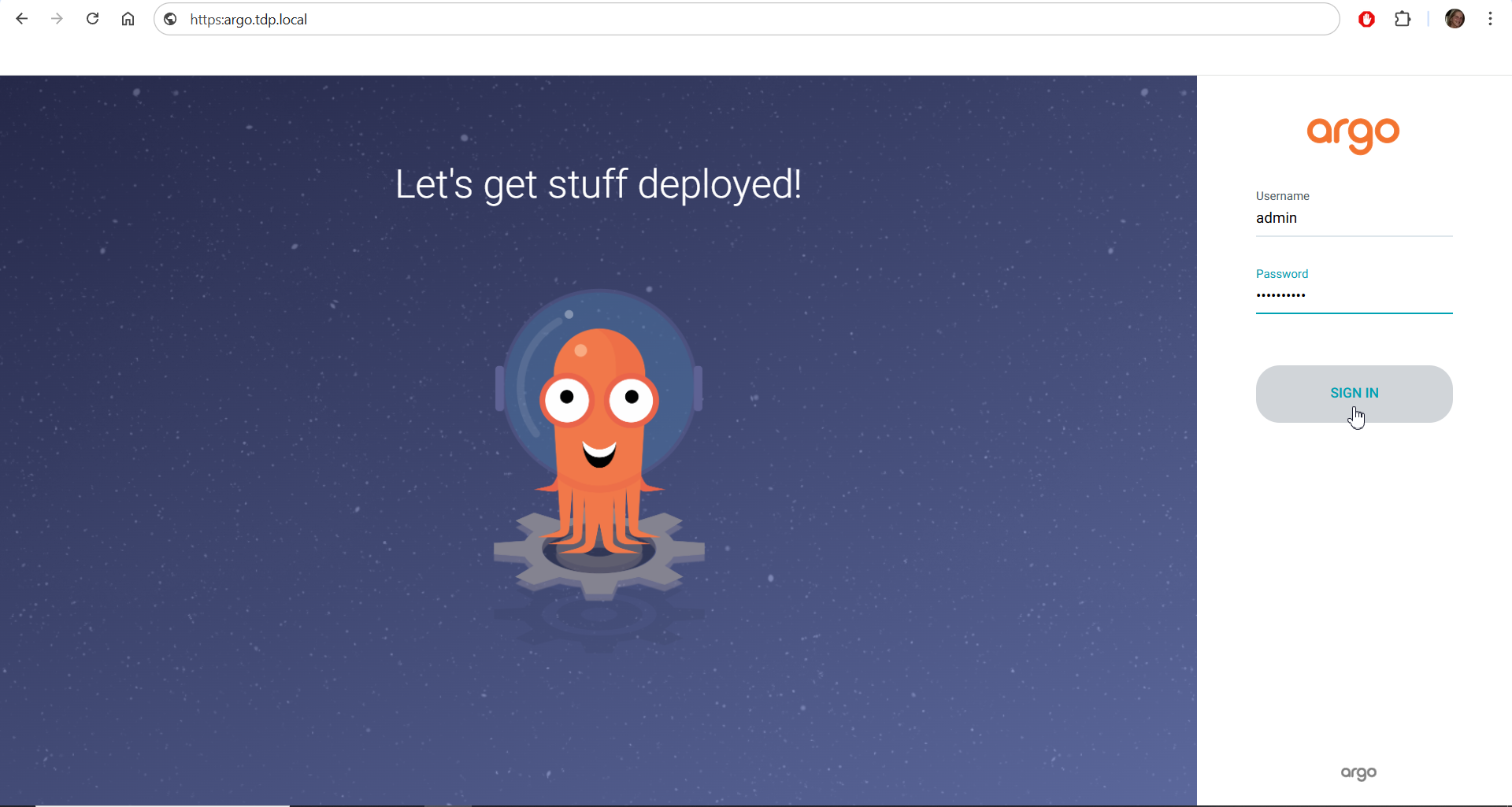
1. Open the Argo CD UI in your browser.
The URL depends on how HTTP exposure is configured in your environment.
If the environment uses Ingress, find the exposed host with:
kubectl get ingress -n argocd
Example output:
NAME                CLASS   HOSTS                      PORTS
tdp-argocd-server   nginx   argocd.<cluster-domain>    80

Open https://argocd.<cluster-domain> in the browser.
If the environment uses Gateway API instead of Ingress, find the exposed host with:
kubectl get httproute -n argocd
See Ingress vs Gateway API for more details on both supported approaches.
2. In the sidebar, go to Settings → Repositories.
3. Click Connect Repo and fill in:
| Field | Value |
|---|---|
| Repository type | Helm |
| Repository URL | registry.tecnisys.com.br |
| Enable OCI | true (check the box) |
| Username | <username> |
| Password | <password> |
4. Click Connect.
The repository should appear in the list with a successful connection status.

- get ingress
- Repository connection
- Commands
- Videos
To use the commands in this section, install the Argo CD CLI client on your machine from the project’s official releases (pick the binary for your operating system):
1. Log in on the CLI
If you use the Argo CD CLI, log in before running commands.
Use the credentials of the user configured in Argo CD.
argocd login argocd.seu-dominio.com.br

2. Register the OCI Helm repository in Argo CD
Run the following in your terminal, replacing <username> and <password> with the credentials provided by Tecnisys:
argocd repo add registry.tecnisys.com.br \
  --type helm \
  --name tdp-registry \
  --enable-oci \
  --username <usuario> \
  --password <senha>

3. Verify registration
argocd repo list
Expected output:
TYPE  NAME          REPO                       OCI
helm  tdp-registry  registry.tecnisys.com.br  true

- argocd login
- argocd repo add
- argocd repo list
Step 2 – Create the GitOps repository
You need a Git repository to store Application manifests.
That repository is the source of truth for your environment: Argo CD watches it continuously and applies any change pushed to it.
Create this Git repository on your preferred platform (GitHub, GitLab, Gitea, etc.) and grant Argo CD read access.
The repository may be private — in that case, register it in Argo CD under Settings → Repositories as well, same as for the OCI registry, but choose type Git and provide credentials.
Recommended layout
Organize the repository like this:
tdp-gitops/
├── app-of-apps.yaml               # Root Application — apply this file to bootstrap everything
├── apps/                          # One manifest per TDP component
│   ├── tdp-postgresql.yaml
│   ├── tdp-kafka.yaml
│   ├── tdp-hive-metastore.yaml
│   ├── tdp-deltalake.yaml
│   ├── tdp-iceberg.yaml
│   ├── tdp-ozone.yaml
│   ├── tdp-ranger.yaml
│   ├── tdp-nifi.yaml
│   ├── tdp-spark.yaml
│   ├── tdp-trino.yaml
│   ├── tdp-airflow.yaml
│   ├── tdp-jupyter.yaml
│   ├── tdp-clickhouse.yaml
│   ├── tdp-cloudbeaver.yaml
│   ├── tdp-openmetadata.yaml
│   └── tdp-superset.yaml
└── values/                        # Optional per-component overrides
    ├── tdp-postgresql-values.yaml
    ├── tdp-kafka-values.yaml
    └── ...
What you create: the YAML files under apps/ (Application manifests) and app-of-apps.yaml.
Templates are provided in Step 3.
The values/ files are optional and let you customize each component — passwords, resource limits, or other parameters.
If omitted, each component uses the chart defaults.
The Helm charts themselves are provided by Tecnisys in the OCI registry.
You do not need to create or modify the charts.
Step 3 – Create Application manifests
Each TDP Kubernetes component is a YAML file defining an Argo CD Application.
Copy the templates below into the matching files under apps/ in your repository, replacing <namespace> with your target namespace (e.g. tdp-production, tdp-dev, my-namespace).
- Commands
- Video
Understand the Manifest
Before copying templates, understand each field:
| Field | Meaning |
|---|---|
metadata.name | Application name in Argo CD (must be unique) |
metadata.namespace | Namespace where Argo CD runs — usually argocd |
spec.source.repoURL | OCI registry URL where the chart is stored |
spec.source.chart | Helm chart name to install |
spec.source.targetRevision | Chart version — use 3.0.0 for all TDP charts |
spec.source.helm.valueFiles | Override files (optional; your own files under values/) |
spec.destination.server | Target cluster — use https://kubernetes.default.svc for in-cluster |
spec.destination.namespace | Namespace where the component is installed |
syncPolicy.automated.prune | If true, removes cluster resources deleted from the manifest |
syncPolicy.automated.selfHeal | If true, reverts manual changes made directly in the cluster |
syncOptions.CreateNamespace | Creates the namespace if it does not exist |
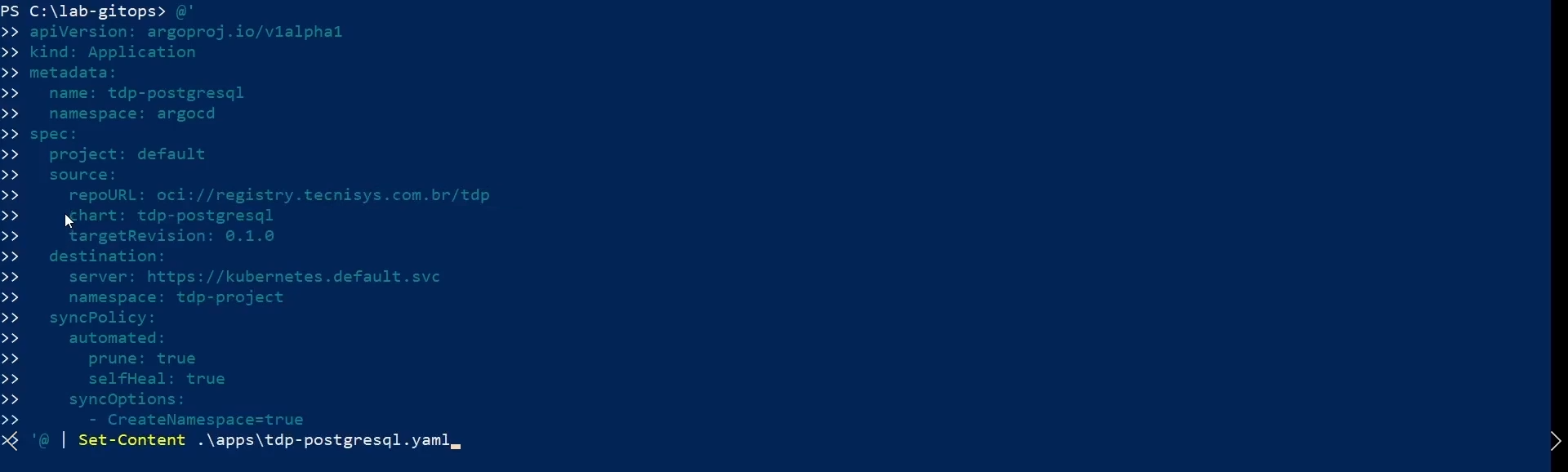
1. PostgreSQL
PostgreSQL is the relational database used by several platform components: Airflow (DAG metadata and run history), OpenMetadata (data catalogue), Ranger (security policies), Superset (dashboard metadata), and CloudBeaver (settings). It must be running before those components.
apiVersion: argoproj.io/v1alpha1
kind: Application
metadata:
  name: tdp-postgresql
  namespace: argocd
spec:
  project: default
  source:
    repoURL: oci://registry.tecnisys.com.br/tdp
    chart: tdp-postgresql
    targetRevision: 3.0.0
  destination:
    server: https://kubernetes.default.svc
    namespace: <namespace>
  syncPolicy:
    automated:
      prune: true
      selfHeal: true
    syncOptions:
      - CreateNamespace=true
2. Kafka (Strimzi)
Apache Kafka is the platform’s messaging and event streaming layer. It is operated by Strimzi, which automates broker and topic lifecycle in Kubernetes.
apiVersion: argoproj.io/v1alpha1
kind: Application
metadata:
  name: tdp-kafka
  namespace: argocd
spec:
  project: default
  source:
    repoURL: oci://registry.tecnisys.com.br/tdp
    chart: tdp-kafka
    targetRevision: 3.0.0
    helm:
      valueFiles:
        - values.yaml
  destination:
    server: https://kubernetes.default.svc
    namespace: <namespace>
  syncPolicy:
    automated:
      prune: true
      selfHeal: true
    syncOptions:
      - CreateNamespace=true
3. Hive Metastore
Hive Metastore stores table metadata (columns, types, partitions) for platform-managed tables; Spark and Trino use it to discover and query data.
apiVersion: argoproj.io/v1alpha1
kind: Application
metadata:
  name: tdp-hive-metastore
  namespace: argocd
spec:
  project: default
  source:
    repoURL: oci://registry.tecnisys.com.br/tdp
    chart: tdp-hive-metastore
    targetRevision: 3.0.0
  destination:
    server: https://kubernetes.default.svc
    namespace: <namespace>
  syncPolicy:
    automated:
      prune: true
      selfHeal: true
    syncOptions:
      - CreateNamespace=true
4. Delta Lake
Delta Lake is an open storage layer that adds ACID transactions, versioning, and schema control on object storage, for reliable large-scale read/write.
apiVersion: argoproj.io/v1alpha1
kind: Application
metadata:
  name: tdp-deltalake
  namespace: argocd
spec:
  project: default
  source:
    repoURL: oci://registry.tecnisys.com.br/tdp
    chart: tdp-deltalake
    targetRevision: 3.0.0
  destination:
    server: https://kubernetes.default.svc
    namespace: <namespace>
  syncPolicy:
    automated:
      prune: true
      selfHeal: true
    syncOptions:
      - CreateNamespace=true
5. Iceberg
Apache Iceberg is a high-performance open table format for large analytical datasets, with schema evolution, hidden partitioning, and time travel; widely used with Trino and Spark.
apiVersion: argoproj.io/v1alpha1
kind: Application
metadata:
  name: tdp-iceberg
  namespace: argocd
spec:
  project: default
  source:
    repoURL: oci://registry.tecnisys.com.br/tdp
    chart: tdp-iceberg
    targetRevision: 3.0.0
  destination:
    server: https://kubernetes.default.svc
    namespace: <namespace>
  syncPolicy:
    automated:
      prune: true
      selfHeal: true
    syncOptions:
      - CreateNamespace=true
6. Apache Ozone
Apache Ozone is a distributed object store with an S3-compatible API; on-premises it can replace Amazon S3 or MinIO as primary data storage.
apiVersion: argoproj.io/v1alpha1
kind: Application
metadata:
  name: tdp-ozone
  namespace: argocd
spec:
  project: default
  source:
    repoURL: oci://registry.tecnisys.com.br/tdp
    chart: tdp-ozone
    targetRevision: 3.0.0
  destination:
    server: https://kubernetes.default.svc
    namespace: <namespace>
  syncPolicy:
    automated:
      prune: true
      selfHeal: true
    syncOptions:
      - CreateNamespace=true
7. Ranger
Apache Ranger provides security and access governance: central authorization for platform services and audit logs. Depends on PostgreSQL.
apiVersion: argoproj.io/v1alpha1
kind: Application
metadata:
  name: tdp-ranger
  namespace: argocd
spec:
  project: default
  source:
    repoURL: oci://registry.tecnisys.com.br/tdp
    chart: tdp-ranger
    targetRevision: 3.0.0
  destination:
    server: https://kubernetes.default.svc
    namespace: <namespace>
  syncPolicy:
    automated:
      prune: true
      selfHeal: true
    syncOptions:
      - CreateNamespace=true
8. NiFi
Apache NiFi is a data ingestion and routing tool with a visual UI for building pipelines that move, transform, and integrate data.
apiVersion: argoproj.io/v1alpha1
kind: Application
metadata:
  name: tdp-nifi
  namespace: argocd
spec:
  project: default
  source:
    repoURL: oci://registry.tecnisys.com.br/tdp
    chart: tdp-nifi
    targetRevision: 3.0.0
  destination:
    server: https://kubernetes.default.svc
    namespace: <namespace>
  syncPolicy:
    automated:
      prune: true
      selfHeal: true
    syncOptions:
      - CreateNamespace=true
9. Spark
Apache Spark is the platform’s distributed processing engine for batch jobs, large-scale transforms, and ML pipelines.
apiVersion: argoproj.io/v1alpha1
kind: Application
metadata:
  name: tdp-spark
  namespace: argocd
spec:
  project: default
  source:
    repoURL: oci://registry.tecnisys.com.br/tdp
    chart: tdp-spark
    targetRevision: 3.0.0
  destination:
    server: https://kubernetes.default.svc
    namespace: <namespace>
  syncPolicy:
    automated:
      prune: true
      selfHeal: true
    syncOptions:
      - CreateNamespace=true
10. Trino
Trino is a distributed SQL query engine for analytical queries over data in Ozone/S3, Delta Lake, or Iceberg without moving data.
apiVersion: argoproj.io/v1alpha1
kind: Application
metadata:
  name: tdp-trino
  namespace: argocd
spec:
  project: default
  source:
    repoURL: oci://registry.tecnisys.com.br/tdp
    chart: tdp-trino
    targetRevision: 3.0.0
  destination:
    server: https://kubernetes.default.svc
    namespace: <namespace>
  syncPolicy:
    automated:
      prune: true
      selfHeal: true
    syncOptions:
      - CreateNamespace=true
11. Airflow
Apache Airflow orchestrates data pipelines: create, schedule, and monitor DAGs for ingest, transform, and load. Depends on PostgreSQL.
apiVersion: argoproj.io/v1alpha1
kind: Application
metadata:
  name: tdp-airflow
  namespace: argocd
spec:
  project: default
  source:
    repoURL: oci://registry.tecnisys.com.br/tdp
    chart: tdp-airflow
    targetRevision: 3.0.0
  destination:
    server: https://kubernetes.default.svc
    namespace: <namespace>
  syncPolicy:
    automated:
      prune: true
      selfHeal: true
    syncOptions:
      - CreateNamespace=true
12. JupyterHub
JupyterHub is a multi-user notebook server so analysts and data scientists can run Jupyter notebooks in the cluster with access to data and compute.
apiVersion: argoproj.io/v1alpha1
kind: Application
metadata:
  name: tdp-jupyter
  namespace: argocd
spec:
  project: default
  source:
    repoURL: oci://registry.tecnisys.com.br/tdp
    chart: tdp-jupyter
    targetRevision: 3.0.0
  destination:
    server: https://kubernetes.default.svc
    namespace: <namespace>
  syncPolicy:
    automated:
      prune: true
      selfHeal: true
    syncOptions:
      - CreateNamespace=true
13. ClickHouse
ClickHouse is the platform’s OLAP database, optimized for fast analytical queries on large datasets — ideal for dashboards and near-real-time reporting.
apiVersion: argoproj.io/v1alpha1
kind: Application
metadata:
  name: tdp-clickhouse
  namespace: argocd
spec:
  project: default
  source:
    repoURL: oci://registry.tecnisys.com.br/tdp
    chart: tdp-clickhouse
    targetRevision: 3.0.0
  destination:
    server: https://kubernetes.default.svc
    namespace: <namespace>
  syncPolicy:
    automated:
      prune: true
      selfHeal: true
    syncOptions:
      - CreateNamespace=true
14. CloudBeaver
CloudBeaver is a web UI to manage databases (PostgreSQL, ClickHouse, etc.) and run queries in the browser. Depends on PostgreSQL.
apiVersion: argoproj.io/v1alpha1
kind: Application
metadata:
  name: tdp-cloudbeaver
  namespace: argocd
spec:
  project: default
  source:
    repoURL: oci://registry.tecnisys.com.br/tdp
    chart: tdp-cloudbeaver
    targetRevision: 3.0.0
  destination:
    server: https://kubernetes.default.svc
    namespace: <namespace>
  syncPolicy:
    automated:
      prune: true
      selfHeal: true
    syncOptions:
      - CreateNamespace=true
15. OpenMetadata
OpenMetadata is the data catalogue and governance layer: discover, document, and manage tables, pipelines, dashboards, with lineage and quality. Depends on PostgreSQL.
apiVersion: argoproj.io/v1alpha1
kind: Application
metadata:
  name: tdp-openmetadata
  namespace: argocd
spec:
  project: default
  source:
    repoURL: oci://registry.tecnisys.com.br/tdp
    chart: tdp-openmetadata
    targetRevision: 3.0.0
  destination:
    server: https://kubernetes.default.svc
    namespace: <namespace>
  syncPolicy:
    automated:
      prune: true
      selfHeal: true
    syncOptions:
      - CreateNamespace=true
16. Superset
Apache Superset is the BI and visualization tool: interactive dashboards connected to ClickHouse, Trino, and other data stores. Depends on PostgreSQL.
apiVersion: argoproj.io/v1alpha1
kind: Application
metadata:
  name: tdp-superset
  namespace: argocd
spec:
  project: default
  source:
    repoURL: oci://registry.tecnisys.com.br/tdp
    chart: tdp-superset
    targetRevision: 3.0.0
  destination:
    server: https://kubernetes.default.svc
    namespace: <namespace>
  syncPolicy:
    automated:
      prune: true
      selfHeal: true
    syncOptions:
      - CreateNamespace=true
Step 4 – Create the App of Apps manifest
The App of Apps pattern lets you bootstrap the whole stack with a single command.
Instead of applying many manifests one by one, create a root Application (app-of-apps.yaml) pointing at the apps/ folder in your Git repo.
Argo CD reads that folder, discovers the manifests, and creates every Application defined there.
- Commands
- Video
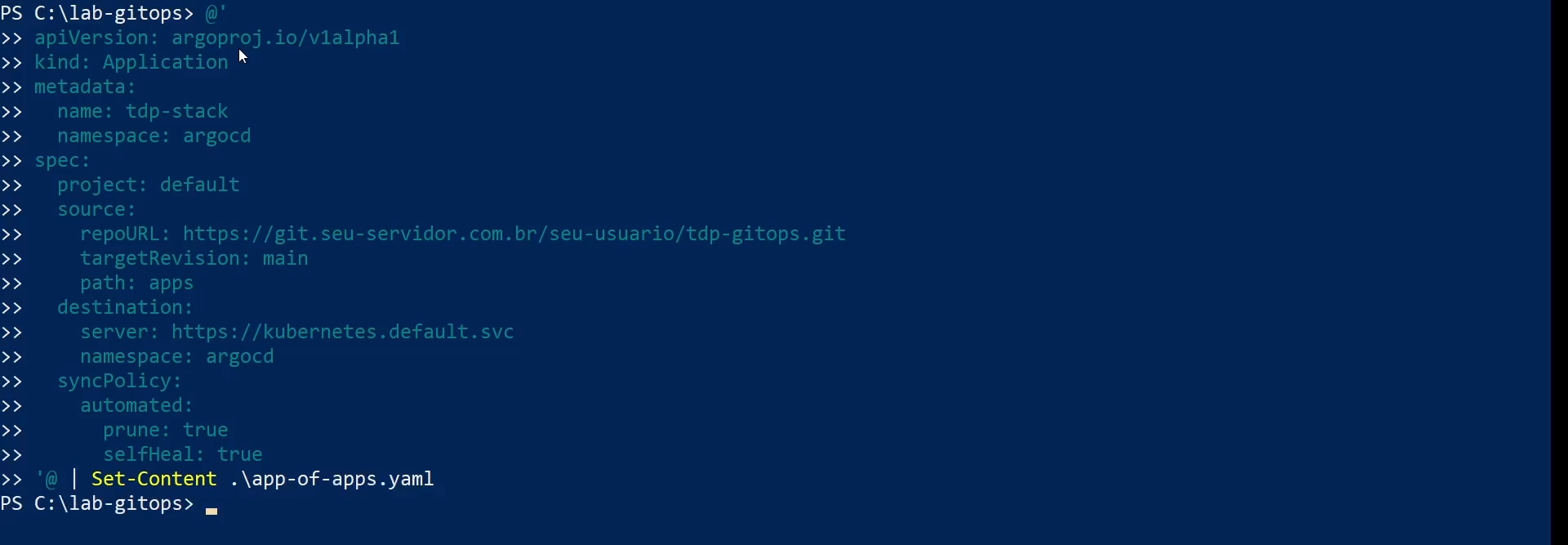
Create app-of-apps.yaml at the repository root.
Set repoURL to your Git repository URL (where you stored the files from Step 3):
apiVersion: argoproj.io/v1alpha1
kind: Application
metadata:
  name: tdp-stack
  namespace: argocd
spec:
  project: default
  source:
    repoURL: https://git.seu-servidor.com.br/seu-usuario/tdp-gitops.git
    targetRevision: main
    path: apps
  destination:
    server: https://kubernetes.default.svc
    namespace: argocd
  syncPolicy:
    automated:
      prune: true
      selfHeal: true
spec.source.repoURL must point to the Git repo you created in Step 2 with the Application manifests. If the repo is private, register it first in Argo CD under Settings → Repositories.
Step 5 – Apply the App of Apps
With the GitOps repo and manifests ready, apply the root Application to start installing all components.
- Commands
- Videos
- Clone the Git repository on your machine
git clone https://git.seu-servidor.com.br/seu-usuario/tdp-gitops.git

- Apply the manifest:
cd tdp-gitops
kubectl apply -f app-of-apps.yaml

From then on, Argo CD will discover every manifest under apps/ and start installing all TDP Kubernetes components.
Track progress
argocd app list

Sync policies
The manifests in this documentation use syncPolicy.automated — Argo CD syncs automatically whenever it detects drift.
The two control flags are:
| Parameter | When true |
|---|---|
prune | Removes cluster resources that were removed from the Git manifest |
selfHeal | Reverts manual changes made outside Git |
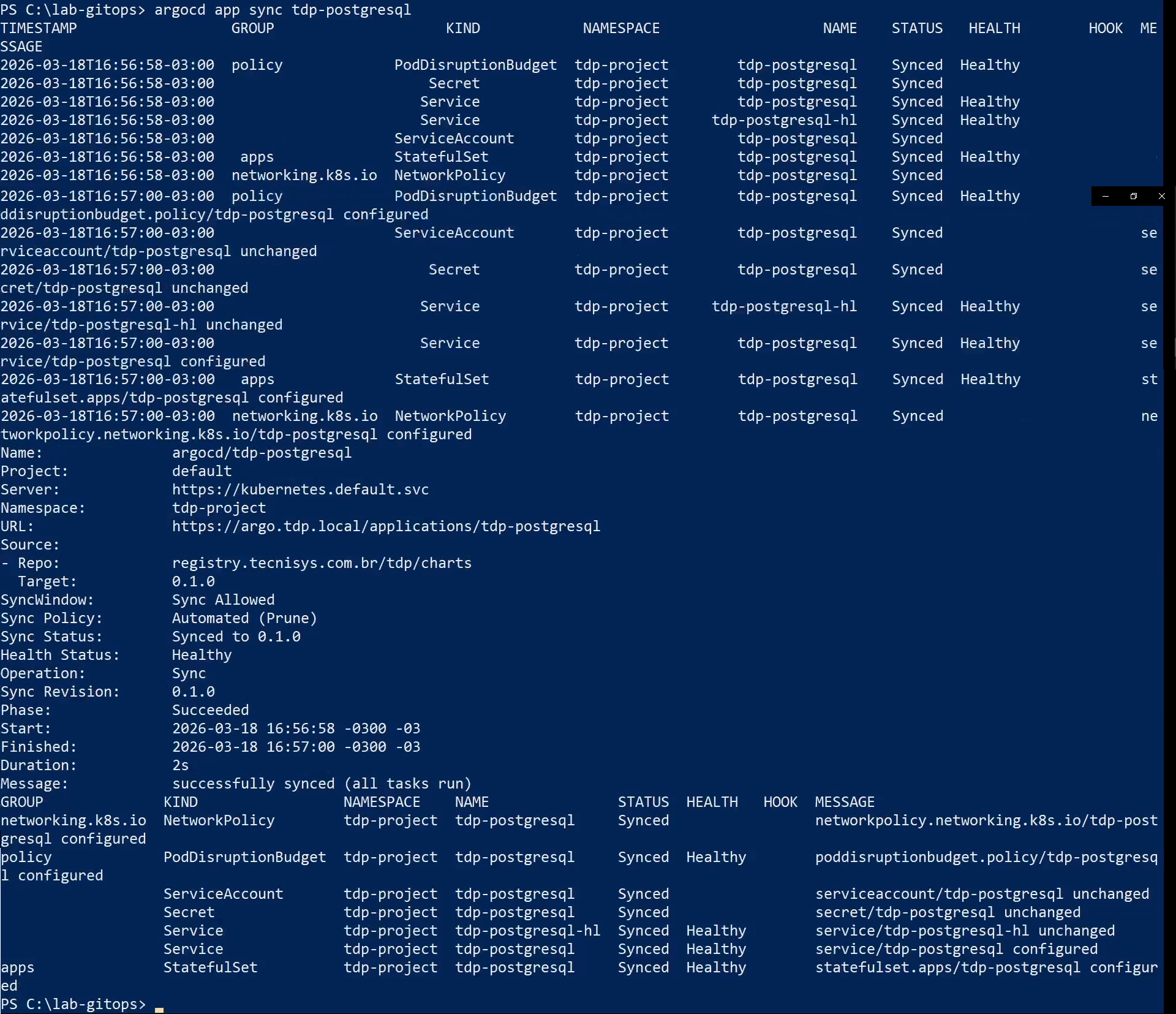
For stricter control, remove the automated block from the manifest.
In that case, start sync manually:
argocd app sync tdp-postgresql
- git clone
- kubectl apply
- argocd app list
- argocd app sync
Installation verification
After applying the App of Apps, use the commands below to check installation status.
- Commands
- Videos
Check Application status
argocd app list
Each Application can show the following sync statuses:
| Sync status | Description |
|---|---|
| Synced | Cluster matches the declared manifest |
| OutOfSync | Drift between manifest and cluster |
| Unknown | Argo CD could not determine status |
| Health status | Description |
|---|---|
| Healthy | All Application resources are healthy |
| Progressing | Resources are being created or updated |
| Degraded | One or more resources have issues |
| Suspended | Sync is paused |
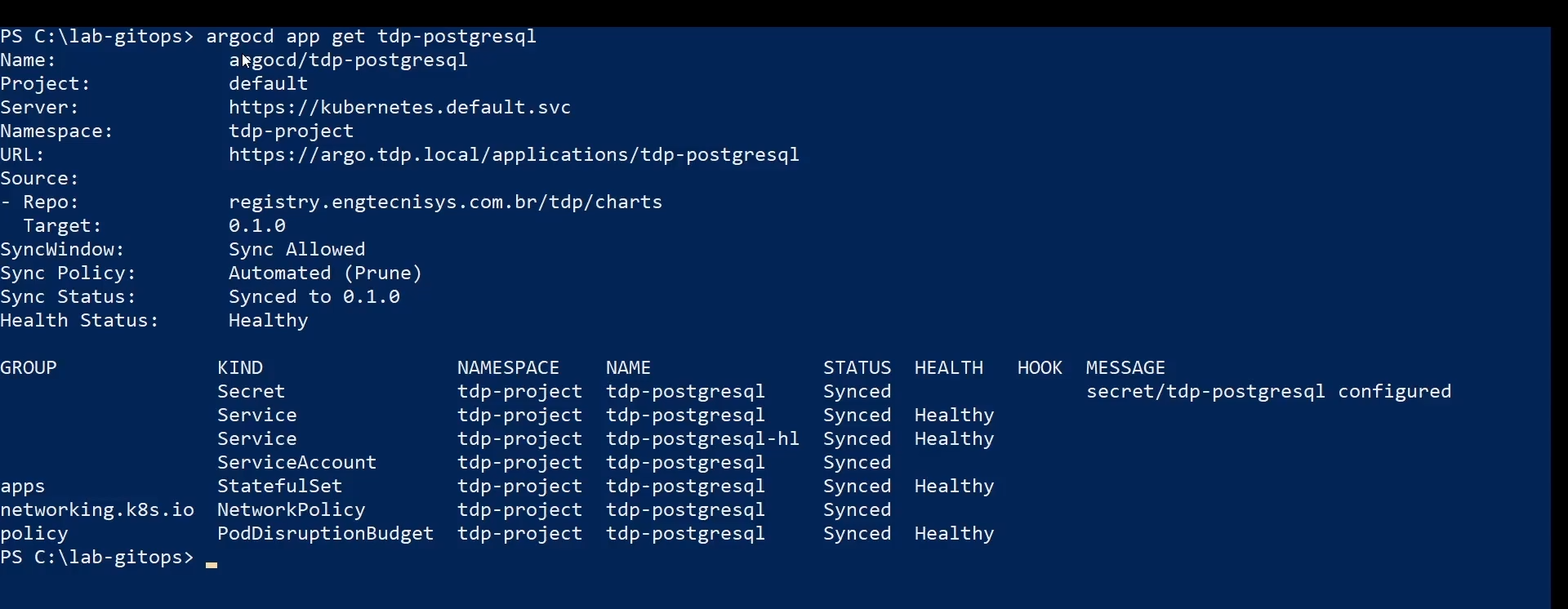
Check a specific Application
argocd app get tdp-postgresql
Check Pods in the cluster
kubectl get pods -n <namespace>

All pods should be Running with replicas ready.
Check Helm releases
helm list -n <namespace>

All releases should show status deployed.
Check Services
kubectl get svc -n <namespace>

Check PersistentVolumes
kubectl get pvc -n <namespace>

All PersistentVolumeClaims should be Bound.
- argocd app get
- kubectl get pods
- helm list
- kubectl get svc
- kubectl get pvc
Troubleshooting
Application OutOfSync or Degraded
If an Application shows OutOfSync or Degraded:
-
Inspect the Application:
Terminal inputargocd app get <nome-da-application> -
Check pod events and logs:
Terminal inputkubectl describe pod <pod-name> -n <namespace>
kubectl logs <pod-name> -n <namespace> -
Try a manual sync:
Terminal inputargocd app sync <nome-da-application>
Argo CD cannot reach the registry
If Argo CD fails while pulling a chart from the OCI registry:
-
Verify the repository is registered correctly:
Terminal inputargocd repo list -
Check credentials — they may have expired.
Re-register the repository with up-to-date credentials:Terminal inputargocd repo add registry.tecnisys.com.br \
--type helm \
--name tdp-registry \
--enable-oci \
--username <usuario> \
--password <senha> -
Check cluster connectivity to the registry:
Terminal inputkubectl run test-dns --rm -it --image=busybox -n <namespace> -- \
sh -c "nslookup registry.tecnisys.com.br"
Components that depend on PostgreSQL failing
If Airflow, Superset, Ranger, OpenMetadata, or CloudBeaver fail right after applying the App of Apps:
-
Check PostgreSQL is running:
Terminal inputkubectl get pods -n <namespace> | grep tdp-postgresql -
If PostgreSQL is not yet
Running, wait.
Argo CDselfHealwill reconcile dependent components once PostgreSQL is available. -
To force reconciliation manually:
Terminal inputargocd app sync tdp-airflow
Roll back an Application
Argo CD keeps a sync history.
To roll a component back to a previous revision:
-
In the UI: open the Application → History and Rollback → pick a revision → Rollback.
-
Via CLI:
Terminal input# List history
argocd app history tdp-kafka
# Roll back to a specific revision
argocd app rollback tdp-kafka <revision-id>
When rolling back a component that depends on PostgreSQL, ensure the database version is compatible with the component version you are rolling back to.
Force-delete a problematic Application
To uninstall and reinstall a specific Application:
argocd app delete <nome-da-application>
kubectl apply -f apps/<nome-da-application>.yaml
Deleting an Application does not remove associated PersistentVolumeClaims (PVCs).
For a clean reinstall, delete PVCs manually:
kubectl delete pvc <pvc-name> -n <namespace>
Footnotes
-
OCI (Open Container Initiative) is the modern standard for storing not only container images but also Helm packages. When registering the registry, you must enable Enable OCI — without it, Argo CD will treat the address as a conventional Helm repository based on
index.yamland the connection will fail. ↩ -
Automatic reconciliation with Git ↩