Upgrade via ArgoCD
This guide describes the process of upgrading TDP Kubernetes components using ArgoCD as a GitOps tool.
With ArgoCD, upgrades are managed declaratively through Application manifests stored in the Git repository.
With the GitOps pattern, an upgrade consists of editing the manifests in the Git repository — ArgoCD detects the change and applies it automatically to the cluster.
- Preparation
- Upgrade
- Validation
- Troubleshooting
Upgrade Preparation
Before modifying the manifests, verify the current state of the cluster.
- Commands
- Videos
Verify Application State
List all TDP Applications and their status:
argocd app list

What to validate:
- All Applications must have
STATUSSynced - All must have
HEALTHHealthy
Why validate before upgrading:
- Confirm that the current cluster state matches the desired state in Git
- Ensure there are no pending reconciliation errors
- Avoid starting the upgrade on an already inconsistent or degraded Application
Verify pods and workload readiness
kubectl get pods -n <namespace>

kubectl get statefulset -n <namespace>

If the application uses a Deployment, also validate:
kubectl get deploy -n <namespace>
What to validate:
- Pods have
STATUSRunning - The
READYcolumn for pods is complete, for example1/1 - StatefulSets or Deployments show all replicas ready, for example
1/1,2/2, or3/3
Why validate before upgrading:
- Ensure the application is already stable before the change
- Avoid confusing a pre-existing failure with one caused by the upgrade
- Reduce the risk of downtime during the process
Verify Helm Releases
helm list -n <namespace>

Confirm the installed versions and the deployed status of each release.
- argocd app list
- kubectl get pods
- kubectl get statefulset
- helm list
Upgrading Application Manifests
Upgrading via ArgoCD consists of modifying the Application manifests in the Git repository, changing the chart version (targetRevision) to the new desired version.
- Commands
- Videos
Change the Chart Version
Edit the Application manifest of the component you want to upgrade. The targetRevision field defines the Helm Chart version used. Example for PostgreSQL (the base component that is usually installed first):
apiVersion: argoproj.io/v1alpha1
kind: Application
metadata:
  name: tdp-postgresql
  namespace: argocd
spec:
  project: default
  source:
    chart: tdp-postgresql
    repoURL: oci://registry.tecnisys.com.br/tdp
    targetRevision: "0.1.0"  # Change to the new desired version
    helm:
      valueFiles:
        - values.yaml
  destination:
    server: https://kubernetes.default.svc
    namespace: <namespace>
  syncPolicy:
    automated:
      prune: true
      selfHeal: true
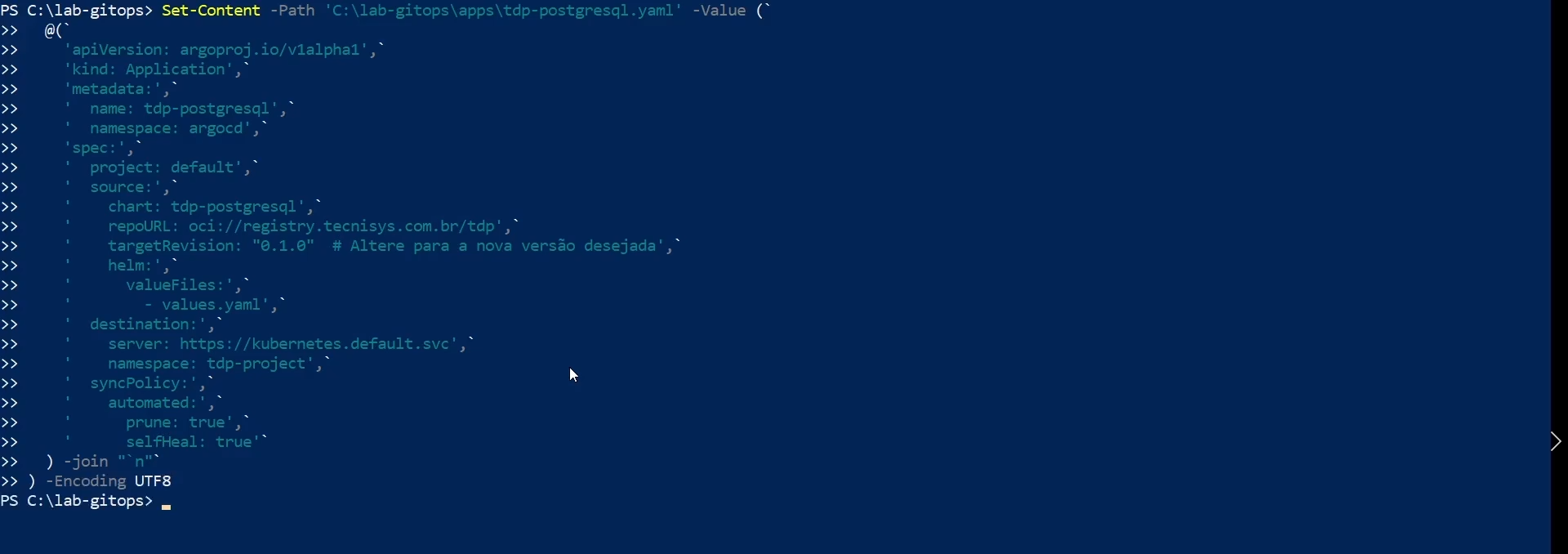
Change Configuration Values
To update configuration values along with the version, modify the helm.values field or the referenced values.yaml file. Example for PostgreSQL (resources, storage, etc.):
spec:
  source:
    chart: tdp-postgresql
    repoURL: oci://registry.tecnisys.com.br/tdp
    targetRevision: "0.1.0"
    helm:
      values: |
        primary:
          resources:
            requests:
              memory: 2Gi
              cpu: "1"
        persistence:
          size: 20Gi
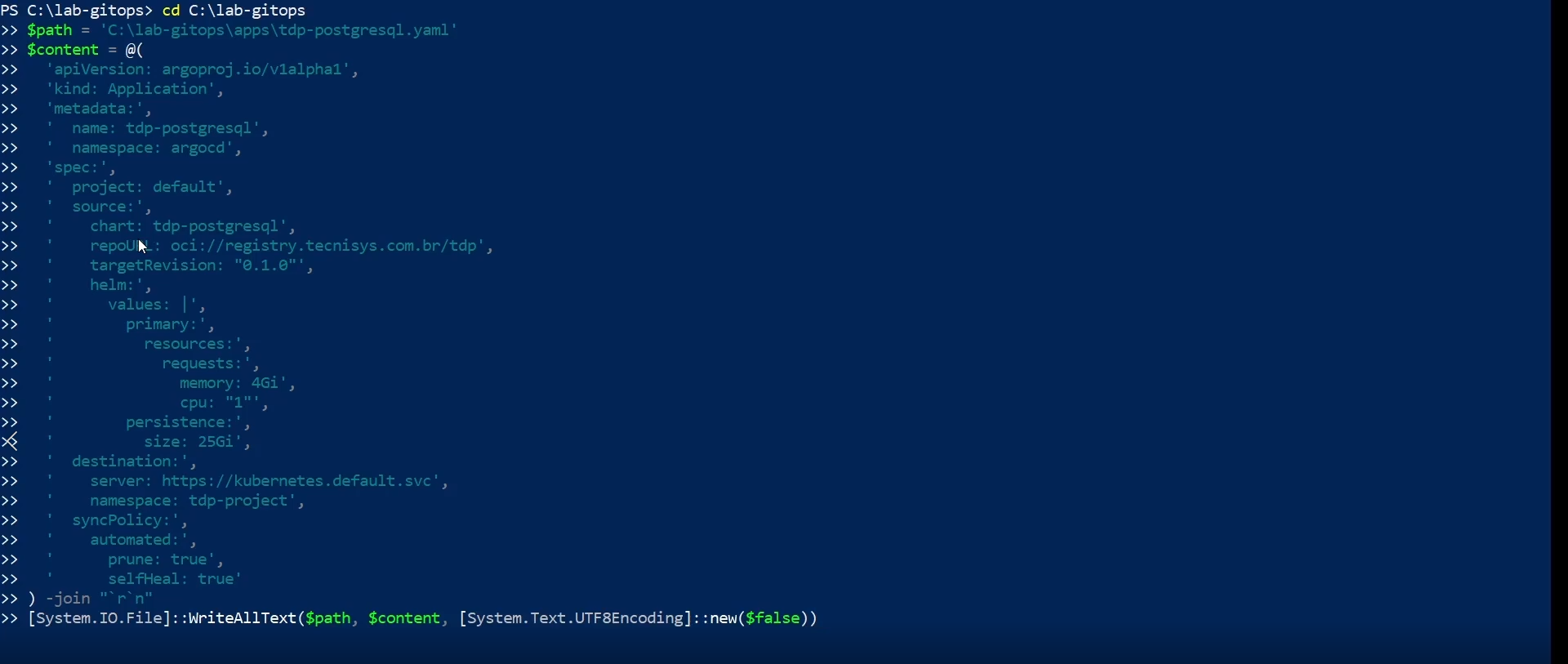
Commit the Changes to Git
After editing the manifests, commit and push the changes to the Git repository:
git add apps/
git commit -m "chore: upgrade tdp-postgresql to new version"
git push origin main
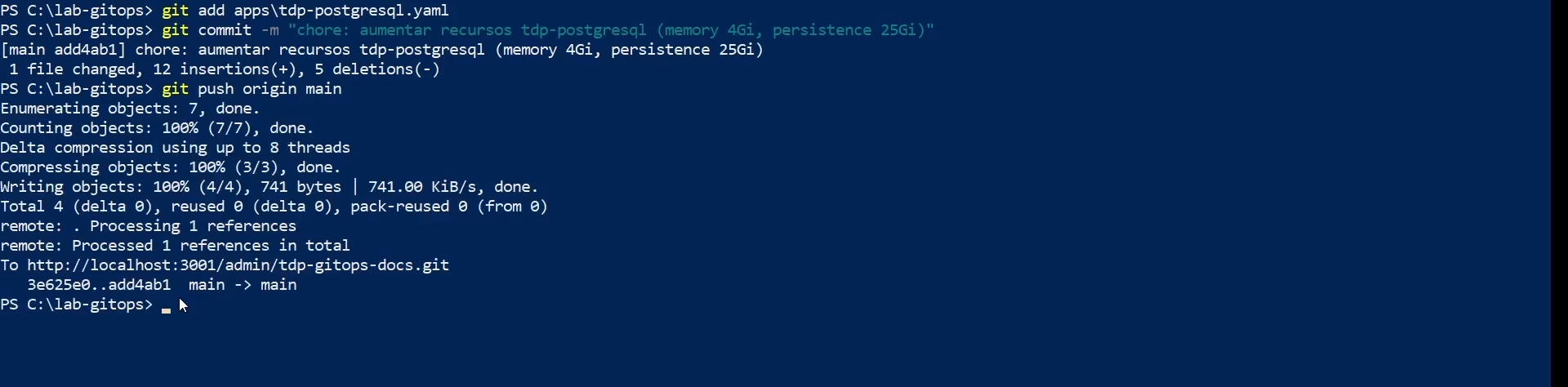
ArgoCD will automatically detect the changes in the repository and start the synchronization process, according to the configured sync strategy.
Synchronization Strategies
Automatic Synchronization
With automatic synchronization enabled, ArgoCD applies detected Git changes without manual intervention:
syncPolicy:
  automated:
    prune: true      # Removes resources no longer in Git
    selfHeal: true   # Corrects drift between actual and desired state
Automatic synchronization is recommended for development and staging environments. In production, consider manual synchronization for greater control.
Manual Synchronization
For production upgrades, disable automatic synchronization and perform sync manually:
syncPolicy: {} # No automatic policy
argocd app sync tdp-postgresql
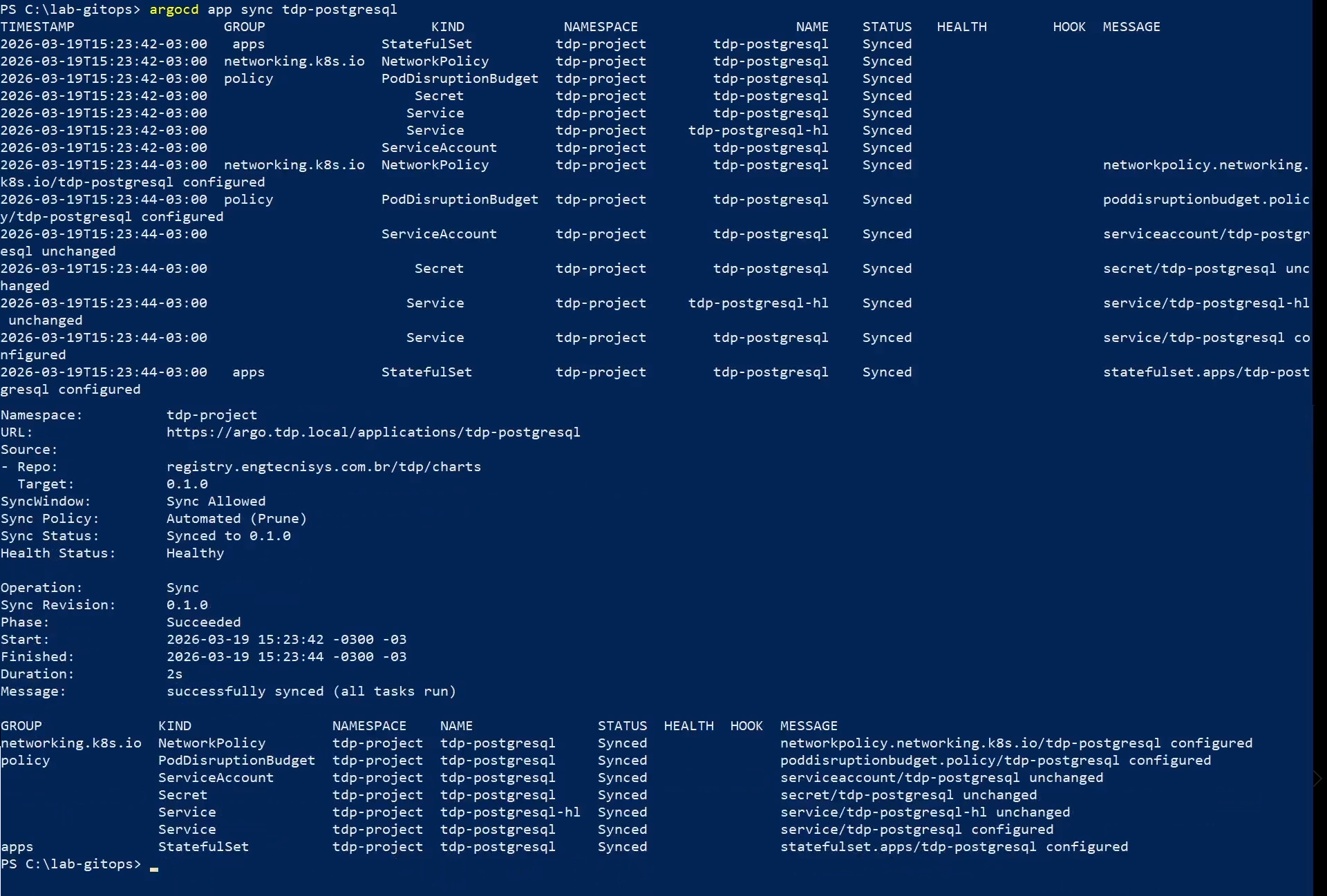
Or click the Sync button on the Application in the ArgoCD web interface.
Sync Waves
To control the upgrade order of components, use sync waves. Resources with lower wave values are synchronized first:
metadata:
  annotations:
    argocd.argoproj.io/sync-wave: "1"
| Wave | Components |
|---|---|
| 0 | CRDs (tdp-argo-crds) |
| 1 | Infrastructure (tdp-argo, tdp-postgresql) |
| 2 | Messaging (tdp-kafka) |
| 3 | Storage (tdp-hive-metastore, tdp-iceberg, tdp-ozone, tdp-deltalake) |
| 4 | Security (tdp-ranger) |
| 5 | Processing (tdp-nifi, tdp-spark, tdp-trino, tdp-clickhouse) |
| 6 | Tools (tdp-airflow, tdp-jupyter, tdp-superset, tdp-openmetadata, tdp-cloudbeaver) |
Progressive Rollouts
Dry Run
Simulate the synchronization before applying to verify what will be changed:
argocd app sync tdp-postgresql --dry-run
Diff Preview
View the differences between the current cluster state and the desired state in Git:
argocd app diff tdp-postgresql
Selective Synchronization
Synchronize only specific resources of an Application, rather than all at once:
argocd app sync tdp-postgresql --resource apps:StatefulSet:tdp-postgresql
- Editar manifest
- git push
- argocd app sync
Post-Upgrade Validation
After applying the changes to the Git repository, use the commands below to monitor the synchronization state.
- Commands
- Videos
Verify Application Status
argocd app list
| Sync Status | Description |
|---|---|
| Synced | The cluster state matches what is declared in the manifest |
| OutOfSync | There are differences between the manifest and the cluster |
| Unknown | ArgoCD could not determine the status |
| Health Status | Description |
|---|---|
| Healthy | All Application resources are operational |
| Progressing | Resources are being created or updated |
| Degraded | One or more resources have issues |
| Suspended | Synchronization is paused |
Verify a Specific Application
argocd app get tdp-postgresql
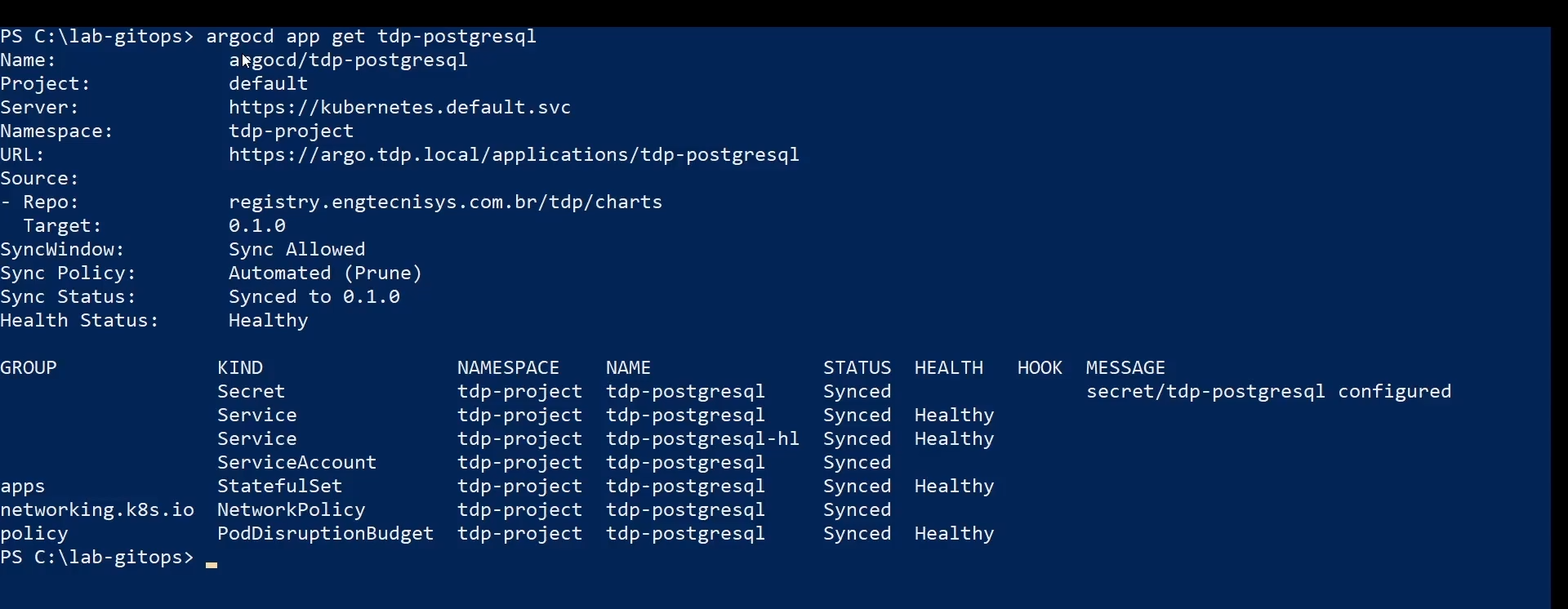
To monitor progress in real time:
argocd app wait tdp-postgresql --sync
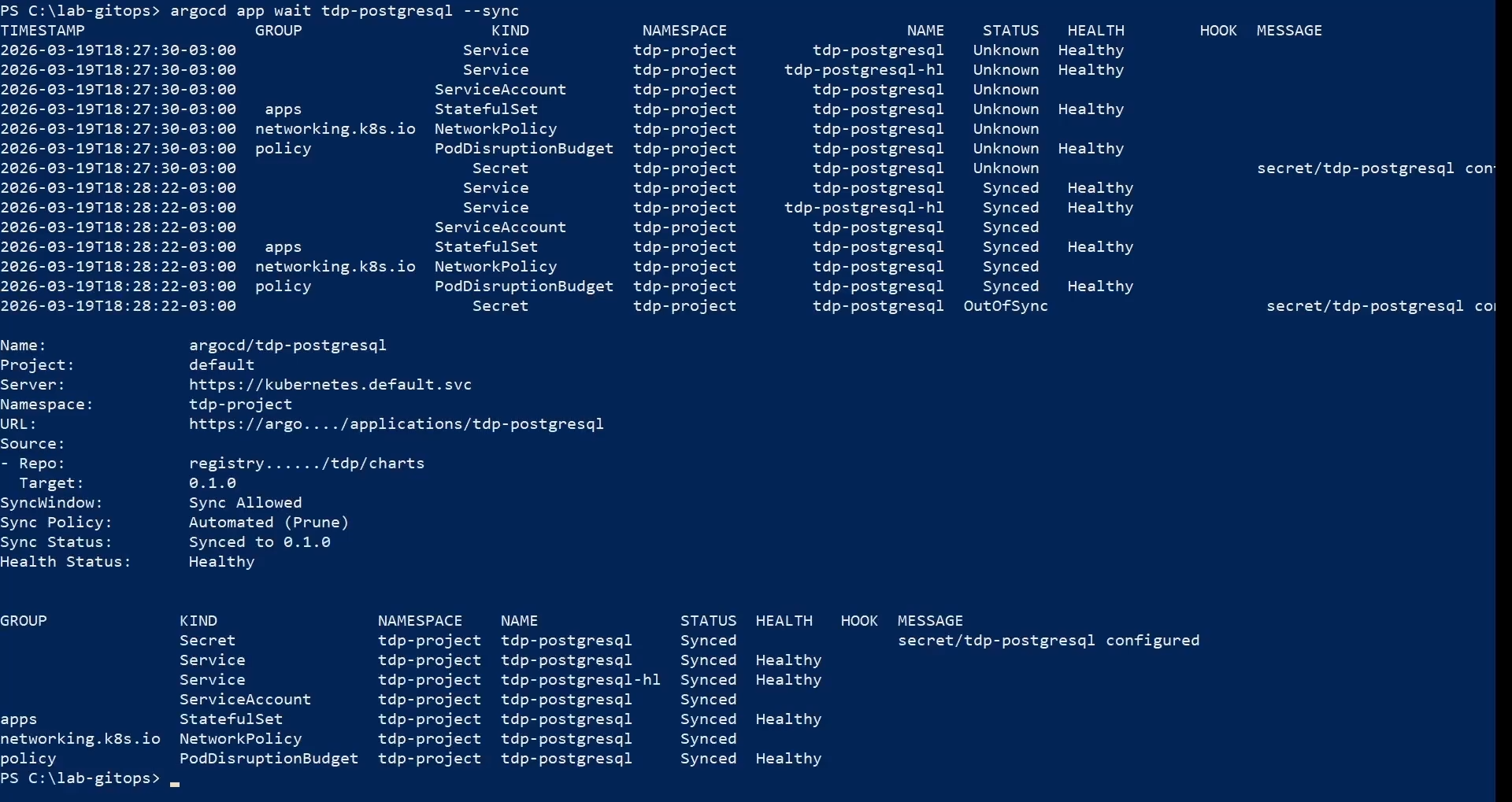
Verify Resource Health
argocd app wait tdp-postgresql --health
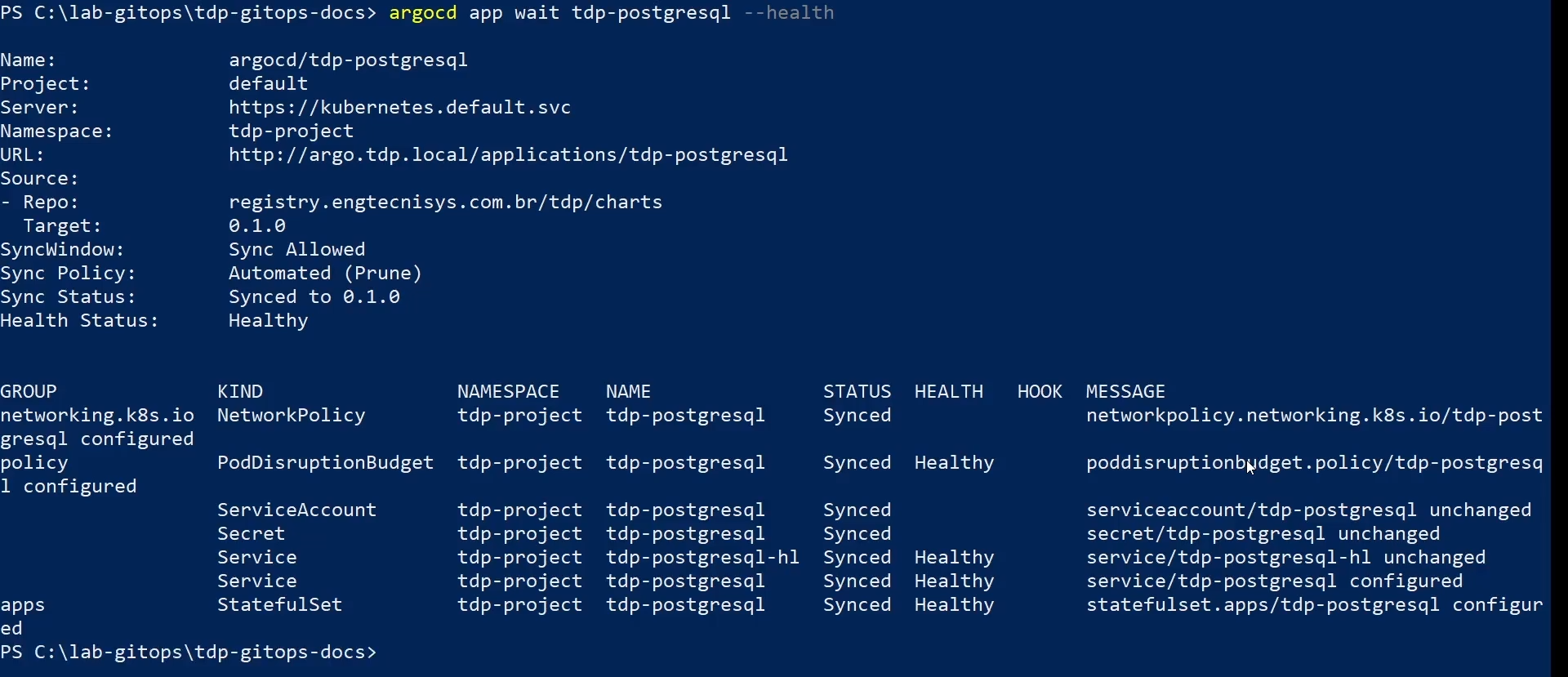
Verify pods and workload readiness
kubectl get pods -n <namespace>
kubectl get statefulset -n <namespace>
If the application uses a Deployment, also validate:
kubectl get deploy -n <namespace>
What to confirm:
- Pods have
STATUSRunning - The
READYcolumn for pods is complete, for example1/1 - StatefulSets or Deployments show all replicas ready, for example
1/1,2/2, or3/3
Verify Helm Revision
Confirm that the release revision was incremented successfully:
helm history <release> -n <namespace>

- argocd app list
- argocd app get
- argocd app wait --sync
- argocd app wait --health
- helm history
- kubectl get pods
- kubectl get statefulset
Troubleshooting
- Commands
- Video
Application OutOfSync or Degraded
If an Application shows OutOfSync or Degraded status:
-
Check operation details and errors:
Terminal inputargocd app get tdp-postgresql --show-operation -
Analyze the ArgoCD controller logs:
Terminal inputkubectl logs -n argocd -l app.kubernetes.io/name=argocd-application-controller --tail=200 -
Try synchronizing manually:
Terminal inputargocd app sync tdp-postgresql
Synchronization Conflicts
If there are manually modified resources in the cluster that conflict with Git:
Option 1 — Force synchronization (overwrites the cluster with Git):
argocd app sync tdp-postgresql --force
Option 2 — Self-heal (lets ArgoCD automatically correct drift):
syncPolicy:
  automated:
    selfHeal: true
Automatic Retry
Configure automatic retry so ArgoCD retries on temporary failures:
syncPolicy:
  retry:
    limit: 5
    backoff:
      duration: 5s
      factor: 2
      maxDuration: 3m
Revert the Upgrade
If the upgrade fails and needs to be reverted, change the targetRevision in the Git manifest back to the previous version and commit:
git revert HEAD
git push origin main
ArgoCD will detect the reversion and synchronize the cluster to the previous state.
For more details on rollback, see the Rollback page.
Video coming soon.