TDPCTL Installation

TDPCTL
TDPCTL is a Command Line Interface(CLI), developed by Tecnisys, for automating tasks and installing extensions on the TDP
- Enterprise Linux operating system, such as Rocky Linux, AlmaLinux and Red Hat, version 8 or higher.
- Superuser privilege (root) on the machine for installation.
The following RPMs need to be available for installation via the package manager (dnf): python3-devel, krb5-server, krb5-libs, krb5-workstation, krb5-devel, and gcc.
Download
tdpctl is provided in tarball format for Enterprise Linux operating systems, version 8 or higher.
To download the latest version of tdpctl, download the tdpctl-[version]-linux-x64.tar.gz file to the /yum/tdp/tdpctl directory of the Tecnisys Public Package Repository.
To access the repository, you will need to provide your access credentials, defined when registering for free on the Tecnisys website.
Installation
To install tdpctl, follow the steps below:
- Instructions
- Video
-
Extract the file
tdpctl-0.1-alpha-linux-x64.tar.gzin the/usr/localdirectory:Terminal inputsudo tar -C /usr/local -xzf tdpctl-0.1-alpha-linux-x64.tar.gz -
Execute the setup.sh script:
Terminal inputcd /usr/local/tdpctl && sudo ./setup.sh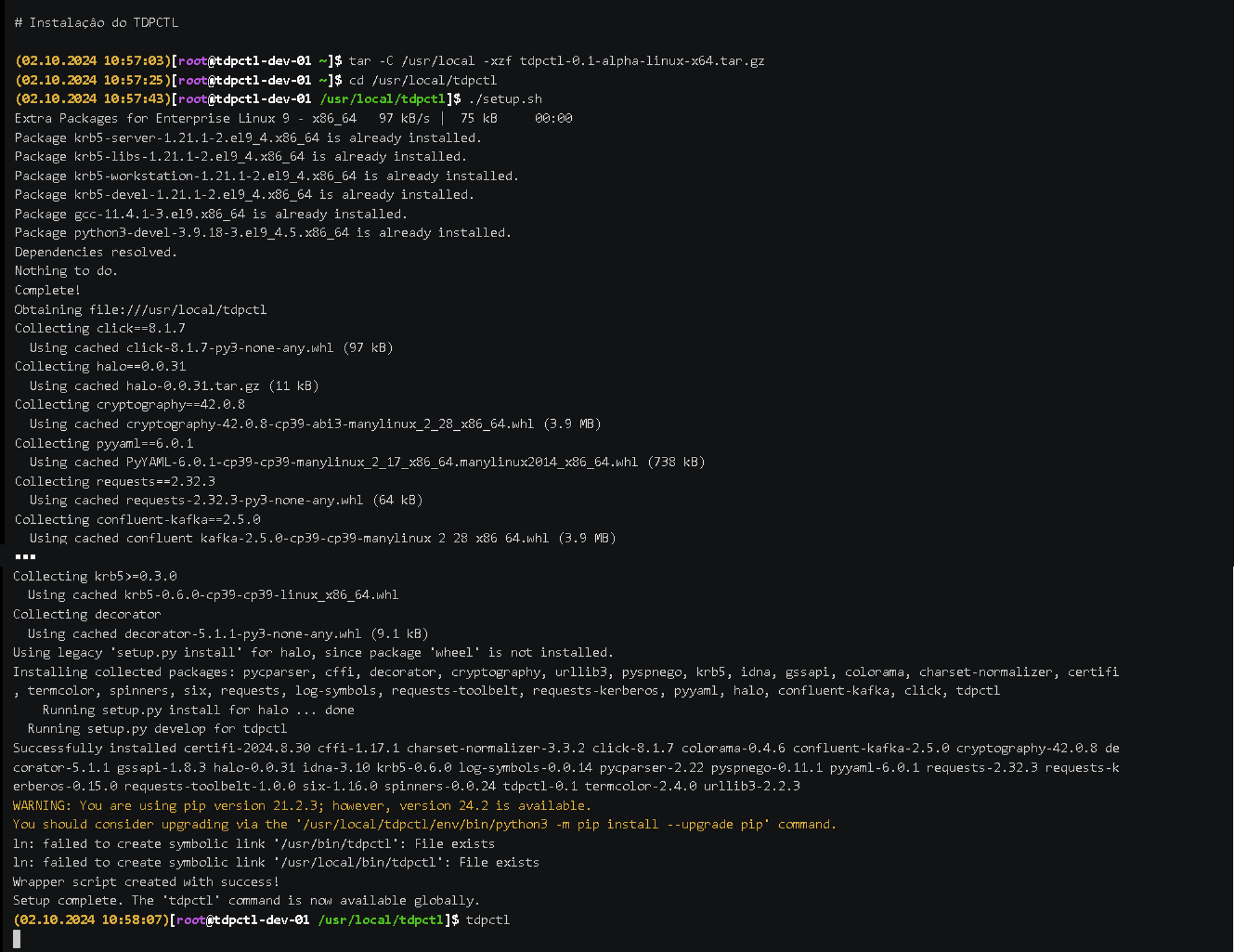 Figure 1 - TDPCTL Installation
Using TDPCTL
- Instructions
- Video
Command Syntax
tdpctl [OPTIONS] COMMAND [ARGS]...
OPTIONS:
--version=> Shows the version and exits.--help=> Displays help for the command execution.
COMMAND:
addon-install=> Installs a TDP extension.install=> Installs Apache Ambari for TDP.
Examples:
-
Installing an extension:
Terminal inputtdpctl addon-install -f name-of-extension-file.taf -
Command details:
Terminal inputtdpctl -
For help:
Terminal inputtdpctl --help -
Check the version:
Terminal inputtdpctl --version -
Help for a specific command:
Terminal inputtdpctl addon-install --helpnoteThe
extension.taffile is encrypted and can only be opened by TDPCTL. The.tafextension is specific to Tecnisys files.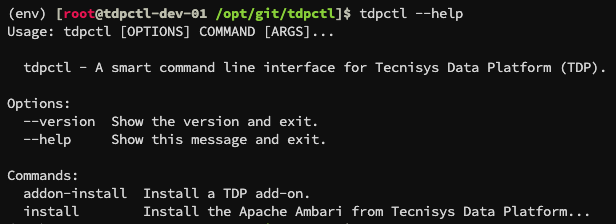 Figure 2 - Use of TDPCTL