PgSmart Web Parameters Configuration
It is possible to configure parameters for the registered Agents.
- Instructions
- Video
-
Go to
Início/Gerenciar Ambientes/Agentes.
All registered Agents will be listed. -
Select the
Agentfor which you want to configure the parameters. -
Click the
settingsicon ⚙️ to adjust preferences. -
Adjust the
parametersas needed. -
Click
Salvar.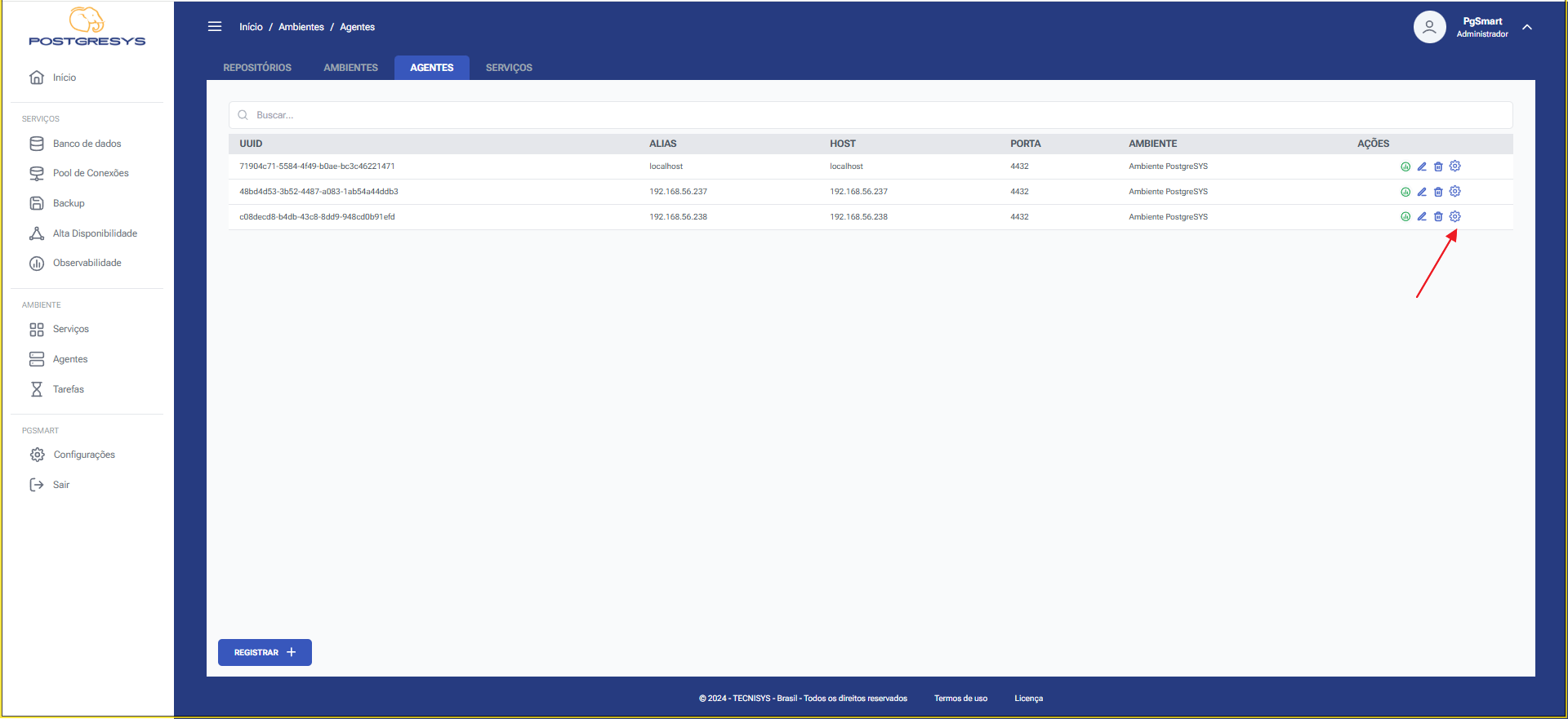 Figura 1 - Parameters option Selection
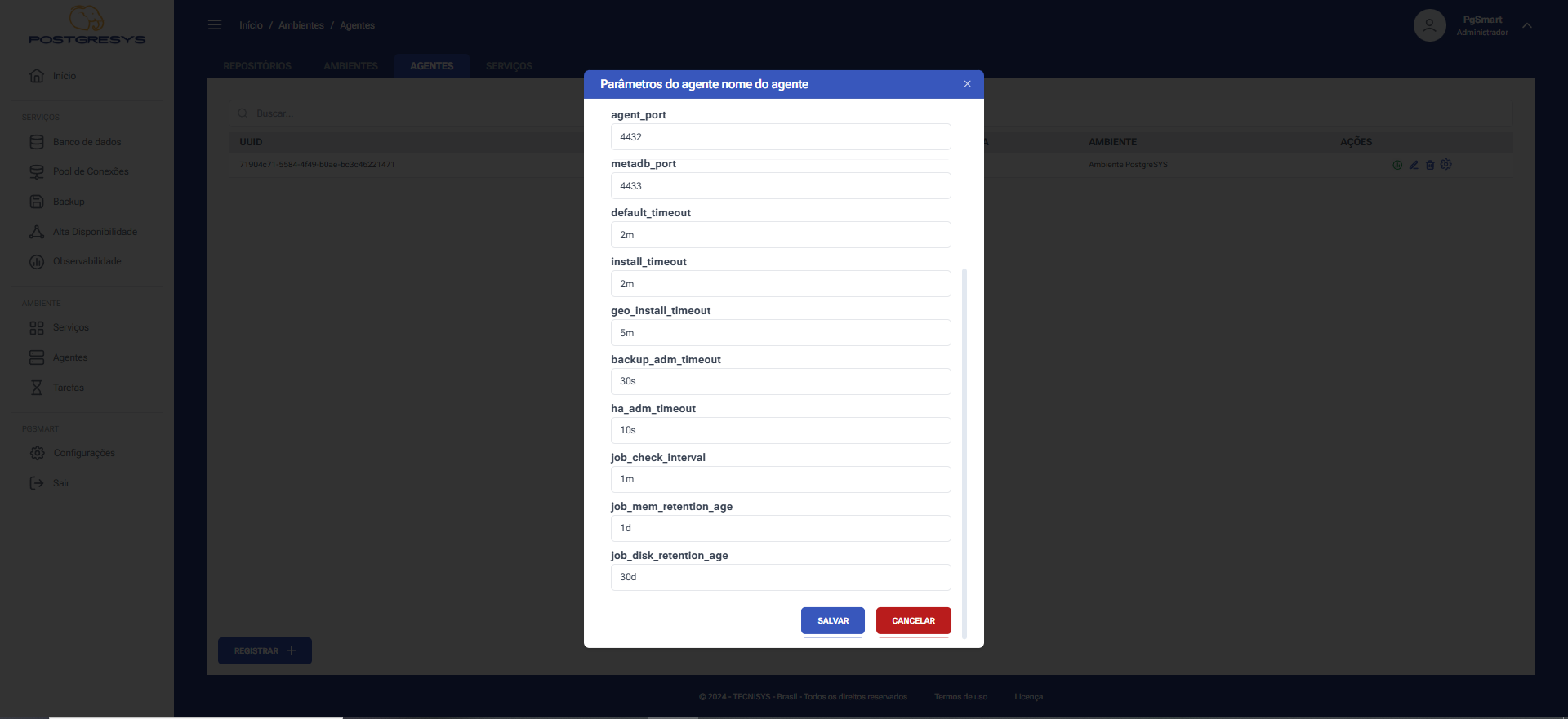 Figura 2 - Adjusting Agent Parameters