PgSmart CLI Installation
-
Install the PgSmart Client installation package:
RHEL / CentOS / Rocky / Alma / SUSE / openSUSE
-
Using
rpm -ivhTerminal inputsudo rpm -ivh pgsmart-client-4.1-1.el8.x86_64.rpm -
Using
dnf installin RHEL-likeTerminal inputsudo dnf install pgsmart-client-4.1-1.el8.x86_64.rpm -
Using
zypper installin SUSETerminal inputsudo zypper install pgsmart-client-4.1-1.el8.x86_64.rpm
Debian / Ubuntu
-
Using
apt-get installTerminal inputsudo apt-get update
sudo apt-get install pgsmart-client-4.1-amd64.deb
-
-
Verify that the installation was successful by running one of the following commands:
-
Check the PgSmart version (
--versionor-v):Terminal inputpgsmart -v -
Check the available commands using the help option (
--helpor-h):Terminal inputpgsmart -h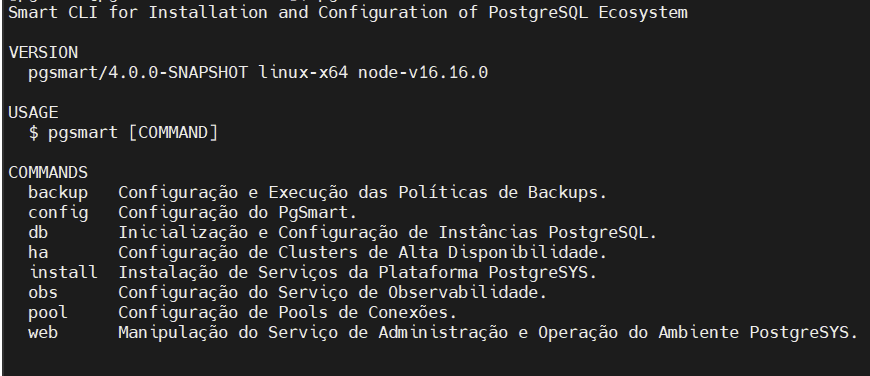 Figure 1 - PgSmart Commands
See here how to register a PgSmart Agent
noteDatabase environments with previously installed components are supported provided that:
- The components and their versions are listed in the PostgreSYS Platform Component Matrix;
- The component versions are compatible with the PostgreSQL version and with each other, as defined in the official documentation;
- The components were installed using source files and binaries provided by their respective open-source communities.