Backup Site Configuration
This option allows you to define where the base data directory for the PostgreSQL cluster is located.
During backups, the provided value will be compared with the path where PostgreSQL is running, and they must match; otherwise, the backup will fail with an error.
By default, RHEL 7-8 stores clusters in: /var/lib/pgsql/[version]/data.
Non-interactive execution is disabled for this operation.
pgsmart backup config
-
Select the desired
PgSmart Agent(or Register a new Agent). -
Select the
Sites de Backupsection (the selection is made with the [spaces] key).When selecting the
Sites de Backupsection, the following operations are made available:- Listar: Allows listing configured Backup Sites
- Adicionar: Allows adding a Backup Site
- Ativar: Allows activating a Backup Site
- Iniciar: Allows starting a Backup Site
- Parar: Allows stopping a Backup Site
- Verificar: Allows checking a Backup Site
- Remover: Allows removing a Backup Site
noteIf no Backup Site is found, PostgreSYS will prompt to create a new one.
List Backup Sites
- Instructions
- Video
-
Select the
Listaroperation -
The configured Backup Sites will be listed along with their configuration parameters.
-
Press
<ENTER>to view the details of the desired parameter.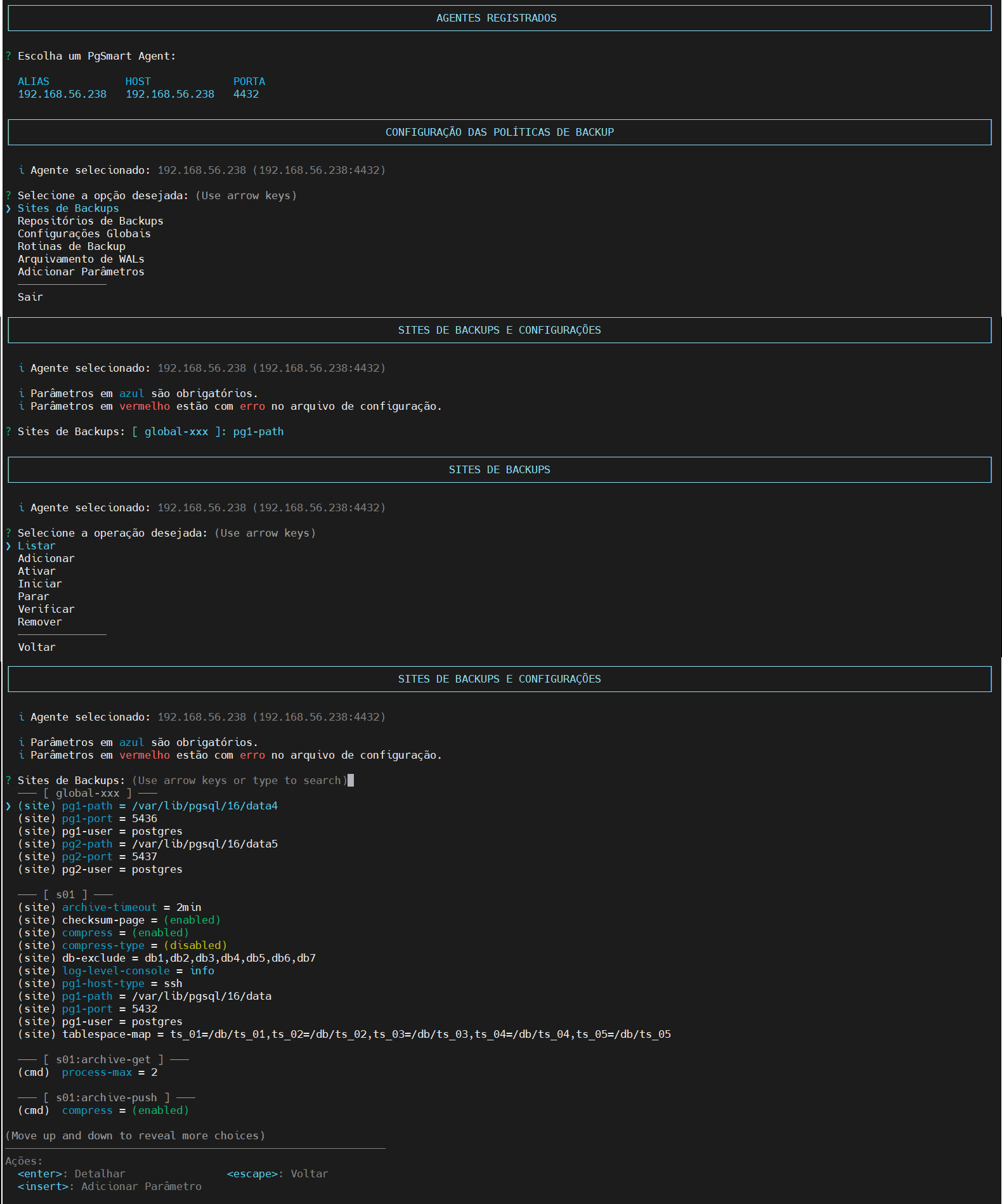 Figure 1 - Site Configuration - List
Add a Backup Site
- Instructions
- Video
-
Select the
Adicionaroperation. -
Enter a
namefor the backup site. -
Enter the
hostname/IPof the PostgreSQL instance (Default: localhost). -
Enter the
SSH connection userof the PostgreSQL instance. [Default: postgres] -
Enter the
Data Directoryof the PostgreSQL instance.noteIf desired, add a new Instance Data Directory via the
Addoption. -
Confirm if you wish to add another
clusterto the backup site being created.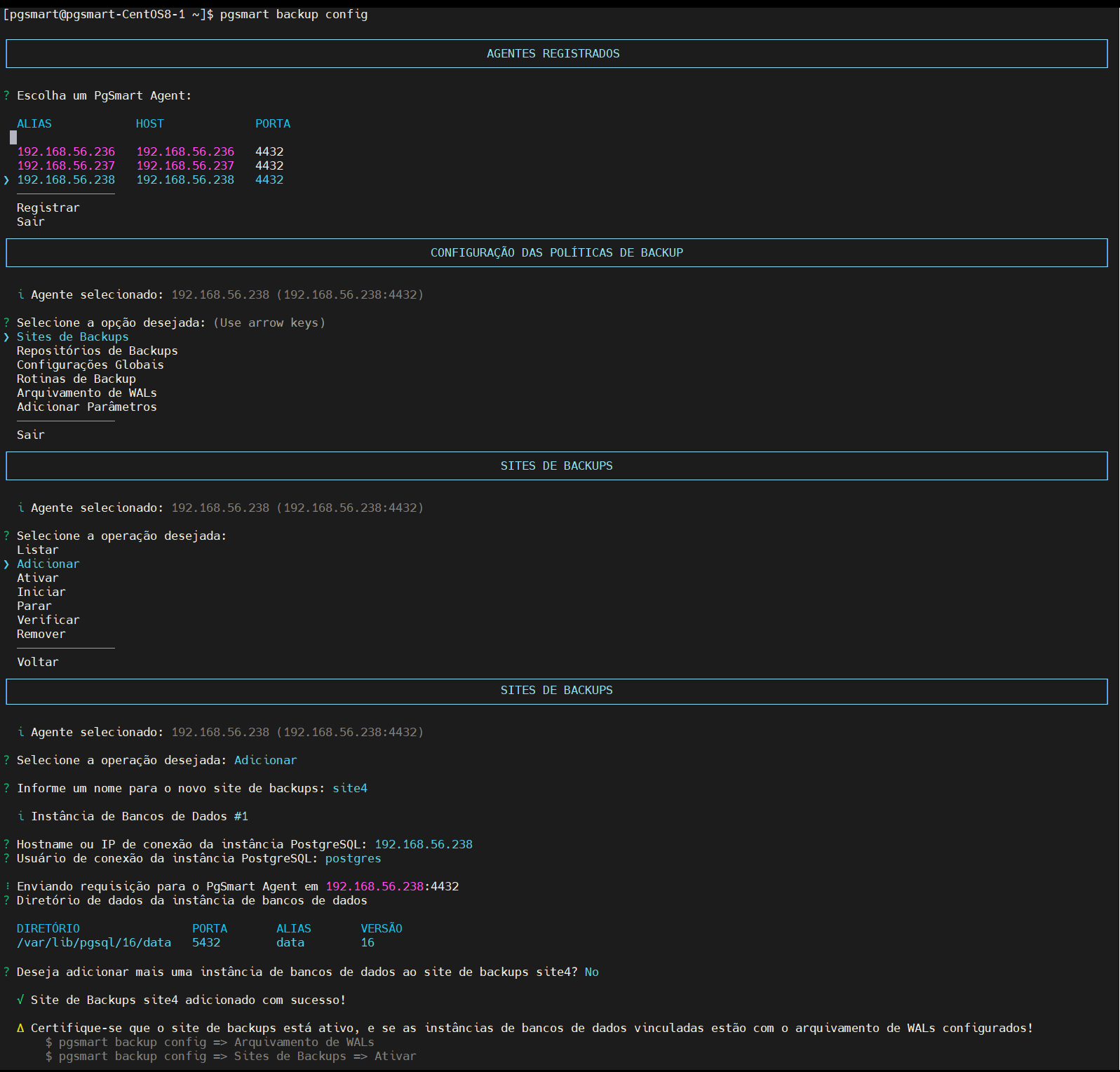 Figure 2 - Site Configuration - Creation
- Each Backup Site is associated with a single master instance. However, multiple replicas can be registered under the same site.
- PostgreSQL does not support native master-master replication. Replicas are read-only and used mainly to offload backup processing from the master.
- pgBackRest allows backups to run from replicas, improving performance by reducing load on the master.
- Use the
Listaroption to validate the configuration.
Activate the Backup Site
- Instructions
- Video
The WAL archiving of the involved clusters must be configured for the selected backup site. Otherwise, the operation will be aborted.
-
Select the
Ativaroperation. -
Select the
backup siteyou want to activate. -
Confirm that WAL archiving is configured for the involved clusters is configured for the selected site (this is a prerequisite).
-
Confirm the activation of the selected Backup site.
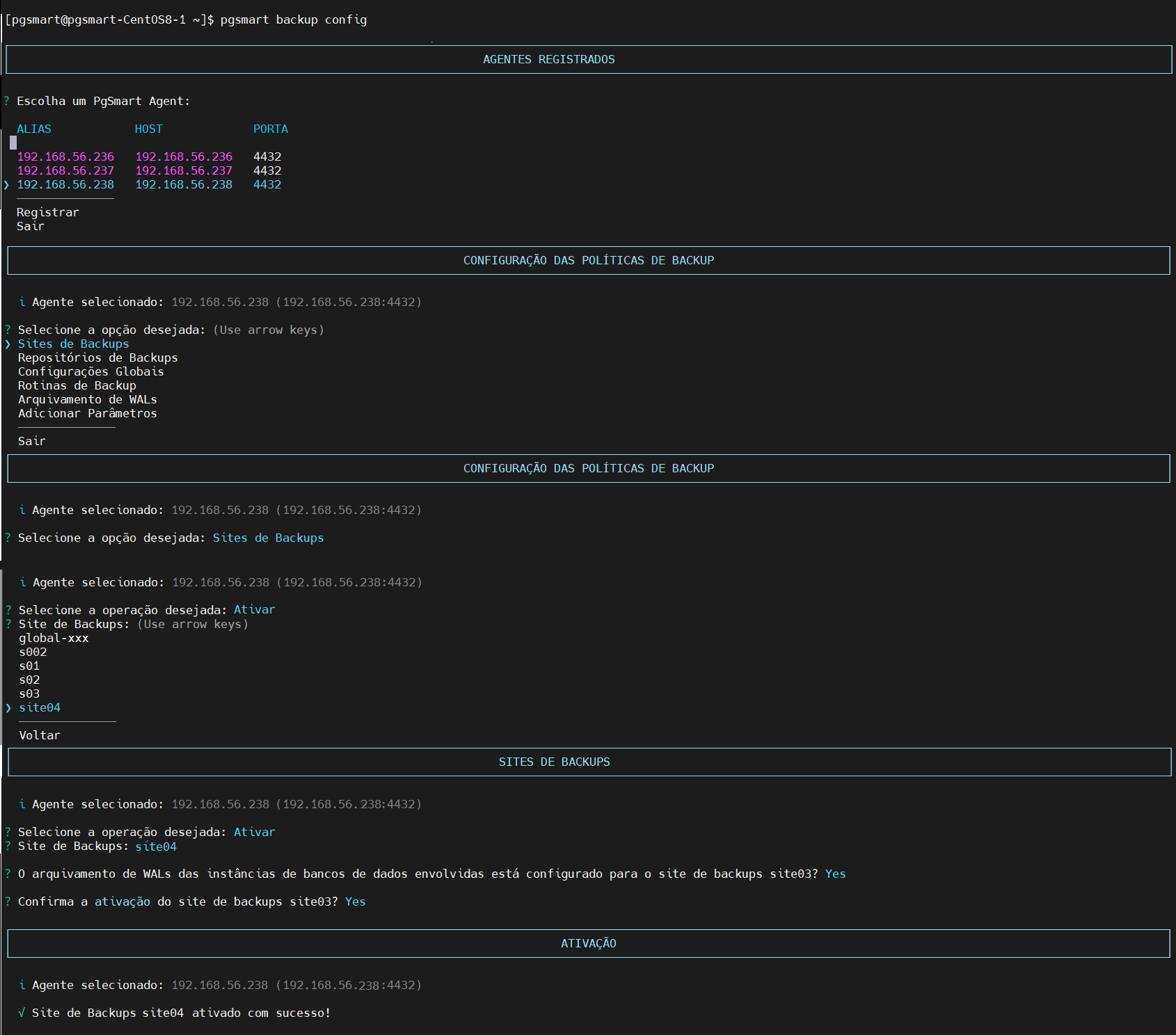 Figure 3 - Site Configuration - Activation
Start the Backup Site
Resumes backup routines previously suspended by the Stop command.
- Instructions
- Video
-
Select the
Iniciaroperation. -
Select the
backup siteyou want to start.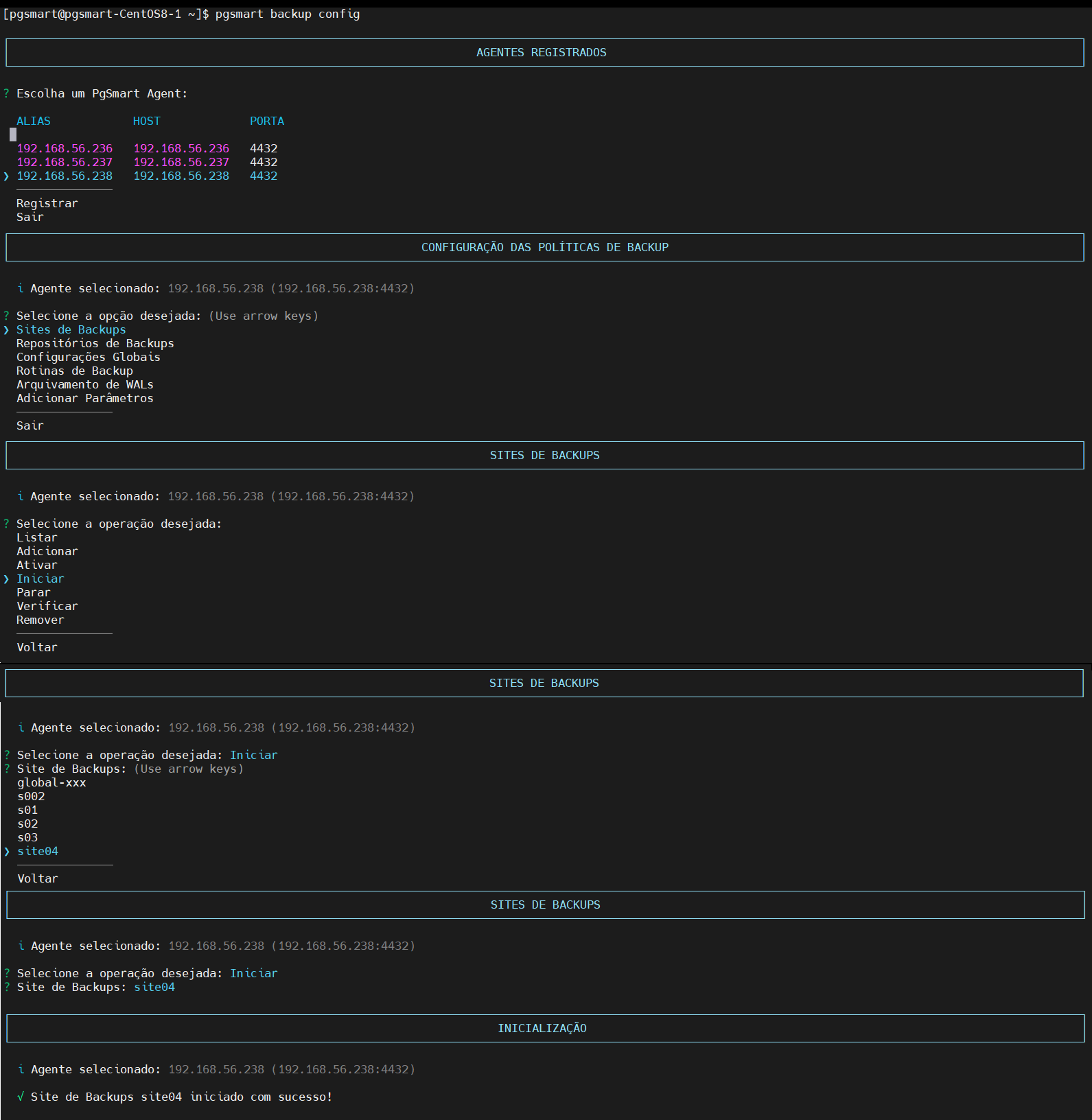 Figure 4 - Site Configuration - Start
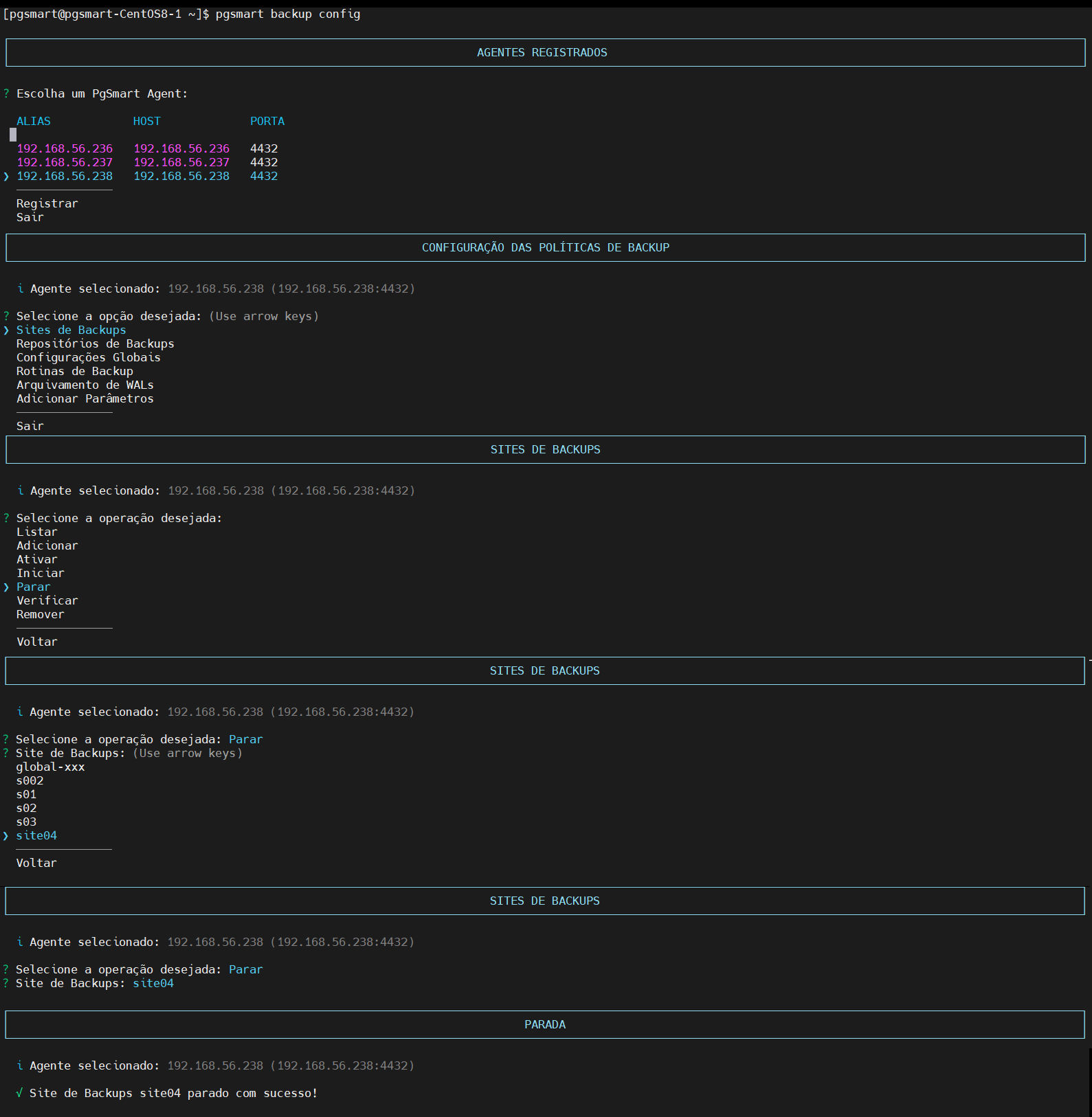
Stop the Backup Site
Disables the Backup site, suspending ongoing routines to prevent execution of routines during maintenance on the storage.
- Instructions
- Video
-
Select the
Pararoperation. -
Select the
backup siteyou want to suspend.
Verify the Backup Site
- Instructions
- Video
- Backup site activated.
-
Select the
Verificaroperation. -
Select the
backup siteyou want to verify.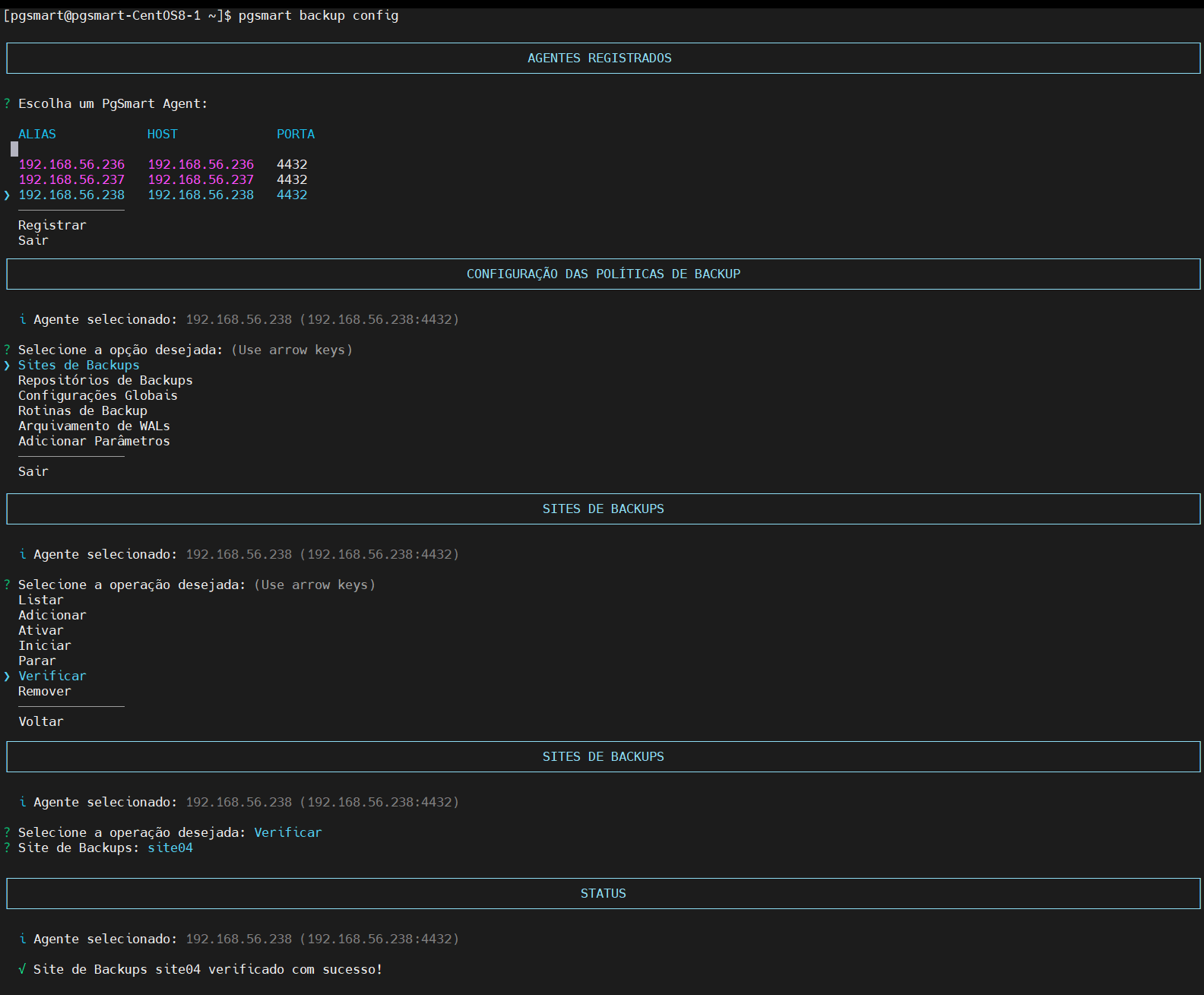 Figure 6 - Site Configuration - Verification
Remove the Backup Site
Deactivates the Backup site.
- Instructions
- Video
-
Select the
Removeroperation. -
Select the
backup siteyou want to remove. -
Confirm the removal of the backup site.
-
Confirm the removal of the backup site from global configurations.
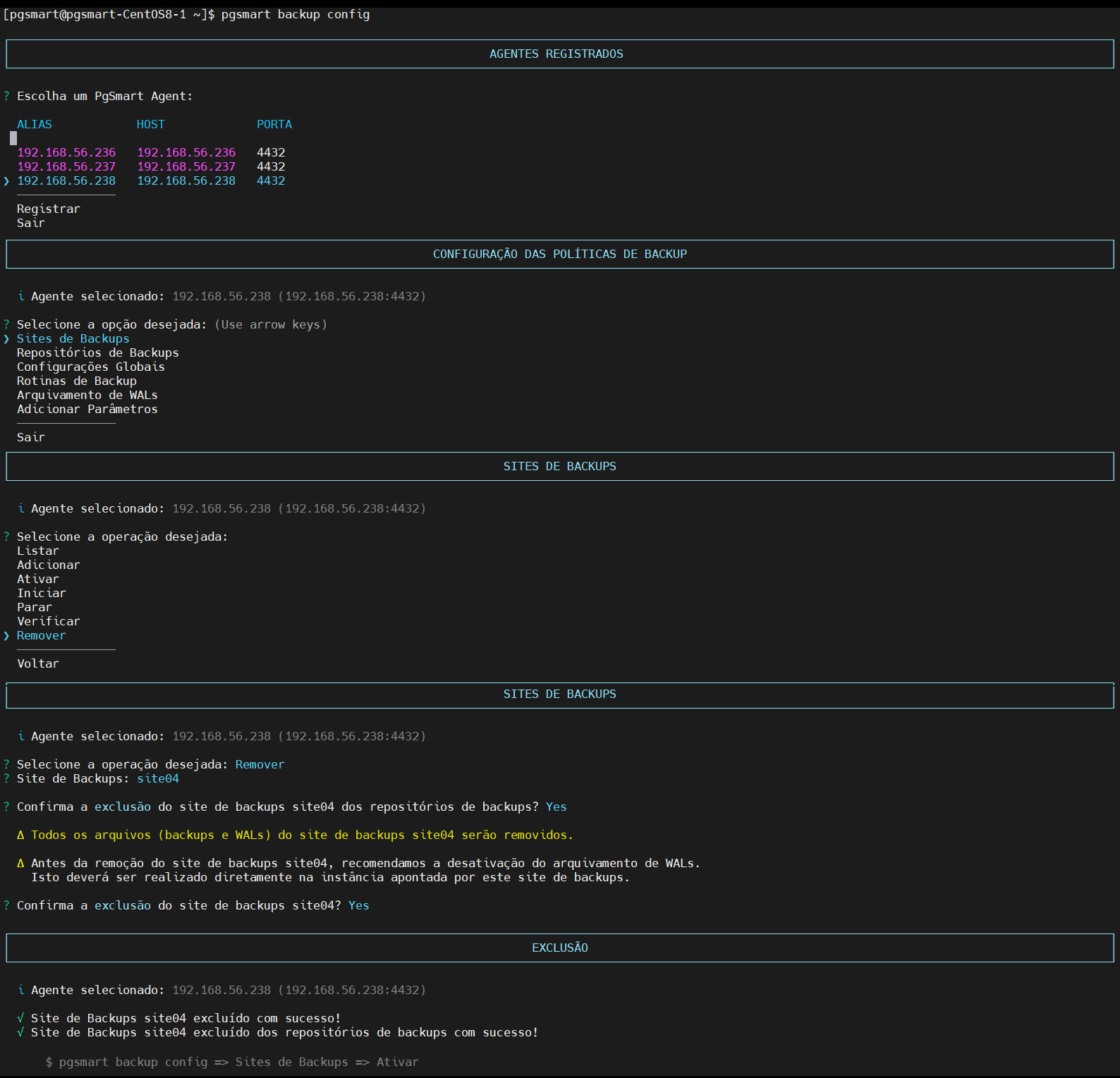 Figure 7 - Site Configuration - Removal
Execution details for the commands can be viewed in the following files:
- /var/log/pgsmart-agent/pgsmart.log
- /var/log/pgsmart-client/pgsmart.log
- /var/log/pgbackrest/[backup site]-start.log
- /var/log/pgbackrest/[backup site]-stop.log
- /var/log/pgbackrest/[backup site]-stanza-create.log
- /var/log/pgbackrest/[backup site]-stanza-delete.log