Database Instance Parameters Configuration
Once a database instance has been created (Database Initialization), the next step is to configure its parameters, modifying the settings in the postgresql.conf file located in the Database directory.
The parameters available for editing are aligned with the installed and selected PostgreSQL version.
Every modification adds a comment line in the postgresql.conf file with the date and user who performed the change.
-
All components installed.
pgsmart db config [Flags]
Flags
-D, --pgdata=<path> [Default: data].=> PostgreSQL instance Data Directory.-M, --pgversion=(11|12|13|14|15).=> PostgreSQL major version.-a, --agent=<agent>. => Alias, hostname, or IP address where the desired PgSmart Agent is installed.-h, --help. => Help
Non-interactive execution is disabled for this operation.
pgsmart db config
Configuring Database Parameters
- Instructions
Parameter Consultation
- Instructions
- Video
-
Select the desired
PgSmart Agentor Register a new Agent.1.1. Select
Configurações das instânciassfrom the menu.1.2. Select the instance
Data Directoryfor which you want to configure parameters.1.3. Select the
Parâmetrosoption.- When selecting the
Parâmetrosoption, the list of configurable parameters will be displayed.
1.4. To locate a parameter, type its full name, a part of it, or any related characters. The search is case insensitive.
1.5. To view parameter details, press
<ENTER>on the desired parameter.note- Parameters are grouped by section. For database parameters, they all belong to the global section.
- Parameters in blue are mandatory and essential for service operation.
- Parameters in red are inconsistent and must be corrected.
- Each parameter indicates its origin:
global: parameters manually configured by the user.default: parameters still using default values.auto: (automatic, originated from the file postgresql.auto.conf).
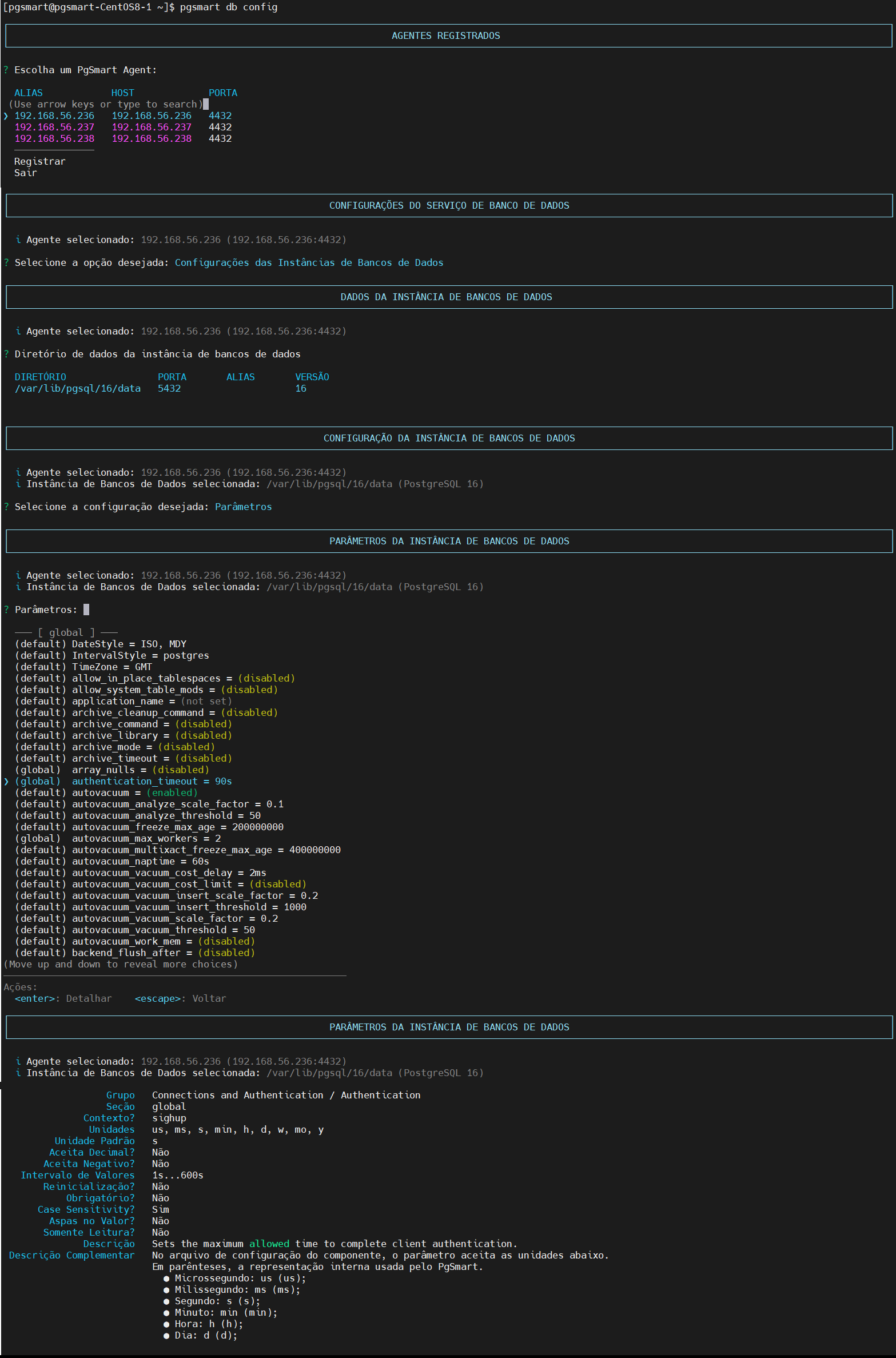 Figure 1 - Database Parameters Configuration - Consultation
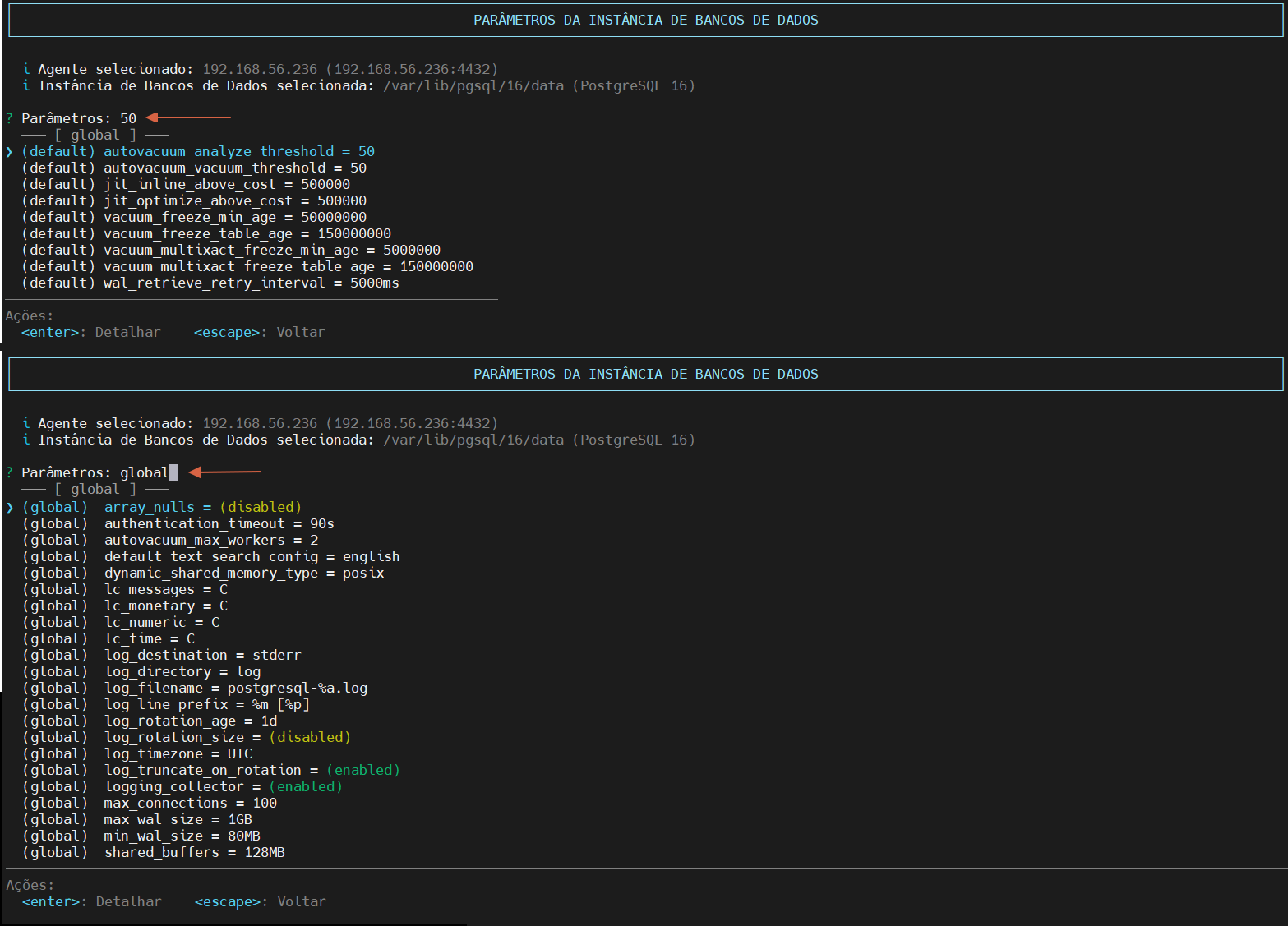 Figure 2 - Database Parameters Configuration - Filtered Consultation
 - When selecting the
Parameter Editing
- Instructions
- Video
-
Select the desired
PgSmart Agentor Register a new Agent.1.1. Select
Configurações das instânciasfrom the options menu.1.2. Select the instance
Data Directoryfor which you want to configure parameters.1.3. Select the
Parâmetrosoption.1.4. Select the desired parameter.
1.5. Press
<ENTER>to view the parameter details.1.6. Select
Editar.1.7. Update the value(s) of the selected parameter.
1.8. Confirm the operation if prompted.
1.9. Confirm whether to perform a RELOAD/RESTART if prompted.
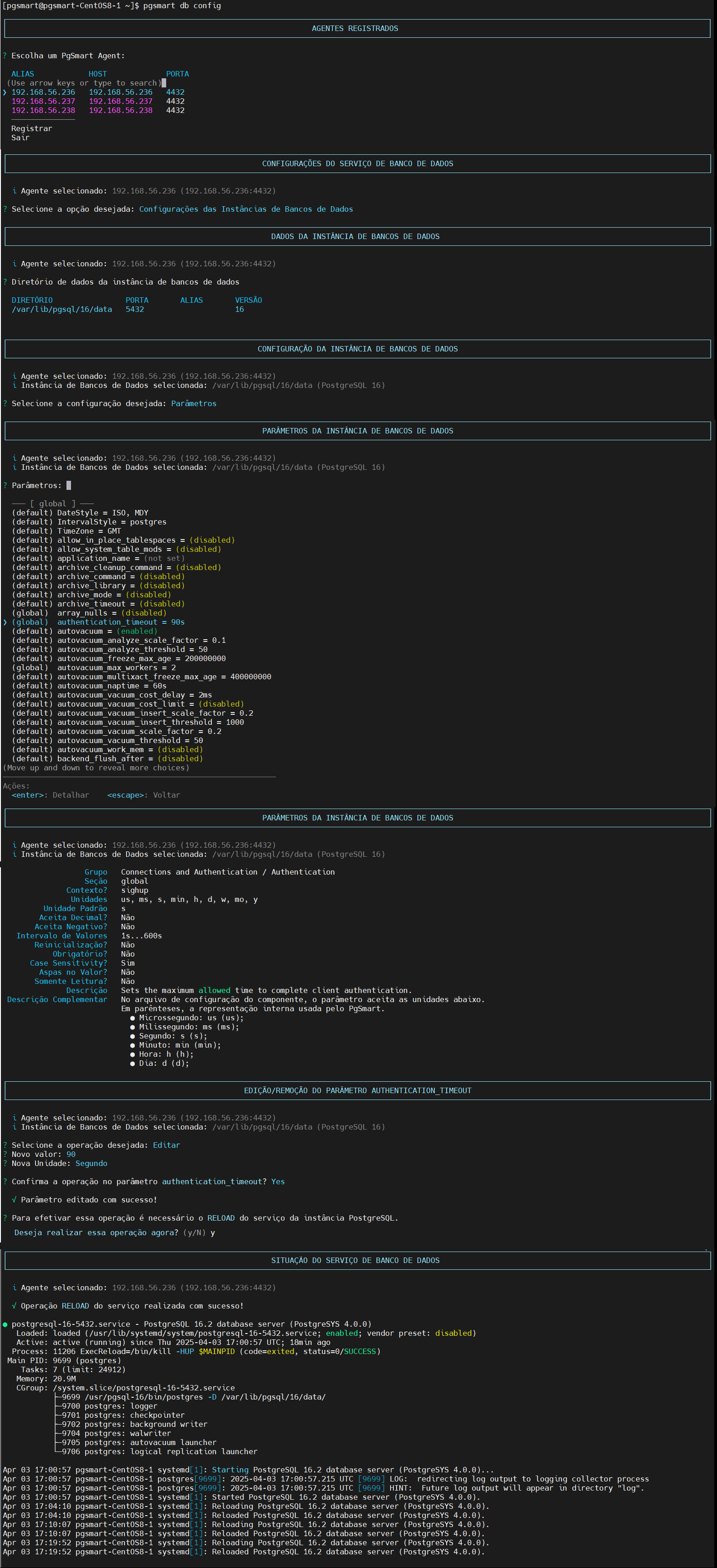 Figure 2 - Database Parameters Configuration - Edit
Parameter Removal
- Instructions
- Video
-
Select the desired
PgSmart Agentor Register a new Agent.1.1. Select
Configurações das instânciasfrom the options menu.1.2. Select the instance
Data Directoryfor which you want to configure parameters.1.3. Select the
Parâmetrosoption.1.4. Select the desired parameter.
1.5. Press
<ENTER>to view the parameter details.1.6. Select
Remover.1.7. Confirm the operation if prompted.
1.8. Confirm whether to perform a RELOAD/RESTART if prompted.
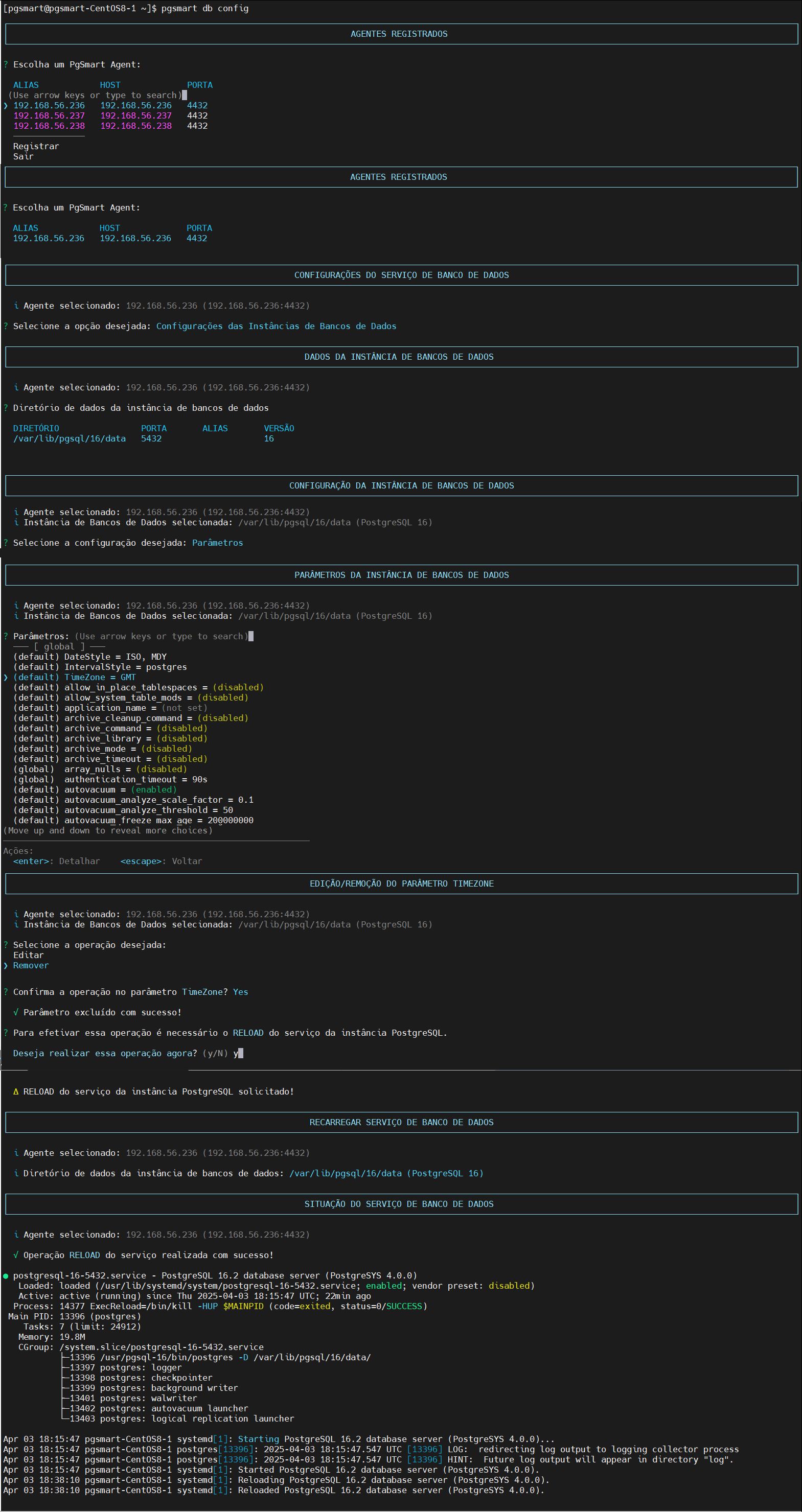 Figure 3 - Database Parameters Configuration - Removalnote
When removing the parameter configuration, it will revert to its
defaultsetting.
-
Depending on the modified parameter, a RELOAD or even a RESTART of the instance may be necessary. PgSmart will inform which action is required to apply the parameter change.
-
If the
ReloadorRestartis not confirmed, the configuration will remain in the file until the necessary action is completed.