Authorized Users Configuration
Identifies which database users are authorized for connection through the connection pool.
pgsmart pool config [Flags]
Flags:
-a, --agent=<agent>=> Alias, host name or IP of the server where the PgSmart Agent is installed.-h, --help=> Help.-q, --quiet=> Non-interactive execution. You can view the operation results in PgSmart Client log. Used together with --agent.
Non-interactive execution is disabled for this operation.
-
Select the
PgSmart Agent(or Register new Agent). -
Select the
Authorized UsersSection (selection is made with the [spaces] key).
Upon selecting the Authorized Users Section, the following operations are made available:
- List the already configured authorized users.
- Add a new authorized user.
- Edit an authorized user.
- Remove an authorized user.
List Already Configured Authorized Users
- Instructions
- Video
-
Select the
Listoption.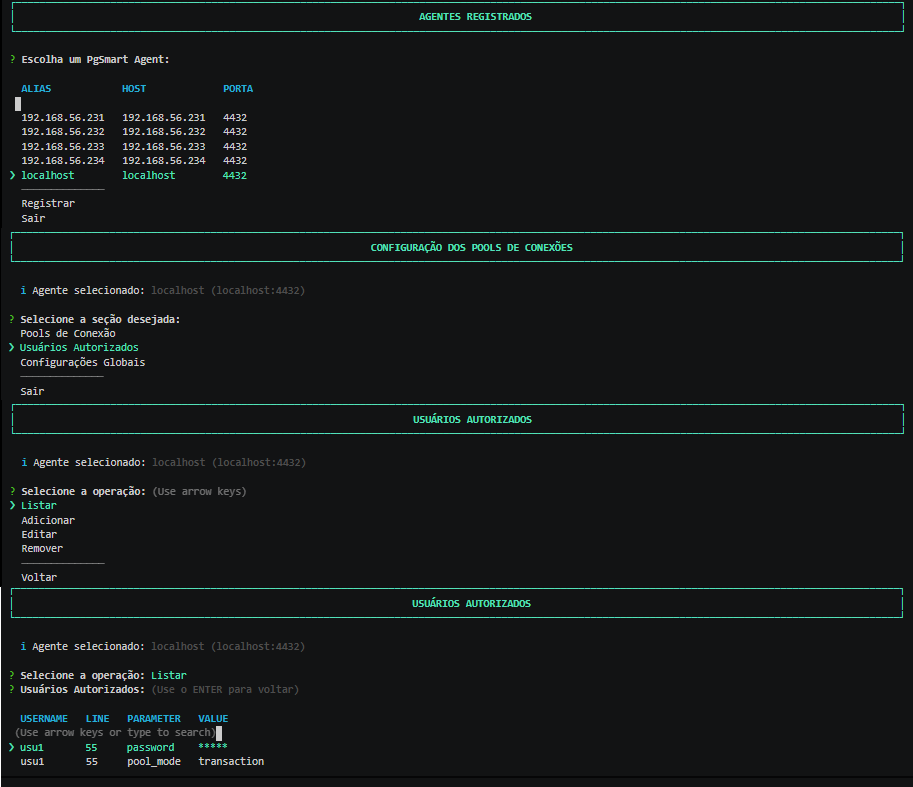 Figure 1 - Connection Pool - Users -List
The list of already configured authorized users will be presented.
Add a New Authorized User
- Instructions
- Video
-
Select the
Addoption. -
Provide the
database connection user. -
Provide the
passwordof the database connection user. -
Provide the
connection reuse mode. -
Provide the
maximum number of connectionsfor this user in the Connection Pools. [optional]. -
Confirm the addition of the user.
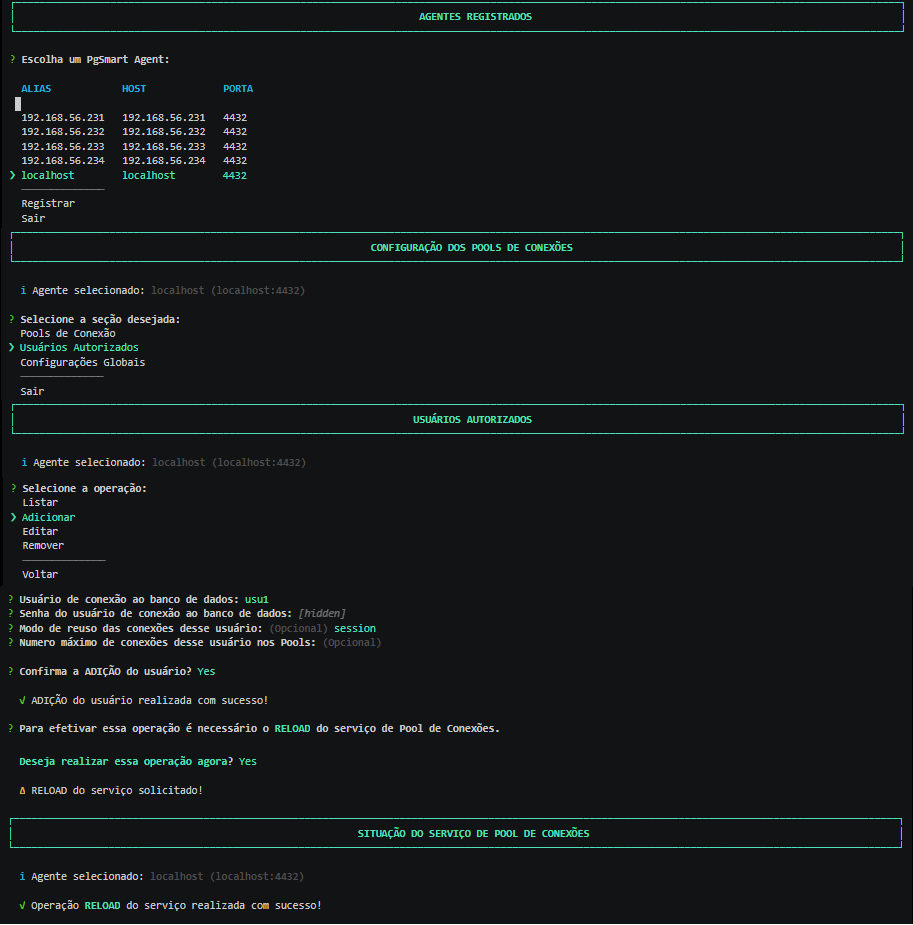 Figure 2 - Connection Pool - Users - Add
Edit an Authorized User
- Instructions
- Video
-
Select the
Editoption. -
Select the user you wish to edit.
-
Provide the
database connection user. -
Provide the
passwordof the database connection user. -
Provide the
connection reuse mode. -
Provide the
maximum number of connectionsfor this user in the Connection Pools. [optional]. -
Confirm the edition of the user.
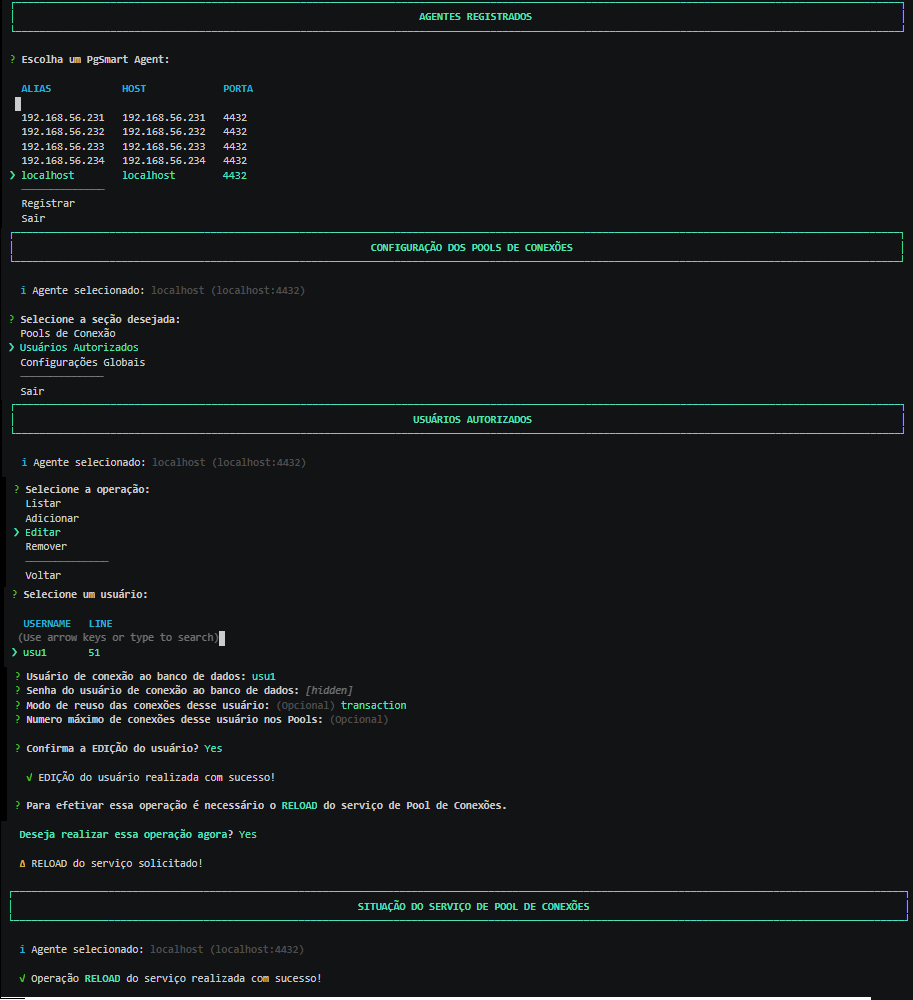 Figure 3 - Connection Pool - Users - Edit
Remove an Authorized User
- Instructions
- Video
-
Select the
Removeoperation. -
Select the user you wish to remove.
-
Confirm the deletion of the user.
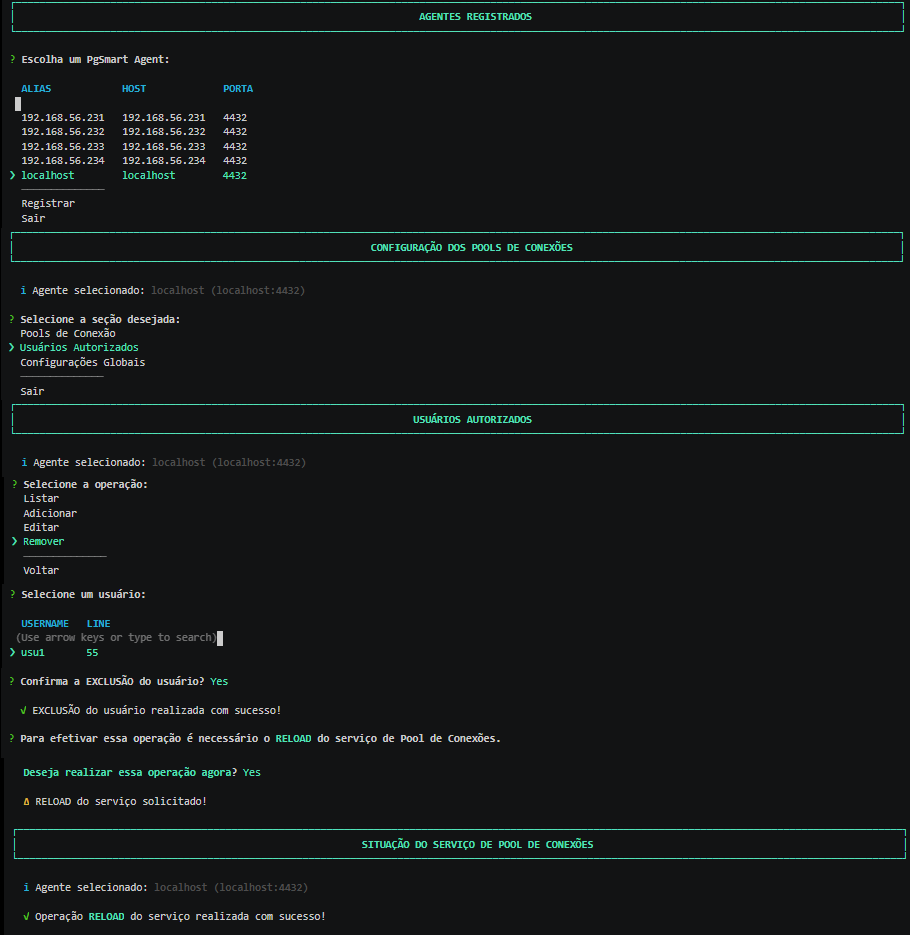 Figure 4 - Connection Pool Configuration - Users - Remove
Verification of authorized users will occur at the time of connection.