Upgrade Prerequisites
Below are the minimum prerequisites for upgrading a TDP Cluster, with potentially additional ones depending on the desired services or the technical and organizational needs of each environment.
If you need assistance, request support at the Support Area.
Disk Space
The upgrade requires the installation of new packages, which demand additional disk space, whether in the package repository or in the Cluster machine directories designated for binaries, configuration files, and libraries. For a safe upgrade, without issues, we recommend a minimum of 100 GB of free disk space.
Before installing the new version packages, check the available disk space, thus avoiding file corruption, operation restart, among other problems.
Communication Network
Communication between the Cluster machines and the package repository must be guaranteed, whether through a local network or the internet. The speed and stability of the network directly influences the execution time and integrity of the operation.
"Auto Start" Function Disabled
Before starting the component upgrade, it is important to disable the Auto Start function of services in Ambari. To do so, follow the steps below:
- Instructions
- Video
-
In the Ambari side menu, select the
Service Auto-Startoption. -
Switch the toggle to
Disabledin theAuto Start Settingsoption.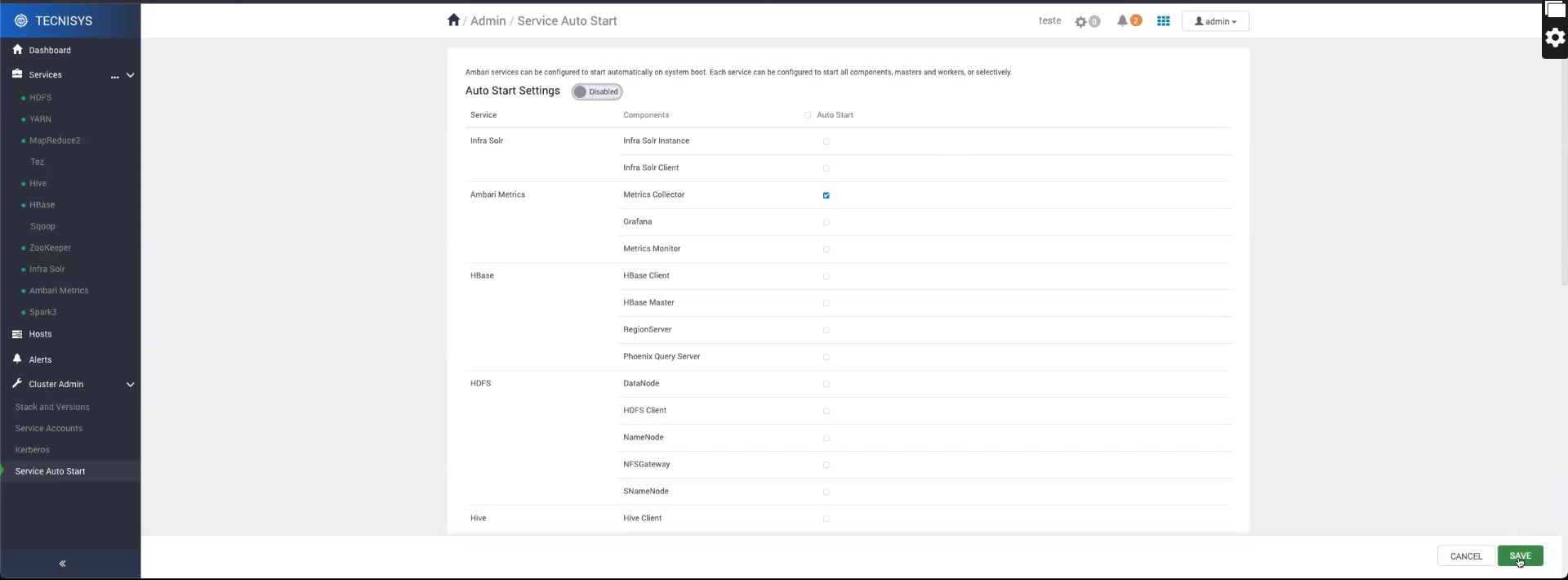 Figure 5 - Disabling _Auto Start_
 -
Click
Saveto save the change and confirm the operation.noteOnce the upgrade is complete, the Auto Start function can be re-enabled.
Completed Workloads
We recommend that the main workloads be completed before the upgrade. This prevents the interruption of running processes, ensuring data integrity and operational continuity.
High Availability Services
The Rolling Upgrade type upgrade is a process that allows upgrading a service without interrupting the Cluster operation. For this, the services must be configured for high availability, ensuring operational continuity.
Metadata Database Backup
Several TDP platform components use metadata databases to store information about configurations, operations, among others.
Before starting the upgrade, it is recommended to perform a backup of the metadata databases, thus ensuring the possibility of restoration in case of failures.
Additional Apache Ambari Configurations for Large Clusters
In a large Cluster, with dozens or hundreds of machines, some additional Apache Ambari configurations may be necessary to ensure the success of the upgrade.
Package Installation Timeout Adjustment
In a large Cluster, package installation through Ambari may require considerable time. Therefore, to avoid timeout problems, increase the value of the agent.package.install.task.timeout parameter, located in the /etc/ambari-server/conf/ambari.properties configuration file on the Ambari Server machine. To do so, follow the steps below:
- Instructions
- Video
-
Open the Ambari Server configuration file with a text editor:
Terminal inputvim /etc/ambari-server/conf/ambari.properties1.1. Adjust the value of the
agent.package.install.task.timeoutproperty. For example, to 1 hour (3600 seconds):Terminal inputagent.package.install.task.timeout=36001.2. Save the change and close the Ambari Server configuration file.
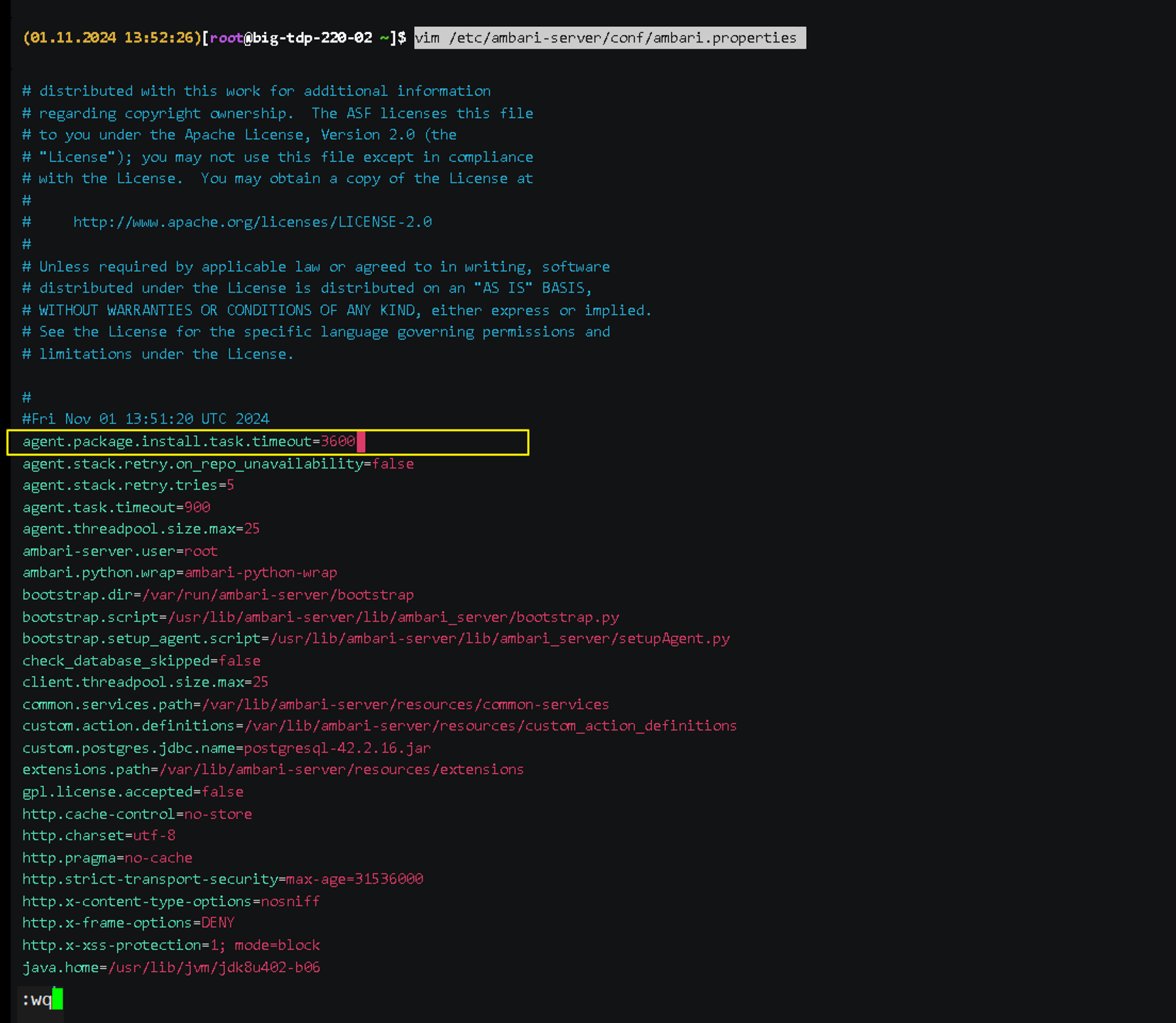 Figure 6 - Timeout adjustment
 -
Restart the Ambari Server service:
Terminal inputambari-server restart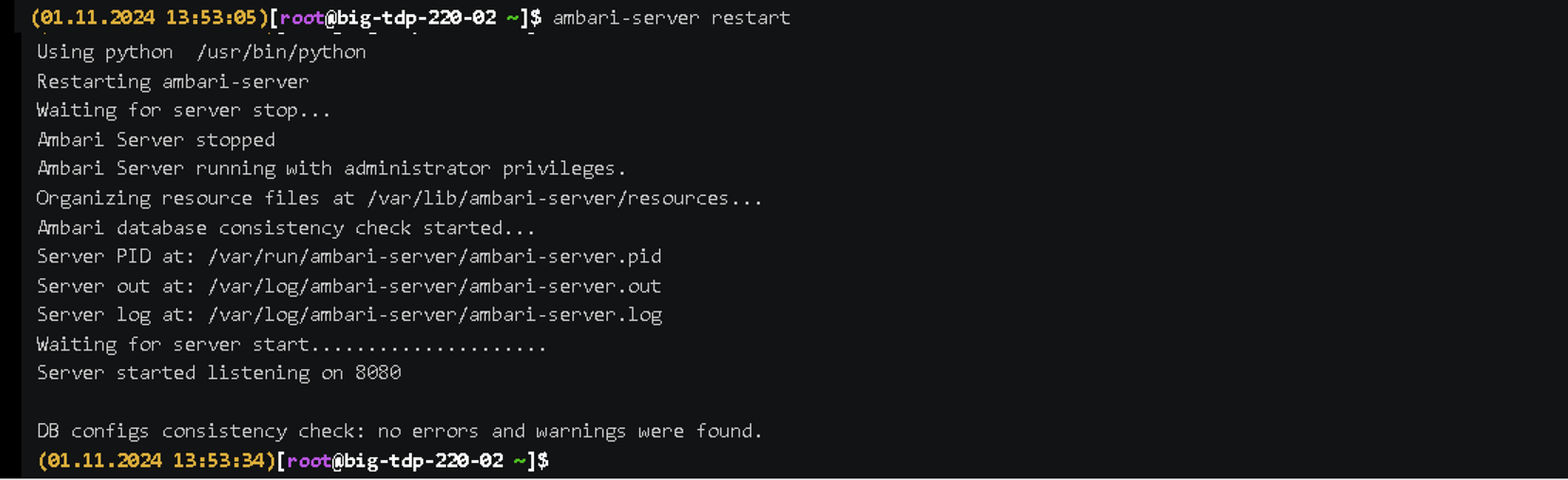 Figure 6 - Timeout adjustment
NameNode Restart Time Adjustment
In a large Cluster, the NameNode initialization process can take a significant amount of time. The initialization time depends not only on the available computational resources, but also on the data volume and network parameters.
To ensure that Ambari requests to start the NameNode do not exceed the time limit during an upgrade, configure the NameNode restart timeout parameter in Ambari, upgrade.parameter.nn-restart.timeout, in the /etc/ambari-server/conf/ambari.properties file on the Ambari Server machine.
If the upgrade.parameter.nn-restart.timeout parameter does not exist in the configuration file, add it.
- Instructions
- Video
Initially, add 10% to the time (in seconds) normally required to restart the NameNode. Although there is no standard method for determining an appropriate value, the following guideline can be used. For example, 660 seconds (11 minutes) if the normal restart time is 600 seconds (10 minutes). To do so, follow the steps below:
-
Open the Ambari Server configuration file with a text editor:
Terminal inputvim /etc/ambari-server/conf/ambari.properties1.1 Adjust the value of the upgrade.parameter.nn-restart.timeout property:
Terminal inputupgrade.parameter.nn-restart.timeout=6601.2. Save the change and close the Ambari Server configuration file.
-
Restart the Ambari Server service:
Terminal inputambari-server restart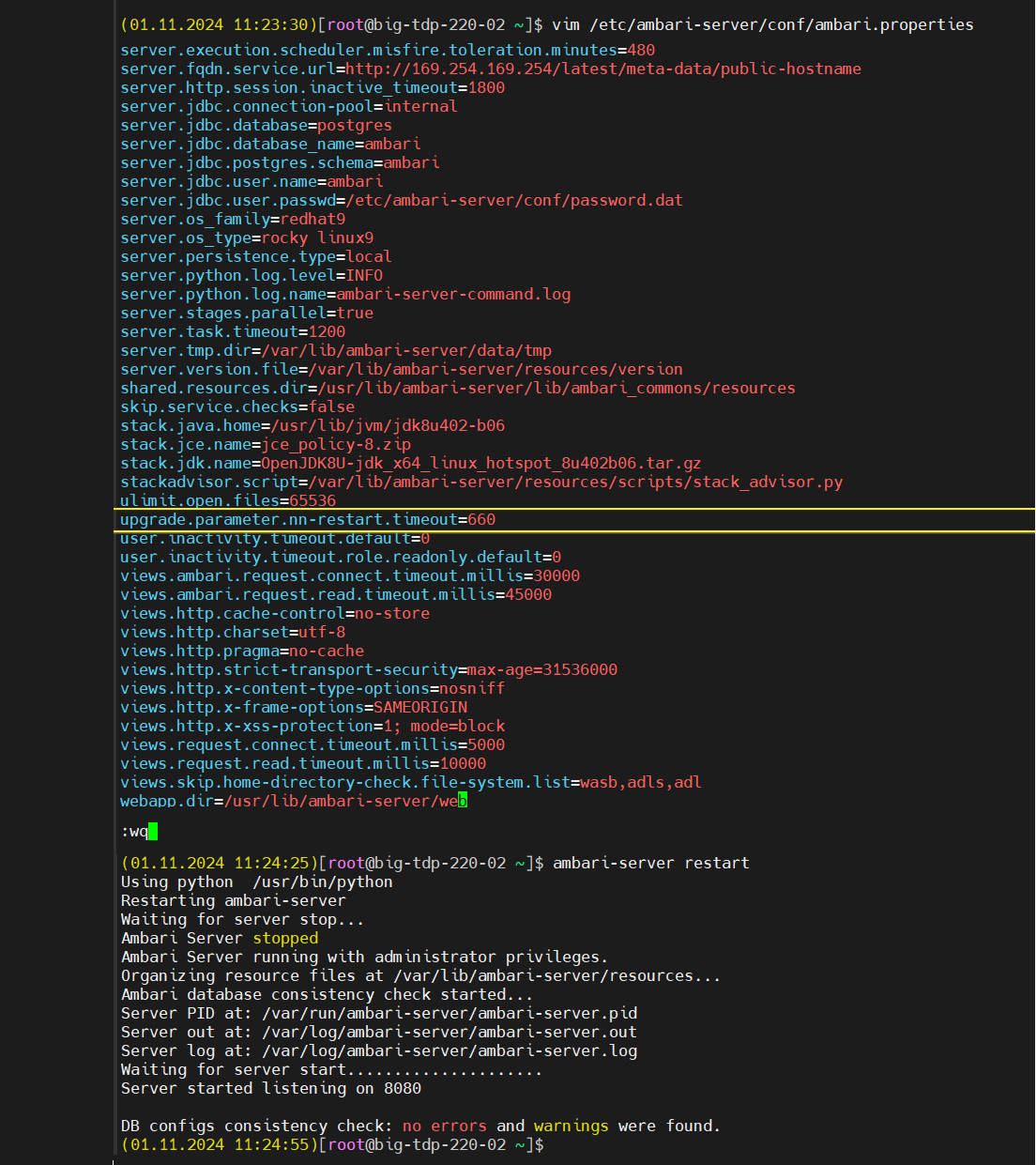 Figure 6 - NameNode adjustment